
This blog is part of a series on Teams. For more articles, check back often
Written: 26/02/2023 | Updated: N/A
This week I had an interesting conversation with a partner of ours who is currently doing a roll out of Microsoft 365 with one of their new customers. Like me they’ve been in the game for a while so the conversation was very open, fluid and candid. We discussed a few particular functionalities they were looking for. We also discussed things such as how the stack had evolved the last few years. But one of the interesting things they mentioned is that they felt Microsoft were beginning to put more advertising into their products. This interested me because over the past few months I am increasingly hearing similar things from others. Here are a few examples an increase in add-on/premium SKU’s across the stack when E5 was supposed to be the all up SKU for everything. How panels are explicitly calling out trials. More services subject to self-service sign ups. More nudges and flyouts to use functionality in the portals and more services based upon Azure subscriptions and the consumption model as well as SKU’s such as the Power Platform. Now, this isn’t throwing shade on Microsoft. It was pretty much expected they’d develop a commercially harder posture and tack post-pandemic given a slowdown. The issue is this – in their desire for us to transact, to grow numbers and recoup on their acquisitions or engineering investments, it can create certain headaches for admins looking to perform controlled rollouts of services and a high level of governance. Viva Goals is an example we discussed where the partner is looking to roll this out in the near future. Assuming that trials aren’t restricted in the tenant any user can sign up for it. Once signed up, multiple organizations can be created by anyone who is licenced. By default, anyone in Goals can create Teams, and Tags and export OKR’s. In other words, admin’s could be on the back foot if they don’t take any governance actions and simply assign the licencing. So this one is for said partner: three ways to ensure better governance with Viva Goals. Completely optional, the choice is yours.
Let’s go
This blog will cover
- Restricting Self-Service Trials
- Restricting Organization creation
- Restricting write actions and Making Organizations read-only
- Restricting Teams and Tags
Note: this blog may have some abridged steps which will assume some experience with Viva Goals and Teams
Prerequisites
- Global Administrator Role
- PowerShell
- Viva Goals Licencing (Paid/Trial)
RESTRICTING SELF-SERVICE TRIALS
The first restriction is at the tenant level which is restricting user self-service trial sign ups for Viva Goals. This prevents a user in the organisation from going ahead and deploying Viva Goals into the tenant so it can be driven by an administrator. Note, restricting trials and the purcase of Viva Goals by users is tenant wide and will apply to all users.
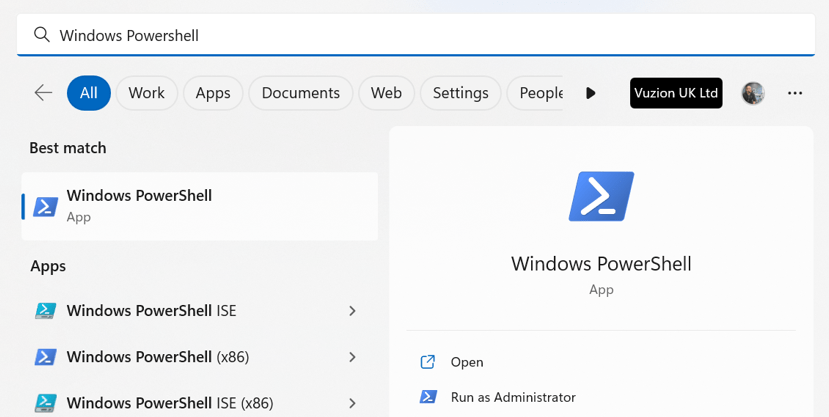
1.) Select Windows Start, search for and select Windows PowerShell and Run as Administrator
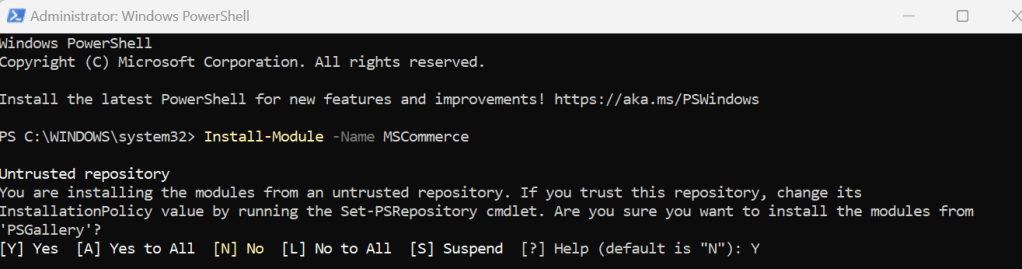
2.) Install the MSCommerce PowerShell module with the following code
Install-Module -Name MSCommerce
3.) Select Y (Yes) and run
4.) Connect to the module with the following command. This will ask for authentication with the global administrator credentials and confirm the connection has been established
Connect-MSCommerce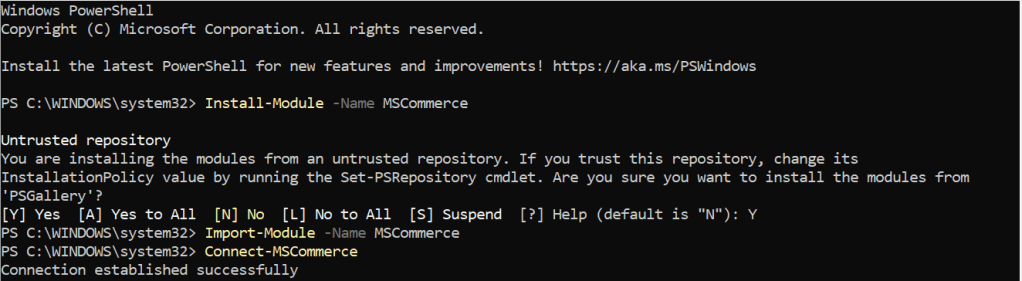
5.) Run the following command to disable self-service trial or purchase of Viva Goals. Viva Goals ProductID is CFQ7TTC0PW0V
Update-MSCommerceProductPolicy -PolicyId AllowSelfServicePurchase -ProductId CFQ7TTC0PW0V -Value "Disabled"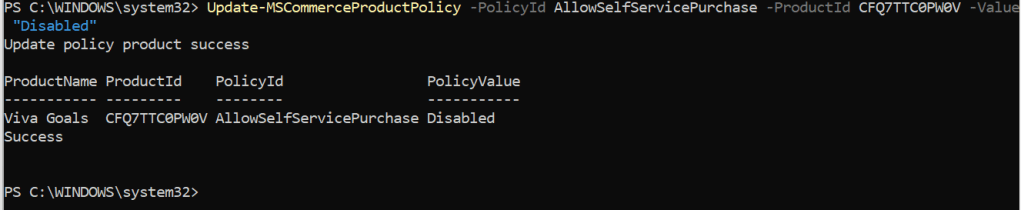
6.) You can check this has propagated by running the following command
Get-MSCommerceProductPolicies -PolicyId AllowSelfServicePurchase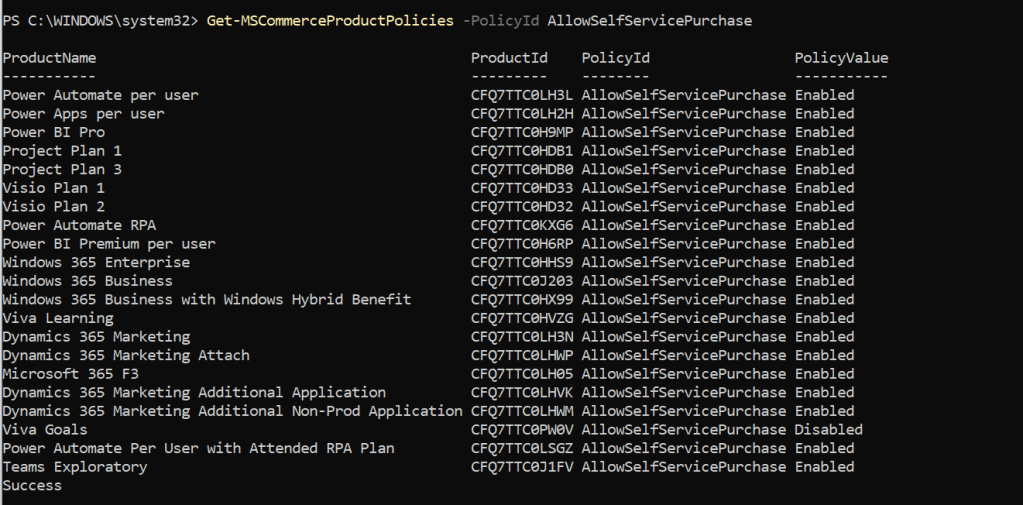
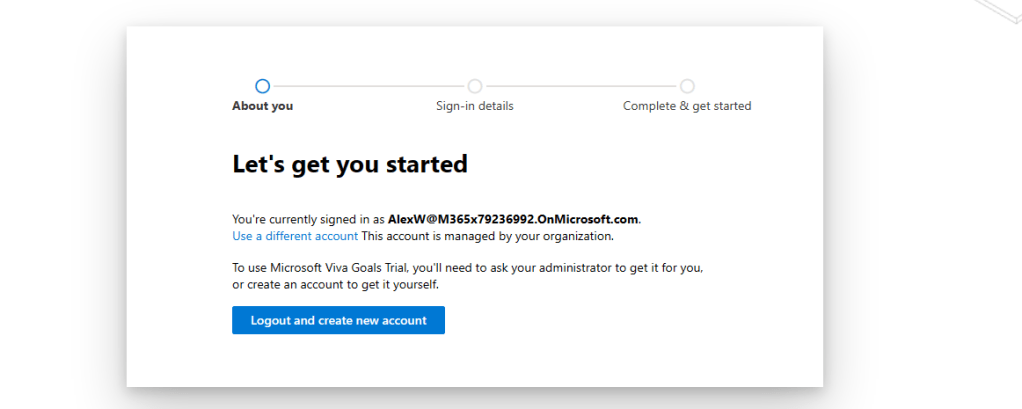
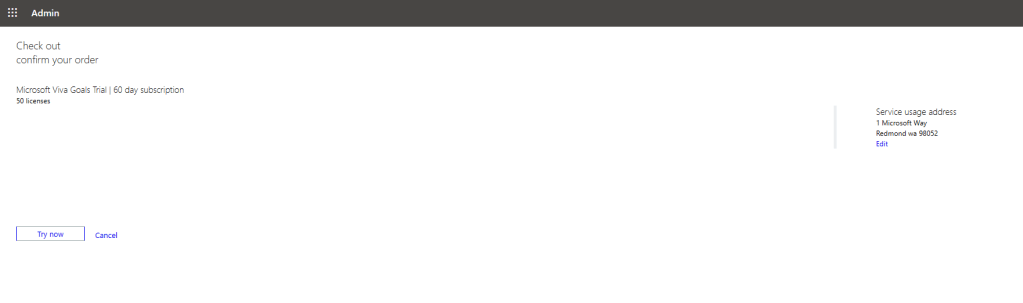
The outcome of this restriction in PowerShell is that no user in the organisation can have a trial or purchase Viva Goals and therefore cannot go on to set up organizations within the tenant. The rollout will be driven by the global administrator and IT who can purchase it or sign up for a trial. Per the screenshot above this process can be repeated for many other trials including Windows 365, Power Apps and Power Automate.
User experience
Admin experience
RESTRICTING ORGANIZATION CREATION
Ok, we have put the creation of Viva Goals back in the hands of administrators only by restricting self-service sign up of trials or purchases. The second issue we have as administrators is that when Viva Goals is created, any licenced user has the ability to create organizations – also informally known as business units (BU’s) within Viva Goals. The merits of whether a company should use one or multiple organizations/BU’s isn’t discussed here: but it is likely that many administrators will not want users setting up their own, or other organizations/BU’s outside of their control – or they at least need the ability to specify who can create organizations. Allowing anyone to create them could confuse users, add overhead to deployment and management or even cause a compliance infringement
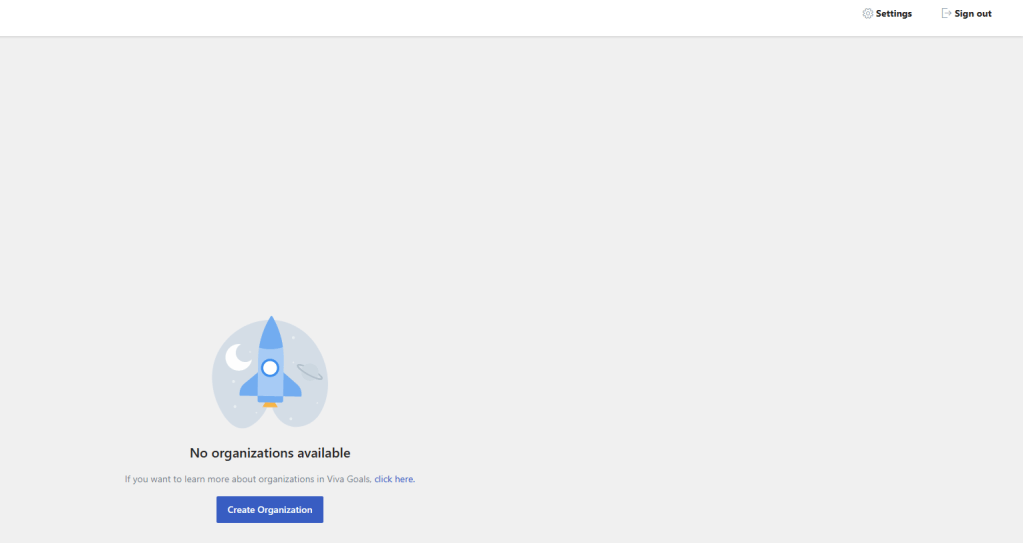
1.) Let’s start with restricting organization creation before the first Viva Goals organization is even created. This is a setting which can only be configured in the web app at https://goals.microsoft.com. Select Settings in the top right
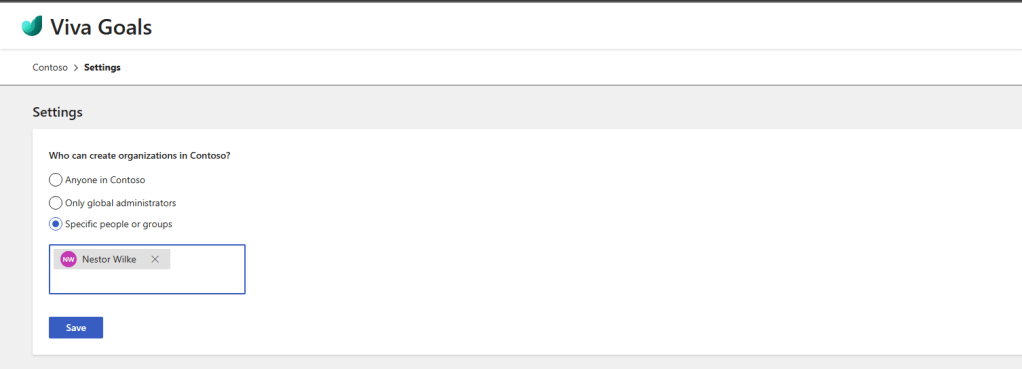
2.) Change Who can create organizations in [Tenant] to Only Global Administrators or Specific People and Groups. Note that Global Administrators can always create organization so specific people and groups are in addendum to admins who are assigned Global Administrator roles. Once done select Save
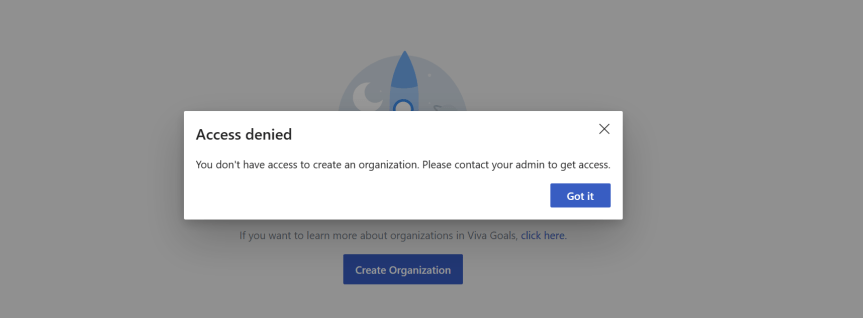
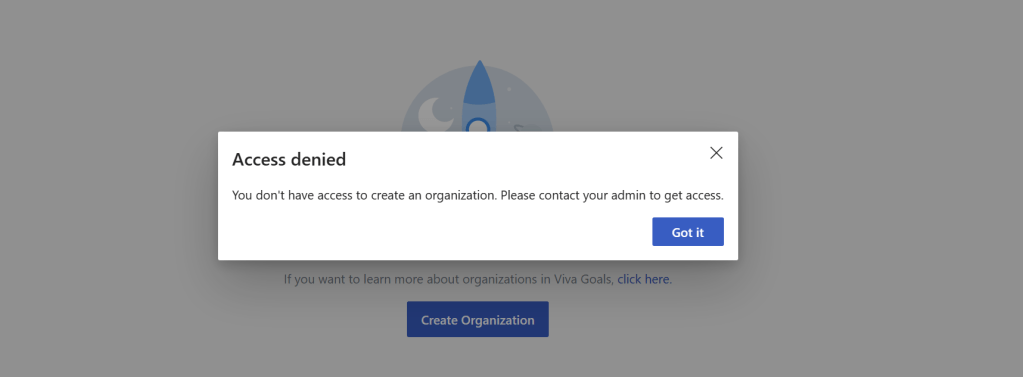
3.) The experience for a user will be access denied whilst a user who can create an organization will be able to go on and create one
Blocked User
Allowed User

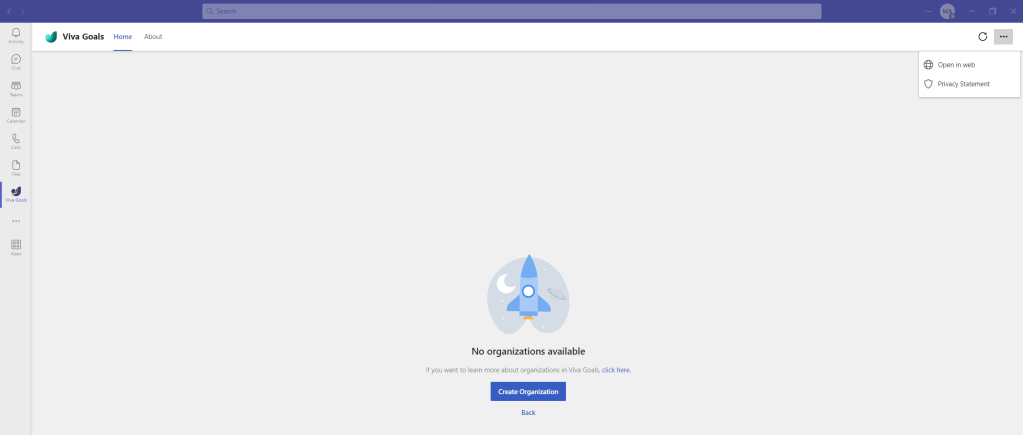
4.) Note that for now, this cannot be executed in the Microsoft Teams client as Settings does not appear in the header of the app in the Teams experience. I am sure this will appear at some point in the future.
The outcome of this restriction is that, after restricting the creation of Viva Goals itself, restricting the organizations means that users cannot go and start creating organizations and setting up OKR’s. This is particularly pertinent at the time of writing because, at the time of writing, organizations cannot be deleted.
RESTRICTING WRITE ACTIONS AND MAKING ORGANIZATIONS READ ONLY
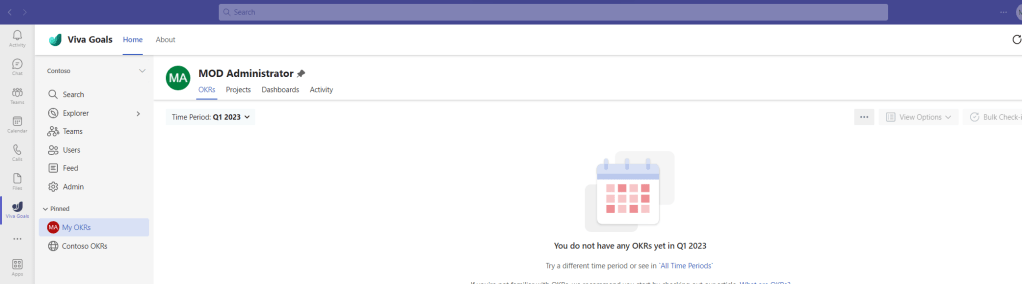
With control over Viva Goals and organizations, administrators will have a lot of governance back. However, an organization may have already been created. This is where making organizations read-only comes in useful. Making the organization read only means no write actions can be performed. So no OKR’s created, or integrations performed. If the administrator wants to stop what users are doing within the organization they have created in order to pause further action, this is a handy functionality. This can be performed in the web app or in the Microsoft Teams client
1.) In the Viva Goals App select Admin
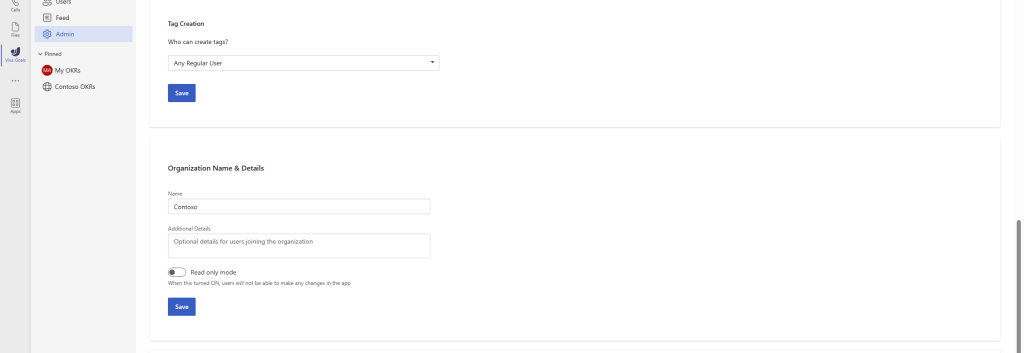
2.) Scroll down to Organization Name & Details and swipe Read-only mode to On
3.) Warning is given that the app is now in read only mode
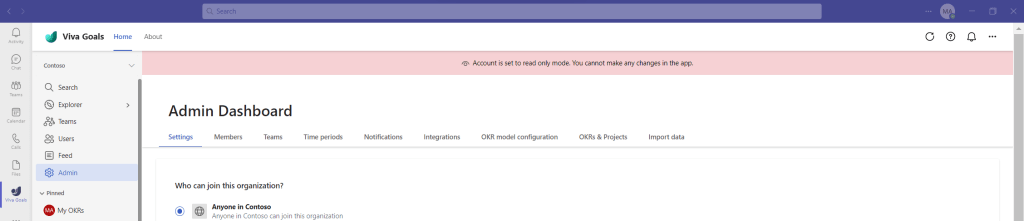
4.) Trying actions within the organization, such as the creation of an objective, or changing an admin setting will show a pop up that the organization is in read-only mode. Important Note and Disclaimer here: I have not attempted every possible action within the organization so there may be some caveats, but it seems to cover all the major actions. Implementing read-only in one organization does not impact another organization which is not read-only.


The outcome of this restriction is that after restricting the creation of Viva Goals and the creation of organizations, we can as administrators freeze any organizations that may have been created by making them read only. This is great for putting the brakes onto users which may have spun up their own organizations. We can then discuss and amalgamate into an organization of our own, or review the organization to ascertain if it should continue to be utilised.
RESTRICTING TEAMS AND TAGS
Finally – having restricted trials, organizations and write actions on orgs which have been created by others we now need to configure our own created organization as an admin, and what users can do within this org. Teams, Tags and exporting OKR’s are all things which fall into these final restrictions. These can all be configured within the Viva Goals Web App at https://goals.microsoft.com or in the Microsoft Teams client
1.) In the Viva Goals App in Teams select Admin
2.) Scroll down and set who can Invite Users to your organization. Select Save once done. This example uses Admins and Teams Admins only.
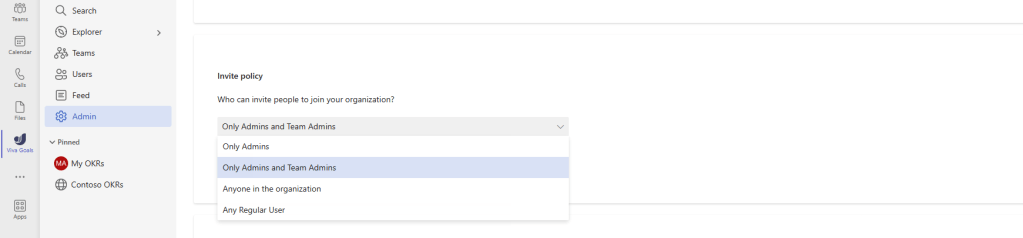
3.) Scroll down and set who can create Teams and select Save. This example sets Admin only
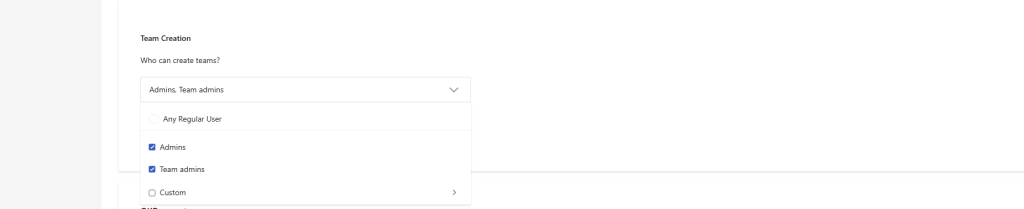
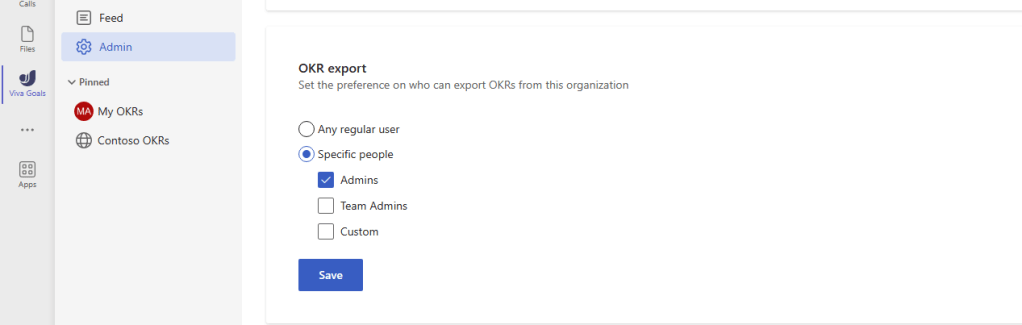
4.) Scroll down and set who can export OKR’s and select Save. This example sets Admin only
5.) Scroll down and set who can create Tags and select Save. This example sets Admin only
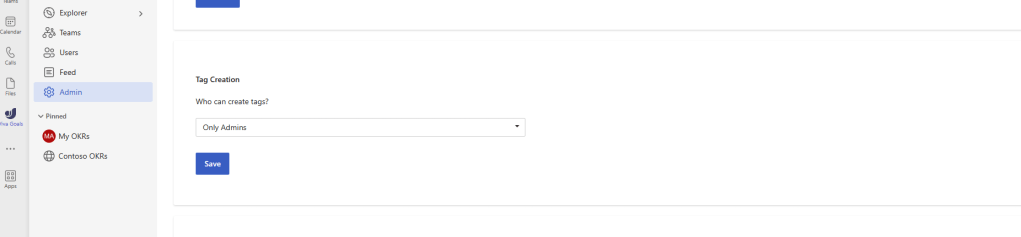
The outcome of this restriction is that after restricting the creation of Viva Goals, the creation of organizations, and write actions inside an organization we can as administrators set what we allow users and team owners to do within an organization. As shown above this does not allow any user to invite, create teams, export OKR’s not create tags. In this example, we want those kind of actions to reside with administrators or Teams admins only. This will be important for some businesses who expect a high level of governance.
CONCLUSION
This piece is very much concerned with the relationship between Microsoft becoming a more commercially focussed organization with how governable the service is out of the box. In the example of Viva Goals, it’s obviously great and easy to deploy and to use. I have deployed it myself for my own organisation and it’s one of my favourite apps in Viva. However, as we have seen above the fact that anyone in an org can sign up for it if they have a Microsoft 365 licence, create multiple organizations which – at the time of writing – cannot be deleted (creating sprawl), and configure those completely outside of the global administrator and the IT department, means that it could give administrators and the business a headache when it comers to rolling out Viva Goals out properly to production. Now, we know that more administrative controls such as an Azure AD RBAC role is coming for Viva Goals, and we can make governance easier with the above restrictions. But circling back to the intro it’s part of the growing story and conversation which is happening today. We are seeing an increase in add-on/premium SKU’s across the stack when E5 was supposed to be the all up SKU for everything. Panels are explicitly calling out trials. We now seeing more services subject to self-service sign ups, and more nudges and flyouts to use functionality in the portals, and more services based upon Azure subscriptions and the consumption model as well as SKU’s such as the Power Platform. As said, this isn’t being critical to Microsoft, more a call for caution that when things get rolled out into our tenants that we should check them, and see if we need to do a few added actions for the good of governance, and a better user experience.
 @Microsoft365Pro