
This blog is part of a series on Teams. For more articles, check back often
Written: 12/03/2023 | Updated: N/A
I spoke recently at a Viva Goals AMA with fellow MVP’s Karoliina Kettukari and Kevin McDonnell. And in addition to it being a lot of fun I got to tell a little bit about my story and how I got into Viva. This was via Viva Goals. I class myself as what I would call a second wave advocate of Viva. Why? Because the first wave with the initial four apps such as connections and topics seemed to just pass me by. I was too deep into Teams at the time. I was always, for some reason or other getting around to it. Indeed, it was the acquisition of Ally.io and phasing into the portfolio of Goals which which kicked things off for me, because in my mind Goals looked useful from a business perspective. To me, it looked useful in the same way Power BI is useful. It gave purpose, and direction, and evidence of making an impact. So I got hands on in the preview. I liked it. And then I did a bit of testing for Microsoft – particularly around its integration with Teams, I also attended the programs where I fed back a lot of asks on things like integrations, and one of those asks was to have a defined RBAC role for Goals. This is because there wasn’t one in the same way there are other RBAC roles for Viva Apps such as Knowledge Manager, whilst at the same time all the admin controls were accessible to the person who set up the org. Whether it is for principle of least privilege, or decentralised administration there is a case for RBAC. But all is not as it seems and there may be some surprises for those into their Azure AD.
Let’s go
This blog will cover
- Adding the Viva Goals Administrator RBAC role via the Viva Admin Portal Experience
- Other ways of adding the Viva Goals Administrator RBAC Role
- Distinguishing the Viva Goals Administrator RBAC role with the Organisation Admin
- Assigning the Organisation Admin role
Note: this blog may have some abridged steps which will assume some experience with Viva Goals and Teams
Prerequisites
- Global Administrator Role
- Viva Goals Licencing (Paid/Trial)
ADDING THE VIVA GOALS ADMINISTRATOR RBAC ROLE VIA THE VIVA ADMIN PORTAL EXPERIENCE
Ok, so I am starting out having deployed Viva Goals in Microsoft Teams. I am a global administrator and the other user is someone I want to assign the Viva Goals Administrator RBAC role. From a role perspective, they are currently just a member of the org without a role.

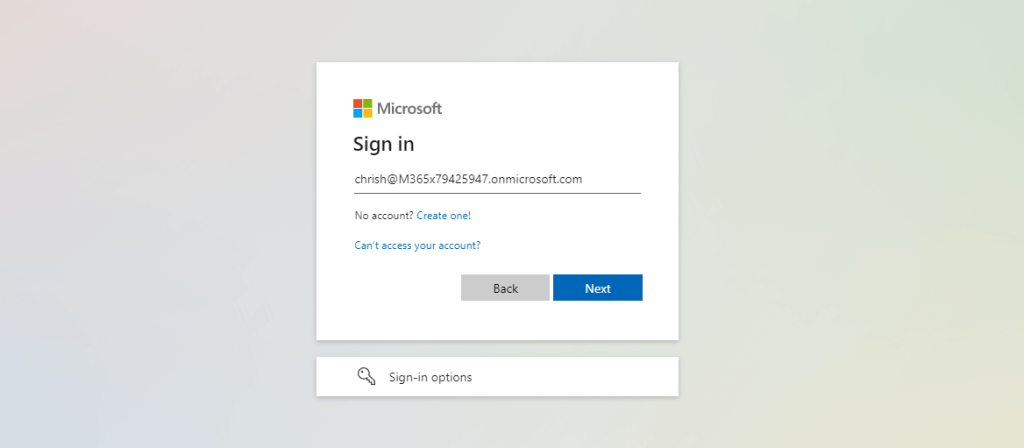
1.) Login to https://login.microsoftonline.com with admin credentials
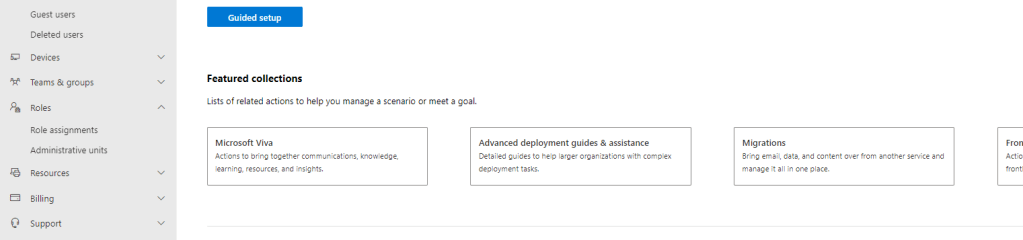
2.) Select Admin from the left navigation, or the waffle

3.) In the Microsoft 365 Admin Centre, in the navigation select Show All and then Setup

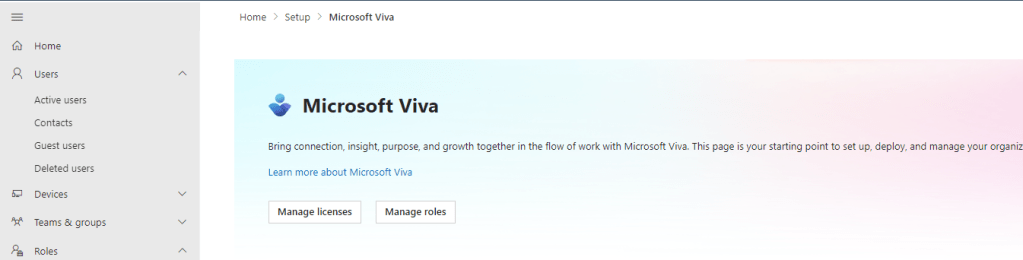
4.) Select Microsoft Viva
5.) Select Manage Roles
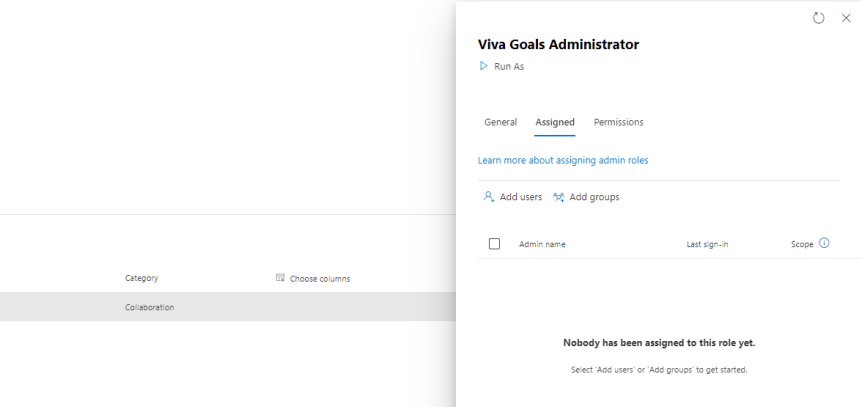
6.) Search for Viva Goals Administrator and select Assign Admins
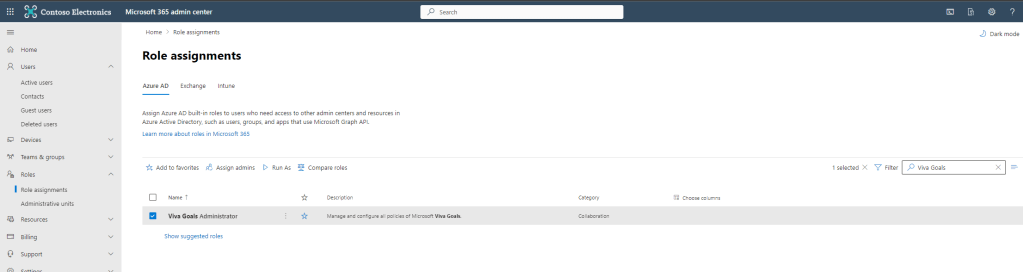
7.) In the fly out to the right of the screen, under Assigned select Add Users

8.) Search for and select the user and then select Add at the bottom of the screen
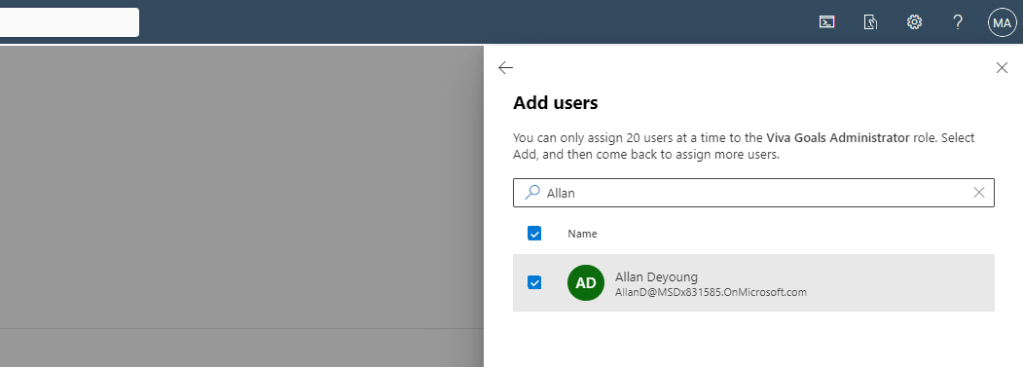
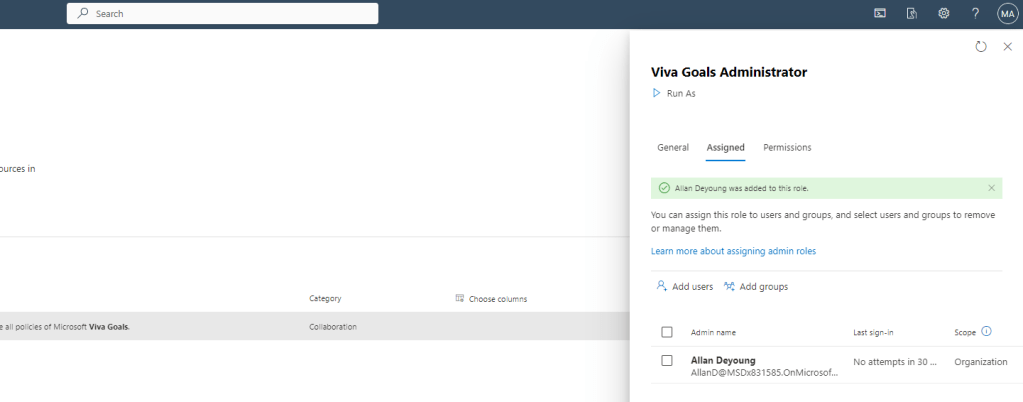
The user has been successfully added to the Viva Goals Administrator RBAC role
OTHER WAYS OF ADDING THE VIVA ADMIN ADMINISTRATOR RBAC ROLE
In addition to the method above this RBAC role could also be added
1.) In the Microsoft 365 Admin Centre, via Manage Product Licences
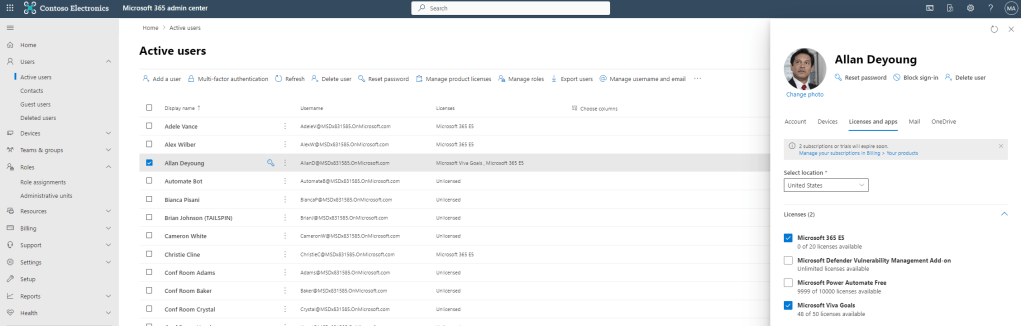
2.) In the Microsoft 365 Admin Centre, via Role Assignments

3.) Or directly in Azure AD within the Microsoft Entra Admin Portal

DISTINGUISHING THE VIVA GOALS ADMINISTRATOR RBAC ROLE FROM THE ORGANISATION ADMIN
Now the Viva Goals Administrator RBAC role is set up, I check Viva Goals within the users setup in Teams. On the face of it, it looks good. However, upon closer examination there is no Admin Cog on the left hand navigation like there is for the individual who set up Viva Goals and the organisation.
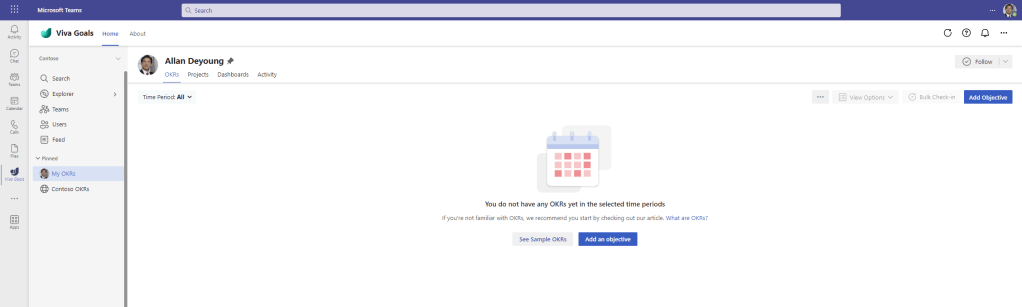
So what exactly does the Viva Goals Administrator RBAC Role control?
1.) Go to https://goals.microsoft.com/organizations. The Viva Goals Administrator RBAC role gives the user permissions to manage the tenant level Viva Goals settings. Select Settings


2.) This includes Who can create organisations, what integrations are permitted and What URLs are permitted to be embedded inside Viva Goals dashboards. This settings area was mentioned in my previous blog which covered restriction of org creation. With the introduction of this RBAC role, organisation creation can now be limited to both global administrators and Viva Goals administrators
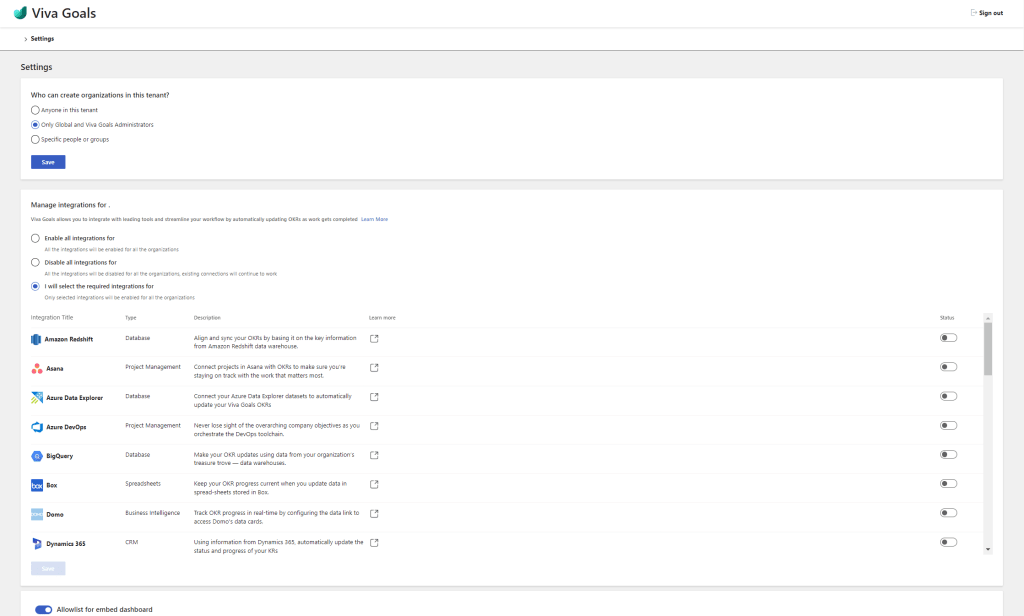
3.) Yet the Viva Goals Administrator RBAC role does not permit managing the Viva Goals organisation itself or much of the configuration within that organisation. This is because they have to be assigned Organisation Admin within the organisation instance within the Viva Goals App
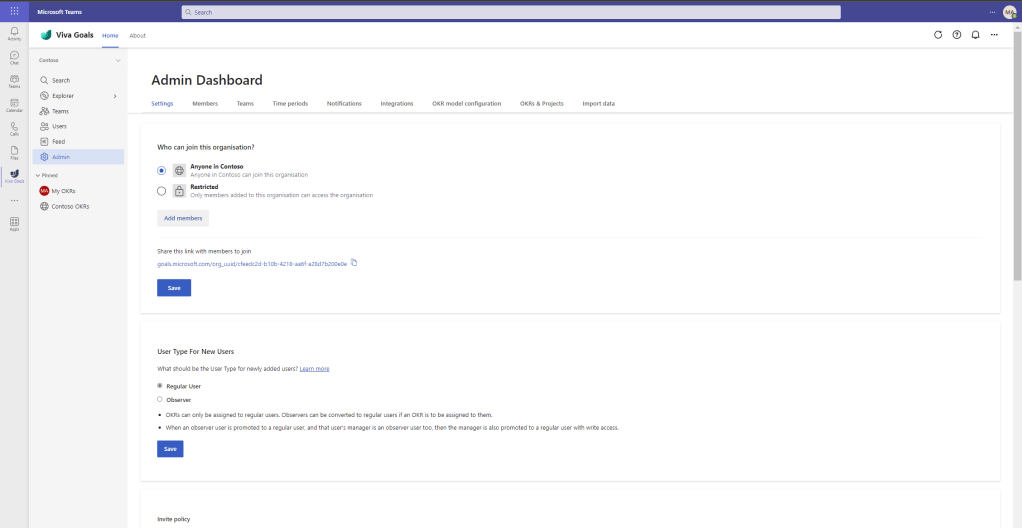
ASSIGNING THE ORGANISATION ADMIN ROLE
Let’s complete what we set out to do for our admin, giving them the organisation admin role as well as the Viva Goals Administrator RBAC role.
1.) Return as the organisation owner (the one who deployed the organisation in Viva Goals) to Viva Goals app and select Admin

2.) Select Members
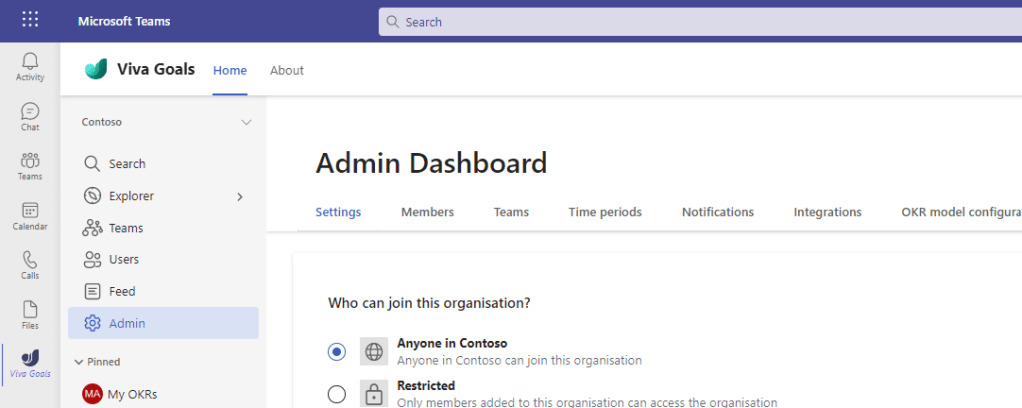
3.) On the Member you want to make an Organisation Admin select More Options (…) and then Make Admin

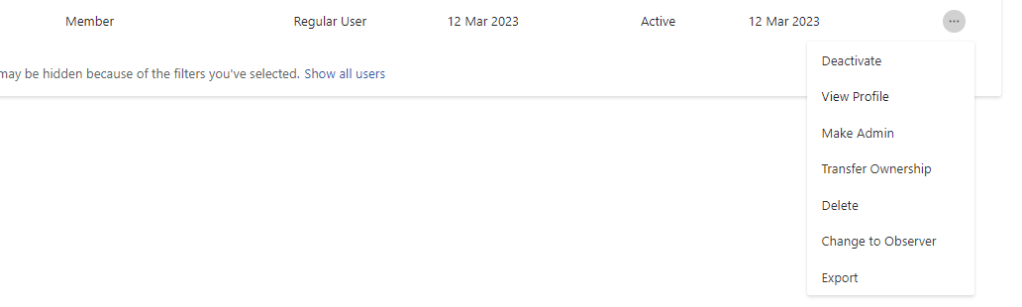
4.) The user is now an Admin

5.) Verify this by refreshing their session in the Viva Goals App
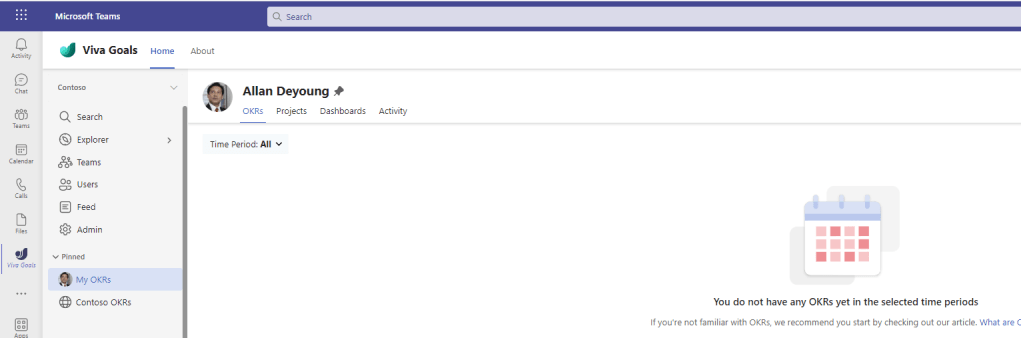
Our job here is done. To summarise
- The Viva Goals Administrator RBAC role is about controlling the Viva Goals settings at a tenant level which underpins all of the organisations which are created. This controls who can create organisations, integrations with other apps across all organisations, and which URL’s can be embedded in dashboards throughout organisations
- The Organisational Admin is about controlling the Organisations settings including users, organisational roles, teams, time periods, notifications, check in rhythm, etc.
This is important to understand when thinking about Viva Goals deployments moving forward. Why? I hope this one clears up any confusion between the roles because I was confused when I first tested it. But also because these roles may both be assigned to the same individual, or they may be assigned to different individuals. In a scenario where it is assigned to different individuals, a member in IT could have the RBAC role and control org creation and integrations, whilst someone from HR may manage the organisation itself. This model allows principle of least privilege, decentralisation of ownership, and now has consistency with other Viva RBAC roles, however I am sure that in the future we will be more added to the RBAC role, as well as the Viva RBAC roles being rolled into an additional Suite level RBAC role. Exciting developments.
 @Microsoft365Pro