
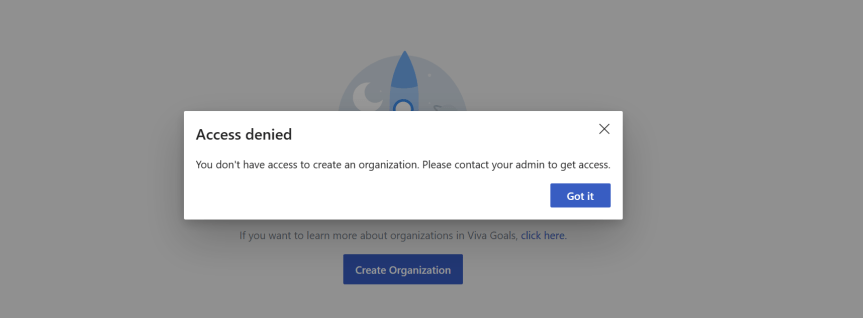
This week I had an interesting conversation with a partner of ours who is currently doing a roll out of Microsoft 365 with one of their new customers. Like me they've been in the game for a while so the conversation was very open, fluid and candid. We discussed a few particular functionalities they were looking for. We also discussed things such as how the stack had evolved the last few years. But one of the interesting things they mentioned is that they felt Microsoft were beginning to put more advertising into their products. This interested me because over the past few months I am increasingly hearing similar things from others. Here are a few examples an increase in add-on/premium SKU's across the stack when E5 was supposed to be the all up SKU for everything. How panels are explicitly calling out trials. More services subject to self-service sign ups. More nudges and flyouts to use functionality in the portals and more services based upon Azure subscriptions and the consumption model as well as SKU's such as the Power Platform. Now, this isn't throwing shade on Microsoft. It was pretty much expected they'd develop a commercially harder posture and tack post-pandemic given a slowdown. The issue is this - in their desire for us to transact, to grow numbers and recoup on their acquisitions or engineering investments, it can create certain headaches for admins looking to perform controlled rollouts of services and a high level of governance. Viva Goals is an example we discussed where the partner is looking to roll this out in the near future. Assuming that trials aren't restricted in the tenant any user can sign up for it. Once signed up, multiple organizations can be created by anyone who is licenced. By default, anyone in Goals can create Teams, and Tags and export OKR's. In other words, admin's could be on the back foot if they don't take any governance actions and simply assign the licencing. So this one is for said partner: three ways to ensure better governance with Viva Goals. Completely optional, the choice is yours.
Category: Microsoft Teams
Teams Real Simple with Pictures: Returning to Video Playlists with Teams, SPO, Lists and Stream

Not much time to shoot the breeze this evening. I'm still in the thick of it. And with the MCT Connect Conference, MWCP and a whole load coming into focus like a tidal wave next month, it's going to be wild. The word bedlam springs to mind. Nevertheless, one of the things I wanted to write about, and then completely forgotten about, and then remembered as I raked over the coals in the tenant has been the new Lists template for video playlists. You see, I did write about a way to do playlists back in june last year. To me, that seems like a few weeks ago. But Microsoft now have something out of the box. And so I am going to deploy it, and populate it, and then I am going to stick that in a tab and a personal app. Now prior to this - full transparency - I haven't tried this out previously. I haven't even attempted it given what I got spinning on the plate, so this will be a pretty functional off the cuff affair.
Teams Real Simple with Pictures: Setting up a Yammer Live Event with Teams
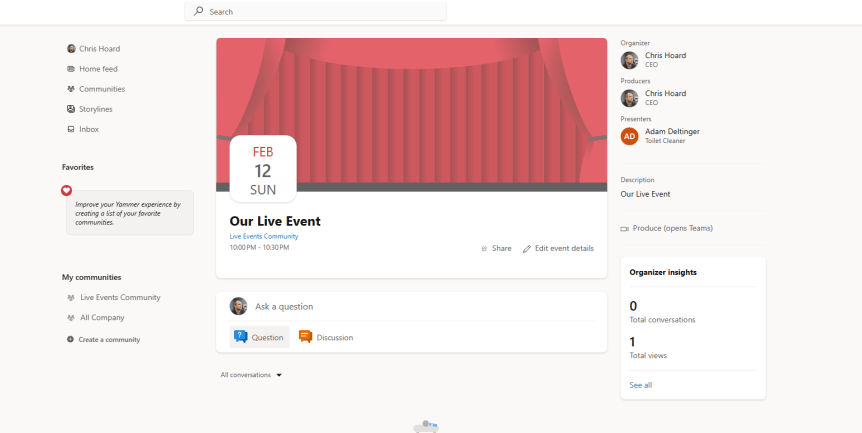
So the timeline for the end of classic stream is now up. This means that for Yammer users Live Events using Microsoft Stream is also coming to an end. And as opposed to transitioning this functionality across to the new Stream on SharePoint, Microsoft has decided that it is consolidating the Live Events functionality onto Teams. This makes sense - particularly given the new philosophy of doing more with less. Now, for many of us who follow Teams we know the direction of travel when it comes to Live Events. For a few years now it's been out there that Microsoft is looking to consolidate all of it - both Meetings and Live Events. Microsoft said as much as far back as Ignite 2020. But of course, they'll be around for the forseeable future, and whilst many of us know how to execute a Live Event in Teams, it's lesser known how to execute it in Yammer. This is just for some sunday night fun, and a bit of brush up, and when the new experience goes up between late February and the end of March, I'll probably come back to amend this piece. It'll largely be for the eCDN encoder method, with the method shown here being refered to as Teams Quickstart. Let's get ourselves re-acquainted.
Teams Real Simple with Pictures: Meeting Customisation Policies, Themes and Backgrounds with Teams Premium
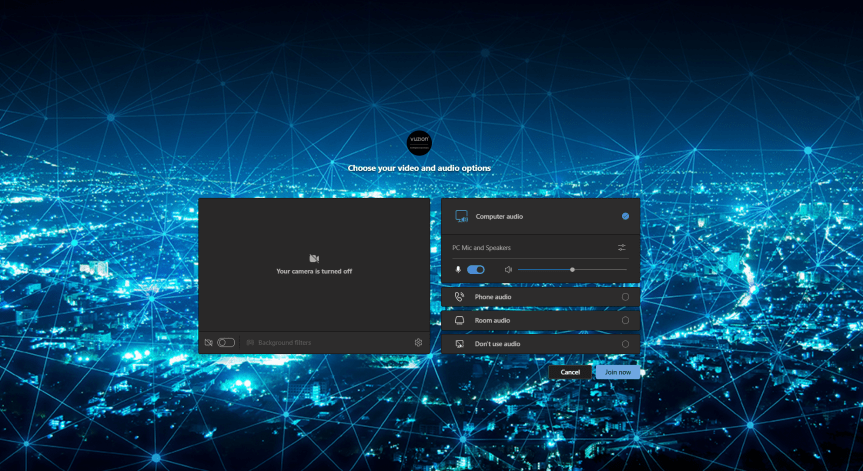
I have worked in Cloud for almost 15 years now. During that time, the subject of branding has periodically appeared as a requirement from customers or partners looking to use cloud services, or wanting to sell them. Examples that I can think of include using custom domains on OWA for Hosted Exchange, custom domains for SharePoint, Control Panels, Apps, and the login page for Office 365 via Azure AD. It's something that's always been topical; and there are a number of reasons as to why organisations want to use their own. Some have told me that it's easier for users to remember and to use. Others have required it for White Labelling. One said it is a reminder of who is supplying the service or who owns the relationship. Another said it was for professionalism and to enhance selling. Of course, this list isn't meant to be exhaustive. And in my experience most - if not all - of the reasons for branding are rooted in the concept of identity. Take Microsoft. Over the last few years they have rebranded their logos, and many of their products. This includes adding Microsoft as a prefix in their product names. When you start up an office app? Up comes the logo and the name. When you start up Microsoft Teams? Up comes the logo and the name. Branding is so important because the identity of the organisation - and its use in it's product - influences the perception of those who use it. Now I am not a marketer. Nor am I a psychologist. But I don't mind admitting in all of my Microsoft bias that seeing a Microsoft Logo on the product, it gives me a sense of quality, of familiarity, and goodness. So following on from things such as the login page via Azure AD, Microsoft is introducing customization policies for Meetings in it's Premium SKU which allows you to brand them. But this one may just be better than the rest. Meetings are our forum to sell, to consult, to meet, or to learn. Branding them with our own identities transmits our values and our company culture. It helps us to grow our brand.
Teams Real Simple with Pictures: Custom Filters, and the strange case of App Governance

Custom Filters. Defined by Microsoft as follows: 'a new feature in Microsoft Teams Meetings that will allow participants to augment their video streams with visual effects such as frames and styles. [They are] built on the Teams Platform infrastructure and provided by Microsoft first and third-party partners as apps and displayed as a collection of filters'. Sound good? Well they have now surfaced into preview, expected GA in February. But if we look back into the history of Teams then filters themselves aren't strictly a new functionality. They have been around for at least three years (half of Teams life): and were certainly being used by IT Pros when custom backgrounds were introduced back in 2020 through third party apps such as Snapchat and OBS which leveraged virtual cam. Microsoft then introduced Soft Focus and Adjust Brightness - which are also Filters - later in 2022. So at this point, we have backgrounds, Avatars on the way, and we now have Filters, too. All native, all options for the meeting. But like backgrounds, and like Avatars, Filters are going to provoke the same questions and spark the same discussions. Can we control them? Do we allow our users to use them? The old famous just because we can doesn't mean we should. Will they be a fad? Will they add richness to the meeting? We come face to face once again with those hard subjects of culture and identity and expression and bias. Luckily, I will leave that to you to decide. Here's how to configure them, with a few pertinent questions for the administrator such as - do they work with Teams Meeting Recordings, and are they compliant to meeting policies?
 @Microsoft365Pro