
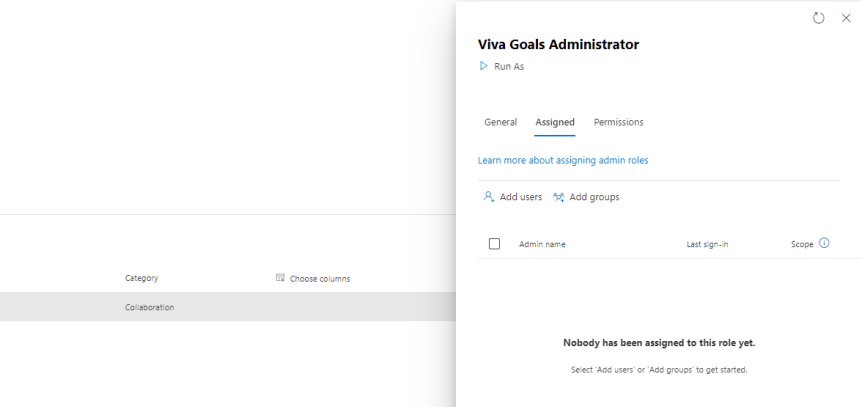
I spoke recently at a Viva Goals AMA with fellow MVP's Karoliina Kettukari and Kevin McDonnell. And in addition to it being a lot of fun I got to tell a little bit about my story and how I got into Viva. This was via Viva Goals. I class myself as what I would call a second wave advocate of Viva. Why? Because the first wave with the initial four apps such as connections and topics seemed to just pass me by. I was too deep into Teams at the time. I was always, for some reason or other getting around to it. Indeed, it was the acquisition of Ally.io and phasing into the portfolio of Goals which which kicked things off for me, because in my mind Goals looked useful from a business perspective. To me, it looked useful in the same way Power BI is useful. It gave purpose, and direction, and evidence of making an impact. So I got hands on in the preview. I liked it. And then I did a bit of testing for Microsoft - particularly around its integration with Teams, I also attended the programs where I fed back a lot of asks on things like integrations, and one of those asks was to have a defined RBAC role for Goals. This is because there wasn't one in the same way there are other RBAC roles for Viva Apps such as Knowledge Manager, whilst at the same time all the admin controls were accessible to the person who set up the org. Whether it is for principle of least privilege, or decentralised administration there is a case for RBAC. But all is not as it seems and there may be some surprises for those into their Azure AD.
Teams Real Simple with Pictures: Adding Pronouns
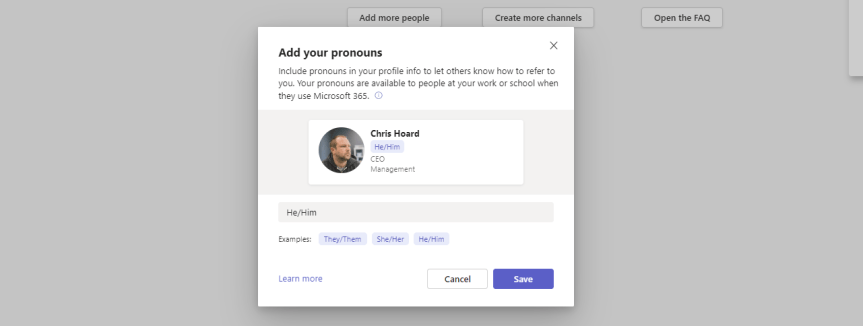
From the definition by Stonewall: "Pronouns are words we use in everyday language to refer to ourselves or others. They can be an important way to express gender identity. For example, ‘I’, ‘me’, ‘she/her’, ‘he/him’ and ‘they/them’ are just some examples of pronouns". In today's modern workplace some may use multiple pronouns. Others may use neopronouns such as xe/xir and ze/zir. Others may avoid the use of pronouns at all. In the context of Microsoft Teams pronouns have been a feature requested for some time. On the feedback portal there are several feedback items; the largest being over 5,000 votes and rising. There is also a petition up on change.org which has nearly reached it's target of 2,500 votes. It has also regularly been mentioned on MVP calls for as long as I can remember. So Microsoft has now added the pronouns feature to Microsoft 365 and it's now come into preview; surfaceable on the contact card used by both Teams and Outlook on the Web. I am sure it will be a priority for many organisations in the near future as it transitions from preview into GA and am sure it will later surface into other surfaces. Why? Because correct use of pronouns is important in terms of helping all staff feel included at work. It can reassure trans and gender non-conforming colleagues that they are welcome and included. And whilst this action, in itself, will only be a small part of building allyship, visibility on the contact card will be a step forward.
Teams Real Simple with Pictures: Viva Goals – Restricting Trials, Org Creation, Write Actions and Teams and Tags
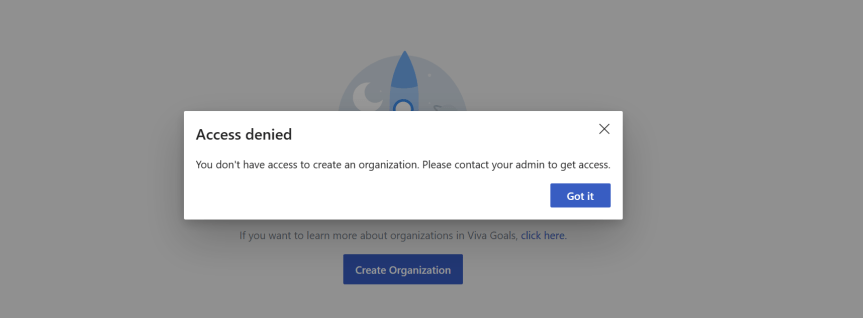
This week I had an interesting conversation with a partner of ours who is currently doing a roll out of Microsoft 365 with one of their new customers. Like me they've been in the game for a while so the conversation was very open, fluid and candid. We discussed a few particular functionalities they were looking for. We also discussed things such as how the stack had evolved the last few years. But one of the interesting things they mentioned is that they felt Microsoft were beginning to put more advertising into their products. This interested me because over the past few months I am increasingly hearing similar things from others. Here are a few examples an increase in add-on/premium SKU's across the stack when E5 was supposed to be the all up SKU for everything. How panels are explicitly calling out trials. More services subject to self-service sign ups. More nudges and flyouts to use functionality in the portals and more services based upon Azure subscriptions and the consumption model as well as SKU's such as the Power Platform. Now, this isn't throwing shade on Microsoft. It was pretty much expected they'd develop a commercially harder posture and tack post-pandemic given a slowdown. The issue is this - in their desire for us to transact, to grow numbers and recoup on their acquisitions or engineering investments, it can create certain headaches for admins looking to perform controlled rollouts of services and a high level of governance. Viva Goals is an example we discussed where the partner is looking to roll this out in the near future. Assuming that trials aren't restricted in the tenant any user can sign up for it. Once signed up, multiple organizations can be created by anyone who is licenced. By default, anyone in Goals can create Teams, and Tags and export OKR's. In other words, admin's could be on the back foot if they don't take any governance actions and simply assign the licencing. So this one is for said partner: three ways to ensure better governance with Viva Goals. Completely optional, the choice is yours.
Teams Real Simple with Pictures: Returning to Video Playlists with Teams, SPO, Lists and Stream

Not much time to shoot the breeze this evening. I'm still in the thick of it. And with the MCT Connect Conference, MWCP and a whole load coming into focus like a tidal wave next month, it's going to be wild. The word bedlam springs to mind. Nevertheless, one of the things I wanted to write about, and then completely forgotten about, and then remembered as I raked over the coals in the tenant has been the new Lists template for video playlists. You see, I did write about a way to do playlists back in june last year. To me, that seems like a few weeks ago. But Microsoft now have something out of the box. And so I am going to deploy it, and populate it, and then I am going to stick that in a tab and a personal app. Now prior to this - full transparency - I haven't tried this out previously. I haven't even attempted it given what I got spinning on the plate, so this will be a pretty functional off the cuff affair.
Teams Real Simple with Pictures: Setting up a Yammer Live Event with Teams
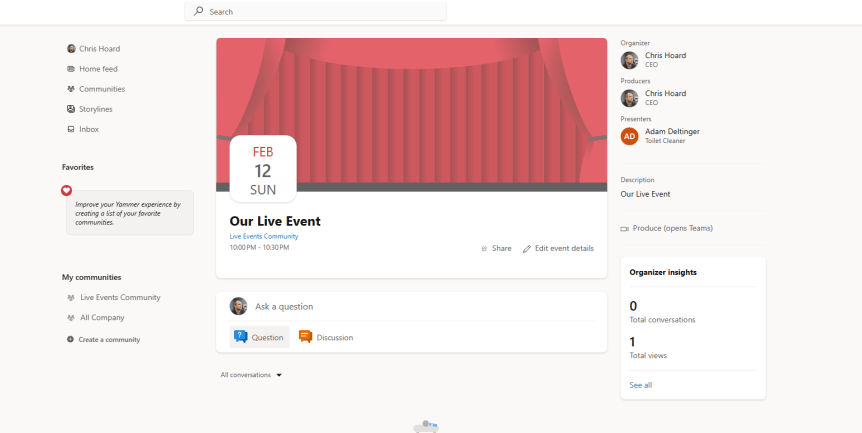
So the timeline for the end of classic stream is now up. This means that for Yammer users Live Events using Microsoft Stream is also coming to an end. And as opposed to transitioning this functionality across to the new Stream on SharePoint, Microsoft has decided that it is consolidating the Live Events functionality onto Teams. This makes sense - particularly given the new philosophy of doing more with less. Now, for many of us who follow Teams we know the direction of travel when it comes to Live Events. For a few years now it's been out there that Microsoft is looking to consolidate all of it - both Meetings and Live Events. Microsoft said as much as far back as Ignite 2020. But of course, they'll be around for the forseeable future, and whilst many of us know how to execute a Live Event in Teams, it's lesser known how to execute it in Yammer. This is just for some sunday night fun, and a bit of brush up, and when the new experience goes up between late February and the end of March, I'll probably come back to amend this piece. It'll largely be for the eCDN encoder method, with the method shown here being refered to as Teams Quickstart. Let's get ourselves re-acquainted.
 @Microsoft365Pro