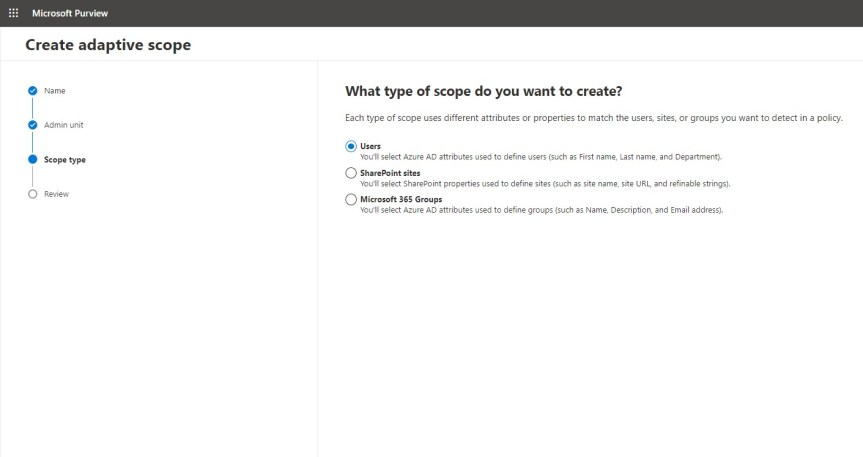
Last weeks vacation on the Isle of Wight was good. If fact, some time away was sorely needed. And whilst I was slightly bummed that I had to turn down speaking at Microsoft's seminal developer event Build this year, the consolation is that I had already spoken at Build twice previously. As the song goes, two out of three ain't bad. But in all honesty I really did need a breather given recent transition work in my org - and besides, it's right that someone else should have an opportunity to experience Build as a speaker. So from looking at Attack Simulation in Teams and Defender last week, I am going to pivot back to Purview and Compliance where I'll look at adaptive scopes in the context of Communication Compliance. Now in the past I have written about and done talks on the circuit about both, but I haven't written or talked about them together. When I first wrote about adapative scopes they were in preview, and at the time they only supported retention policies. Now they can be implemented differently and they support Communication Compliance - what used to be called Supervision back in the day when we had the combined Security and Compliance portal. Now, why would we use them together and what would be the benefit? Let's take a scanario: let's imagine that I am moving from an internal ops role into a senior leadership role where I will be privy to sensitive information which I should not share over my orgs communication apps - here meaning Exchange, Teams and Yammer. If I have Communication Compliance policy set up with an adaptive scope, it can be automatically applied when I transition to that role and apply for the liftime to which I hold that role. This saves IT time and administrative overhead. This means that it can be applied to all people within that senior leadership role as opposed to several roles being created on a user by user basis. As discussed in the last article, Adaptive Scopes are based upon Azure AD properties, but in the world of Teams and Communication Compliance it's important to distinguish between the user scope type which applies to messages in private 1:1 and group chat, and Microsoft 365 Group scope type which applies to messages in channels. This will walk through the user scope but will also show how to set the group scope

 @Microsoft365Pro