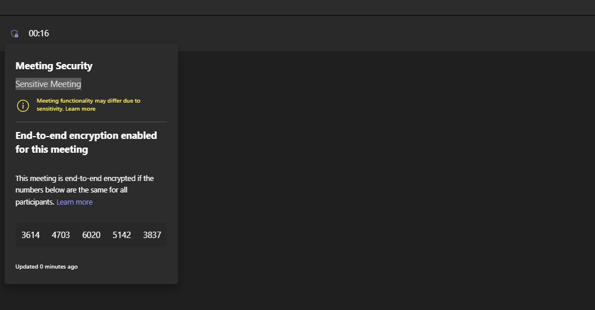
It's been a fun week to get back after Christmas and the New Year. We've explored a bit about the meeting protection features in the new Teams Premium licence. We've looked at Watermarking. We've looked at End to End Encryption. We've looked at how these can be set with Custom Meeting Templates. Now, let's take a look at Sensitivity Labels. Sensitivity Labels are designed to 'Protect your organization's data in a Teams meeting'. If you have ever administered Microsoft 365 then may be familiar with them in the context of Purview, and applying them to files, as well as to SharePoint Sites and Teams. I did a blog some time ago when they first came into Teams. In the context of a meeting, Sensitivity Labels really do two principle things. The first is that they classify the meeting. This is the of the label itself and the name, much like a label on a piece of clothing. This would be, for example, creating a label called 'Internal' or 'Confidential' and this would display in the meeting, or on the associated calendar item in Teams and Outlook. The second is that it protects the meeting in terms of rights - what can and cannot be done - as in it defines the meeting options such as recording, and watermarking and end-to-end encryption - much like a meeting template, and it in fact takes precedence over the meeting template. But there are some other things too. Sensitivity Labels contains copy protection, which prevent the copying out of data from the meeting chat. It can also encrypt meeting items, responses and also attachments contained in the calendar items. So, all in all, this is super powerful and useful functionality. But there are a lot of caveats at the time of writing because it is so new: and whilst this subject is really too complex to drill into and analyse in massive depth in a single blog - nuances will certainly come out in the wash as we begin to use them, I'll outline how to setup, and outline the major caveats in the FAQ. I'll also explicitly call out the difference in configuring labels for Private Meetings and Channel Meetings.

 @Microsoft365Pro