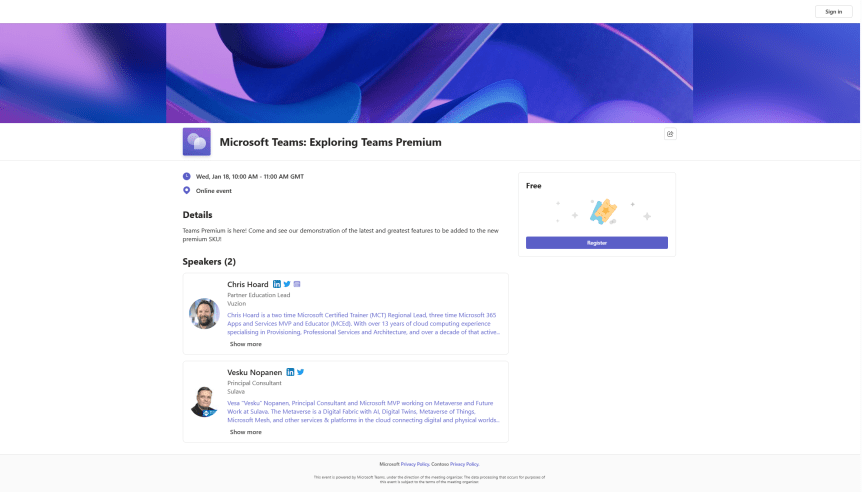
Last week, we managed to do a lot on the new security features included within Teams Premium - Watermarking, End to End Encryption, Custom Meeting Templates and then onto the culmination which was Sensitivity Labels. This week, we are going to change tack and discuss the new Webinar functionalities within the new Webinar setup experience. There is a lot. This includes creating a Webinar waiting list, manually approving registrants, presenter bios and limiting the time and day people can register. Most of these functionalities are within the flow of the new setup experience, however, there are some other things which may not be top of mind - at least from an administrative perspective. So let's spin through a setup end to end to look at the new functionalities, and this will also tack on implementing a custom event policy in PowerShell (optional) as well as adding the privacy statement in Azure AD (also optional). Of course, I would love at this point to be able to tell you that we can go ahead and simply apply all the nice security features we covered last week to webinars created via the new experience. Unfortunately, this isn't the case. At least not at the time of writing. No watermarking, no E2EE, no Sensitivity Labels, not even custom meeting templates. But, on the positive side we can see where the direction is going - all of these new security features will hopefully come into the new webinar experience at a later date, and in the meantime, as I will explain later in the blog, we can still leverage the functionalities via classic webinars which is how most will create webinars when they don't have Teams Premium, and which is still available to Teams Premium users.

 @Microsoft365Pro