
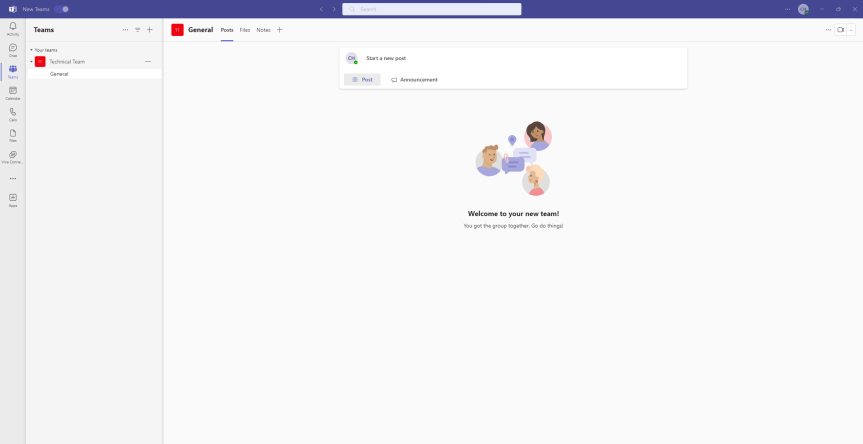
I was over in the Republic of Ireland this week. And not only did I get to visit Microsoft. I also got to see a good part of the northern counties of Meath and Cavan on the way to visiting a client. It's an absolutely stunning part of the world. And that's my first takeaway this week - go visit there if you ever have the opportunity to do so. But also, in all the meetings I had whilst I was away Teams still featured prominently. Almost seven years in and we are still talking about at length what it can do. We are still talking about its rapid development with either more good stuff going in, or more good stuff being refined. Teams 2.1 features prominently at this point. So too does Teams Premium and Microsoft 365 Copilot. But there's still a lot to talk about when it comes to the fundamentals of voice, and meeting rooms, and apps, and files and optimising networking. And so - like last week - I am going to ad-hoc cover two features which I haven't looked into up until today. The first is the ability for the user to set themes in the Teams 2.1. client, such as light or dark, or better still classic. Yes, we can now go back to the classic purple should we choose - and yes, before you ask in my experience these things do matter to some users in terms of consistency and visuals. Secondly we'll look at enforcing explicit recording consent where users have to consent to themselves being recorded. This is defined by Microsoft as 'When the policy is applied, the Teams meeting window will request explicit consent of all participants to be recorded. Before a user gives consent, the user’s audio, video, and screenshare/consent-share won’t be captured in the meeting recording'. Now, why would we use that? Well, imagine my job meant that I had to provide meeting recordings to an undisclosed third party for review of sensitive feedback attendees gave in those meetings. I can't just record, that could be illegal or infringe upon some compliance policy. So I explicitly need your consent here. And in effect, until you give your consent you will be effectively hard muted and passive until you do so, or leave. Makes sense. But I would ask - is this right at whole-policy scope? As opposed to being a meeting option applied via a policy? Let's have a look and see.
Tag: Teams Theme
Teams Real Simple with Pictures: Meeting Customisation Policies, Themes and Backgrounds with Teams Premium
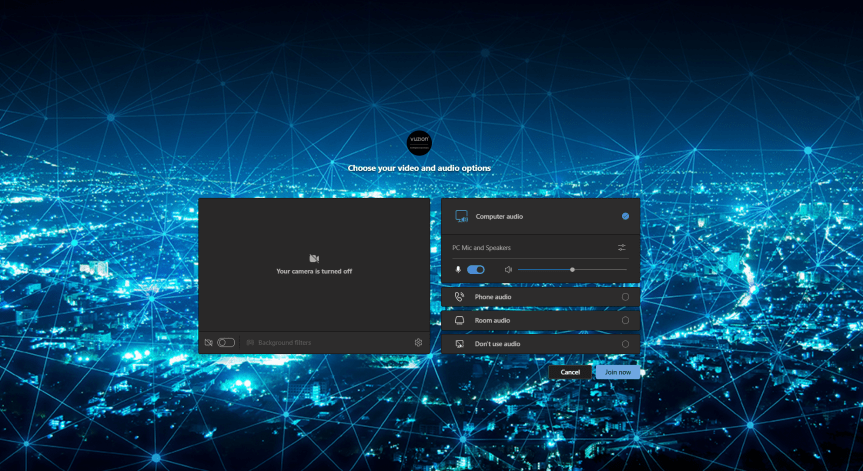
I have worked in Cloud for almost 15 years now. During that time, the subject of branding has periodically appeared as a requirement from customers or partners looking to use cloud services, or wanting to sell them. Examples that I can think of include using custom domains on OWA for Hosted Exchange, custom domains for SharePoint, Control Panels, Apps, and the login page for Office 365 via Azure AD. It's something that's always been topical; and there are a number of reasons as to why organisations want to use their own. Some have told me that it's easier for users to remember and to use. Others have required it for White Labelling. One said it is a reminder of who is supplying the service or who owns the relationship. Another said it was for professionalism and to enhance selling. Of course, this list isn't meant to be exhaustive. And in my experience most - if not all - of the reasons for branding are rooted in the concept of identity. Take Microsoft. Over the last few years they have rebranded their logos, and many of their products. This includes adding Microsoft as a prefix in their product names. When you start up an office app? Up comes the logo and the name. When you start up Microsoft Teams? Up comes the logo and the name. Branding is so important because the identity of the organisation - and its use in it's product - influences the perception of those who use it. Now I am not a marketer. Nor am I a psychologist. But I don't mind admitting in all of my Microsoft bias that seeing a Microsoft Logo on the product, it gives me a sense of quality, of familiarity, and goodness. So following on from things such as the login page via Azure AD, Microsoft is introducing customization policies for Meetings in it's Premium SKU which allows you to brand them. But this one may just be better than the rest. Meetings are our forum to sell, to consult, to meet, or to learn. Branding them with our own identities transmits our values and our company culture. It helps us to grow our brand.
 @Microsoft365Pro