
Thank you so much for attending TeamsFest
We hope you had a great day and discovered a whole lot more about Microsoft Teams. With 8 tracks and 85 sessions we managed to bring together a line up which included some of the best community speakers in the world. Together, everybody achieved more.
If you didn’t get the opportunity to attend, were engaged in another session or just want the opportunity to revisit, we will be uploading the sessions onto our User Group page in the near future. Subscribe to the channel and you’ll be alerted when there are new videos uploaded
Recordings: https://www.youtube.com/channel/UCTmTRJc9QZN–A5PklV56hg
TeamsFest will return in 2021. Until then stay safe and healthy, thanks again for all your support, and have a very happy Christmas and New Year with family and friends
All the best,
Chris, Adam, Vesku and Chris
2020 Schedule (All times in CEST & BST)
Central European Summer Time (UTC+2) is + 1 of British Summer Time (UTC+1), +6 of Eastern Standard Time (EST|UTC- 4) and +9 of Pacific Standard Time (PDT|UTC -7). Please co-ordinate these session times to your time zone
TeamsFest Keynote
08:00 – 08:40 CET (07:00 – 07:40 BST)
TeamsFest Keynote
Room 1: Adoption & Governance
09:00 – 09:40 CET (08:00 – 08:40 BST)
Megan Strant & Loryan Strant
Microsoft Teams Post COVID – Stories in premature implementation
Key recommendations for reviewing your Microsoft Teams governance and adoption following rapid implementation in response to the need to have staff work remotely during COVID-19. This will be presented through some key customer examples of 2020 projects with issues that will arise and how to drive to greater success
10:00 – 10:40 CET (09:00 – 09:40 BST)
Edyta Gorzon & Marcin Siewnicki
Cook your business meal in Teams!
Microsoft Teams is a totally new way of working together, it’s the fastest growing application in Microsoft history. Are business users ready to use Teams by themselves? Do they know “how to cook” easily working solutions that satisfy they needs? Are they sure what to do to do not “burn the pot” while preparing their very first Teams app? During our session we show you how to build solutions in Microsoft Teams from scratch. You’ll get the concrete recipe for three working applications made in Teams. After our session, you’ll be able to deliver home-made Teams apps by yourself and enjoy dish immediately. Be prepared for tips, good practices, high quality ingredients and business approach. Bonne Appeti-Teams!
11:00 – 11:40 CET (10:00 – 10:40 BST)
Jasper Oosterveld
Governance for Microsoft Teams: A to Z
Thinking about Governance doesn’t get many people excited. That said, defining and implementing Governance is the key to a successful rollout and adoption of Microsoft Teams. Jasper Oosterveld, Microsoft MVP & Modern Workplace Consultant, is taking a hands-on approach around Governance for Microsoft Teams. You can expect real world advise around a variety of topics: naming convention, external access, expiration policy, information protection and the creation process. After this session you are ready to go back and build your own successful Governance for Microsoft Teams
12:00 – 12:40 CET (11:00 – 11:40 BST)
Corinna Lins & Marijn Somers
Teams as a diving board to improve the adoption of new applications
You have been rolling out Teams (because of COVID-19, we get it ;). Now it is time to take it to the next level and use the Teams platform as the diving board for adopting solutions for your organization! Come hear Corinna Lins and Marijn Somers talking about real world experiences with using Teams and the integration of the Office 365 ecosystem to offer insights into better communicating, training and knowledge sharing. In this demo rich session we will show you solutions that use the Power Platform, Forms, Stream and SharePoint together with Teams to bring your end users up to speed with the applications that you are rolling out
13:00 – 13:40 CET (12:00 – 12:40 BST)
Patrick Guimonet
From Outlook to Teams: How to reinvent the way we work
In this session we will discuss and demo what Outlook and Teams have in common, like great communications features and in what Teams is a real game changer in the way we organize our day to day work. We will focus then on the very unique Teams capabilities in the teamwork area and to finish we will show how both tools can interact
14:00 – 14:30 CET (13:00 – 13:30 BST)
Justin Morris
Getting personal – co-creating Teams experiences with your users
Beyond turning on Teams and letting people know, how do you go deep with your users and truly transform how they work? In this session you’ll learn an approach to better understand your business processes and craft transformative Teams experiences for your organisation
15:00 – 15:40 CET (14:00 – 14:40 BST)
Michael Plettner
How to fail a Teams rollout despite successful implementation
During this session I will share the experiences in technology, change management and user adoption as a Consultant and Project-Lead when it comes to a new or modern way to work for the users. This session is about the idea of why user adoption is such an underestimated topic and how to use successful methods in enterprise organizations to create a high level of user acceptance for new products and new ways of working like Microsoft Teams
16:00 – 16:40 CET (15:00 – 15:40 BST)
Habib Mankal, Michael LaMontagne, Dino Caputo & Curtis Johnstone
Running a Large Scale Virtual Event on Teams – the Good, the Bad, and the Ugly
In this panel discussion, the O365Eh team discusses the real world experience of hosting a large scale event on Microsoft Teams with the organizers of TeamsFest. Whether you are thinking of hosting a user group, webinar, or large scale event in Microsoft Teams, come learn from the O365Eh panellists and the organizers have TeamsFest, and find out what worked, the challenges, different options, and what they might have done differently
17:00 – 17:40 CET (16:00 – 16:40 BST)
Sharon Weaver
A Teams-first approach to Office 365 adoption
Office 365 has over 20 core applications available to an average user. More than ever, it is becoming increasingly frustrating for users to know what app to use for what. By focusing on Teams as the central point of all communication and collaboration, you create an environment that is less complex and more productive. Less confusion = more, faster, and better adoption of ALL of the Office 365 tools. In this session you will learn how to create a Teams-first approach for your organization, what things to focus on first to get users excited about using Teams and a basic overview of how Office Groups and Apps work with Teams
18:00 – 18:30 CET (17:00 – 17:30 BST)
Pouneh Kaufman
Microsoft’s journey to customer success with Teams
How do we truly reinvent productivity? Explore the journey with Microsoft to understand how they moved their centre of gravity and increased productivity. We discuss real life hurdles, behaviours and habits that were tough to crack. Learn how Microsoft’s internal organizations prepared and transitioned to ensure successful adoption and change management of Microsoft Teams
19:00 – 19:40 CET (18:00 – 18:40 BST)
Karuana Gatimu
What Next? Setting priorities and making plans for satisfied users
Take the knowledge you are gaining at TeamsFest and craft a plan for the deployment, adoption and satisfaction of your employees as they use Microsoft Teams. You’ll learn about the evolution of Microsoft adoption best practices and tools in this session so you can be effective in your upcoming projects
Room 2: Security & Compliance
09:00 – 09:30 CET (08:00 – 08:30 BST)
Magnus Goksöyr
Here’s how to secure the information in Microsoft Teams
Global and team-specific settings, Management of guest settings, Document-level security, Data Loss Prevention, Classification, Encryption and a lot more. The toolbox and its capabilities are great but do you know what you can and should use for what (and when)? After watching this session, you hopefully have a clearer picture of your opportunities to secure your Teams properly
10:00 – 10:30 CET (09:00 – 09:30 BST)
Peter Rising
Hands on Data Loss Prevention and Retention
In this session, we will take a look at the importance of DLP and retention within Microsoft Teams, and how you can create policies within the Microsoft 365 Security and Compliance Center. We will demonstrate how DLP policies can be set to detect when built in sensitive information types are being shared within Teams Chat and Channel messages, and how this can be prevented with policy tips and rules. In addition, we will show you how retention policies can be set to protect both Teams Chats and Teams Channel messages, and how it is possible to filter the policies by Teams and by Users to ensure that information is either deleted or retained in line with your businesses internal policies and applicable industry regulations. At the end of this session, you will understand the data loss prevention and retention capabilities within Microsoft Teams, and how to plan and configure the required policies for your organization
11:00 – 11:40 CET (10:00 – 10:40 BST)
Alan Eardley & Kevin McDonnell
The GreyHatBeard Guide to Entitlement
Azure Active Directory offers many tools for managing users who access content and applications. Entitlements allow internal and external users to requests access to sets of resources, and the lifecycle of the access request to be managed from cradle to grave. In this session we will explore a model that allows external users to be easily invited to collaborate, with additional safe-guards in place such as agreement to terms and conditions, MFA, Entitlements that manage, access to resources such as applications and content location, publishing entitlements for internal and external users, approvals for requests and access reviews. You will leave this session understanding how you can use Entitlements to easily grant and manage permissions within your organisation
12:00 – 12:40 CET (11:00 – 11:40 BST)
Tony Redmond
Decoding Teams Compliance
Teams is a very popular Microsoft 365 application, but do you fully understand how Teams compliance works, including retention and data loss prevention policies? This session describes the role of the Microsoft 365 substrate in capturing Teams compliance records, what those records contain (and what they miss), and how compliance records are used in eDiscovery, communications compliance, and content searches and why this data is not suitable for backup purposes. We’ll also discuss Teams retention policies and how Teams messages are checked by data loss prevention policies
13:00 – 13:40 CET (12:00 – 12:40 BST)
Martina Grom
Use Microsoft 365 Information Barriers to stay secure & compliant in your Microsoft Teams workplace
Every industry comes with specific regulations which include changes in security and compliance policies. Microsoft Information Barriers help secure your environment in various use cases like insider trade, but also with Remote assist workflows. Join Martina who will talk about real-world scenarios to implement Microsoft Information Protection and Information Barriers. The session provides problem solving steps of a compliance project, where to start, how to process it, common issues and how to solve it. The session covers topics like: How to use Microsoft Information protection in Microsoft Teams, What Information Barriers can do to solve certain compliance and security use cases as well as practical use cases and scenarios
14:00 – 14:40 CET (13:00 – 13:40 BST)
Adnan Amin
Security Customization and Sensitivity Labels Configuration for Data Protection
In this session I will share the default security structure of Microsoft Teams and customization of user access through SharePoint security. And also will share how we can protect data with Teams and SharePoint sites using Sensitivity Labels and also demonstrate how we can protect office documents and email using sensitivity labels
15:00 – 15:40 CET (14:00 – 14:40 BST)
Matti Paukkonen
Control and enable efficient usage with Microsoft Teams policies
Microsoft Teams is continuously evolving and new features are landing rapidly. With Teams policies, administrators can control and, most importantly, enable efficient usage of Teams. In this demo rich session we go through Teams policies, policy packages, policy assignments to users and groups and required tools
16:00 – 16:40 CET (15:00 – 15:40 BST)
Raphael Köllner
Microsoft Teams – Working with External Users in a compliant way
One of the main features of Microsoft Teams is the option to work with Guests and Externals together in a modern way. In this session the speaker will share the best practices how to invite, handle, control and delete external Users in Microsoft Teams. We will have a look at the default options and 4 main use cases including External Identities, Conditional Access, MCAS and Sensitivity Labelling. Moreover he will introduce the new Teams Elite Manager to handle all of the External Guests in a high secure and compliant way to fulfil 90% of the worldwide requirements like GDPR. So join this session and learn more about the handling of Externals in Microsoft Teams and how you can protect your data
17:00 – 17:30 CET (16:00 – 16:30 BST)
Simon Binder
Microsoft Teams for BYOD – secure and accessible
The last couple of months we have seen a huge increase of Microsoft Teams usage, which is of course great! Further more we have seen an increase in the usage of BYOD (Bring Your Own Device) as people are working from home on their personal devices. This session will focus on these devices and how to ensure security and compliance, without intruding on the personal sphere. You will learn the ins- and outs- of BYOD security for MS Teams, and how that is different from security on managed devices
18:00 – 18:40 CET (17:00 – 17:40 BST)
John Peluso
These Private Channels are OK! Re-thinking you Teams Information Architecture…
“Private” channels— the name sounds a bit ominous, but the introduction of Private Channels has solved some very specific and widespread problems with how larger teams communicate across the organization. But with the introduction of this new type of channel, the underlying storage, compliance and membership concepts that we were used to have gotten more complex and potentially confusing. This session will cover all aspects of Private Channels– from business value to deep management, compliance and technical architecture details— and you will leave with a solid understanding of when, why, and how to deploy Private Channels across your organization
Room 3: Productivity
09:00 – 09:40 CET (8:00 – 8:40 BST)
Vesa Nopanen
Power Up your productivity with automations in Microsoft Teams
Power Platform provides several ways to boost your personal and team productivity in Microsoft Teams. End users can start using these for personal and team use-cases in a few simple steps. For organizational level automations you want to consider using bots. This session is a full demo session highlighting how to start using easy personal and team productivity flows. I will also how to use Power Virtual Agents in Microsoft Teams to automate services for more wider audiences. You will learn what is easily available out there, something about upcoming changes and also how your team & organization can start utilizing Power Platform easily in Teams
10:00 – 10:30 CET (9:00 – 9:30 BST)
Rene Modery
Everything you need to know to master search in Microsoft Teams
Want to learn how you can effectively use search in Microsoft Teams? Did you try to find a conversation before but got overwhelmed by the results? And do you want to master how to use search and filters to quickly and effectively find relevant content in Teams? Then this demo-rich session is for you!
11:00 – 11:40 CET (10:00 – 10:40 BST)
Chirag Patel
You got Microsoft Teams, now let’s build modern intranet on SharePoint
Many organisations are adopting Microsoft Teams rapidly for collaboration and document management part of SharePoint. With your existing investments of SharePoint licenses you can take advantage of building modern intranet to keep your digital workplace connected. This session will walkthrough all the out-of-the-box features and solutions to get your modern intranet up and running
12:00 – 12:40 CET (11:00 – 11:40 BST)
Juan Carlos Gonzalez
A Hub to Rule all your Tasks: Tasks in Teams
Teams has become not only the modern workplace collaboration hub, but also the central location where every user can manage his/her tasks no matter if we are talking about personal tasks or team tasks. In this session I will make a lap around Tasks in Teams, the new App to manage in Teams all your tasks coming from Microsoft To Do and Planner. I will review the new user experience when working with Tasks in Teams and how this App is integrated in the platform to empower every user to centrally manage all his/her tasks. And of course, I will be answering any question you might have about this new App
13:00 – 13:40 CET (12:00 – 12:40 BST)
Karoliina Kettukari
Minimise the human error – maximise human collaboration: Teams as a Platform for modern teamwork
So you’re now using Teams – chatting, having meetings, discussing in channels… How about taking your Teams adoption to the next level? In this session we’ll take a look at Teams as a Platform and start thinking about how we can utilise the Power Platform in Teams to develop our modern teamwork even further! I’ll share ideas of some typical manual processes every team and project has and how those could be automated in Teams. We’ll go through some real life examples of human errors and how to avoid those with the help of Power Platform (in Teams, of course). In the centre of it all is still the concept of modern teamwork and human collaboration: how are we able to help our employees to do their jobs easier, faster and better? This session is focused on why, not how. We are not going deep into technical details – but I promise there will be lots of demos!
14:00 – 14:40 CET (13:00 – 13:40 BST)
Malin Martnes & Thomas Sandsør
Utilizing Teams for your Dynamics 365 solutions
In this session, we will walk you through how and why you can integrate Dynamics 365 Sales, Customer Service, Field Service and Human Resources in Teams. This way your company will get an even wider user area for Teams and bringing you entire company together working in Teams
15:00 – 15:40 CET (14:00 – 14:40 BST)
Amanda Sterner, Adam Deltinger & Sofia Edholm
Epic Tips and Tricks Battle
Join this epic fight among champions for the absolute best tips and tricks in Microsoft Teams
Meet ten time champion Sofia “Ninja Superstar” Edholm take on Amanda “Above the clouds and beyond” Sterner and Adam “The Lama” Deltinger
16:00 – 16:40 CET (15:00 – 15:40 BST)
Tomislav Karafilov
Videos, meeting recordings, live events – Microsoft Teams loves video
Video in combination with Microsoft Teams is switching on the camera in a meeting, it’s recording a meeting, it’s placing and integrating video based content into your daily work, it’s creating live events, it’s accessing your Microsoft Stream watchlist, videos and Microsoft Stream channels in Microsoft Teams. This are a few examples of using the Microsoft 365 video platform Microsoft Stream in combination with Microsoft Teams. In this session Tomislav Karafilov goes through the different use cases to integrate video content into Microsoft Teams and into your daily work. He shows the Microsoft Teams directly integrated functionalities and the detours of integration Video via other services such as Microsoft Forms, SharePoint and PowerApps
17:00 – 17:40 CET (16:00 – 16:40 BST)
Hans Brender
OneDrive is everywhere – also with Teams
Working with Teams and you have all your files with you. You do not have Internet? You have not synced the files? Oops! This Session shows the principles, what you must know, working with OneDrive, the different sync possibilities and also the latest news from OneDrive including Tips and Tricks
18:00 – 18:40 CET (17:00 – 17:40 BST)
Mark Kashman
Microsoft Teams 💖 Microsoft Lists
Content collaboration meets information management meets conversation flexibility. Lists plus Teams brings it all together. Get to know how you and your colleagues can best create, share and track lists and list items all from within the UI comfort of Microsoft Teams
Room 4: Meetings, Calling & Devices
09:00 – 09:40 CET (08:00 – 08:40 BST)
Craig Chiffers
Understanding Auto Attendants and Call Queues in Teams
Teams as a telephony platform includes smart features that help you handle and route calls to your organisation in a simple but powerful way. In this session, we’ll look at how to configure Auto Attendants to answer inbound calls, and how to use Call Queues effectively to route calls to the right person in your organisation
10:00 – 10:40 CET (09:00 – 09:40 BST)
Johan Delimon
DIY Cristal Clear Video & Lighting during Meetings
Now that everyone has grown used to using video during the global pandemic of COVID-19 we accept the fact that video is used a lot but most people do not plan for great quality on their video feeds. Many people have office spaces they sit in with sub optimal lighting conditions like windows behind, at the side or no direct light. Lighting needs to be adapted for the different lighting conditions there are when doing meeting during the Day or during the Night This session looks at various Camera & Lighting conditions to identify what are the best options to make sure your video is going to be crystal clear and you stand out between the other participants
11:00 – 11:40 CET (10:00 – 10:40 BST)
Tom Arbuthnot
Microsoft Teams Phone System Keys to Success
Microsoft Teams is a powerful platform with a lot of functionality. One of its key features is being a full phone system for your users. In this session, based on real-world experience on many customer projects, Tom Arbuthnot covers the keys to Microsoft Teams Phone System success from service and architecture decisions to connectivity to devices to day to day management
12:00 – 12:30 CET (11:00 – 11:30 BST)
Ragnar Heil
NDI and Teams: Top 10 Use Cases for Video Live Streaming and Meetings
Announced at Build 2020 Microsoft is offering an integration with Network Device Interface (NDI) ,a free software standard to enable video-compatible products to communicate, deliver, and receive broadcast-quality video in a high-quality, low-latency manner that is frame-accurate and suitable for switching in a live production environment. Let’s discuss in my session 10 different use cases and video conference / streaming scenarios
13:00 – 13:40 CET (12:00 – 12:40 BST)
Linus Cansby
Demo session: Microsoft Phone system for users
Teams is a perfect place for collaboration and one of the parts of the collaboration is voice. With Teams you can activate Phone system and start calling to the Telephone network directly from your Teams client. In this session I will show how it works for the user and what users can expect. This session is for users and administrators that want to know if Teams can be their phone system platform and for users that recently started to use Teams as their phone system and want some tips. Expect demos, demos and demos
14:00 – 14:40 CET (13:00 – 13:40 BST)
Matt Wade
Run your Microsoft Teams meetings like a pro
Online meetings are more important than ever and Microsoft Teams is becoming the prominent tool for the job. Teams debuts a lot of new, innovative features to make the most of scheduling, leading, and following up on meetings. From channel meetings to invitee lists, live events to live captions, tracking action items to sharing meeting recordings, this session will cover all the necessary skills to run a 21st-century meeting
15:00 – 15:40 CET (14:00 – 14:40 BST)
Eric Marsi
Managing Microsoft Teams Rooms & Devices
This session will cover everything that you need to know when managing Microsoft Teams Rooms, Phones, Desk Displays, Collaboration Bars, & more! A live demo will be provided showcasing some of the management features that are available!
16:00 – 16:30 CET (15:00 – 15:30 BST)
Adam Ball
What’s at the centre of your voice deployment?
This session will talk through using centralized SBC’s to better integrate Teams with legacy systems, analogue devices, and more!
17:00 – 17:40 CET (16:00 – 16:40 BST)
Chris Webb
The OBS Super Bowl
IT Pro advanced session on OBS and it’s use with Microsoft Teams
18:00 – 18:40 CET (17:00 – 17:40 BST)
Ilya Bukshteyn, Sandhya Rao & Greg Baribault
Microsoft Teams Devices: Devices for The New World of Work
The ways we get our work done, stay productive, and collaborate with others have gone through multiple years of evolution in just a few months. Some of these changes are both transformative and likely to be durable. With these changes, dedicated devices for communications and collaboration have become more important than ever, and are key to delivering great experiences for users. This session will cover how Microsoft Teams Devices are leading the industry in empowering users to stay connected and productive at all times and from any location
Room 5: Education & Community
09:00 – 09:40 CET (08:00 – 08:40 BST)
Nicole Enders
Next Generation of Homeschooling with Microsoft Teams
Microsoft Teams Education offers a range of options to support home schooling which is more important than ever given the global situation with Covid-19. You will discover how to create classrooms, do online sessions with students and use the class notebook and assignments. Teachers and students can stay in touch and engage as they would do whilst sitting in the same room. Supporting many schools in Germany, I will share best practices and important steps when introducing Microsoft Teams to your school
10:00 – 10:40 CET (09:00 – 09:40 BST)
Alan Richards & Paul Dredge
Scheduling Classes in Teams with School Data Sync
School Data Sync is Microsoft’s answer to getting your classes from your School timetabling systems into Teams. This session will look at how you can use SDS and Power Automate to semi-automate the process of getting all your classes into Teams
11:00 – 11:40 CET (10:00 – 10:40 BST)
Ville Gullstrand
Creating your Champions Quarter in Teams
Most organizations are either managing their own champions program for Microsoft 365 or looking into creating one. The obvious place for your dear champs to share ideas is in Microsoft Teams! During this live demo session will go from nothing to a full scale Champions Quarter where your champs can thrive!
12:00 – 12:40 CET (11:00 – 11:40 BST)
Laurent Carlier
The Inclusive Classroom
This session will highlight the inclusive tools available for student learning in the Windows ecosystem. If you are curious about it or want to know all possibilities to support the needs of all of today’s diverse learners, join me
13:00 – 13:40 CET (12:00 – 12:40 BST)
Antje Lamartine & Thomas Gölles
Microsoft Teams for Schools: Just an Emergency Plan or a chance at lasting Digital Transformation?
The corona virus has forced schools all over the world to find a technology solution quickly that enables teachers to continue their teaching. Microsoft Teams came to the rescue for many schools. Educators, whose focus to date was not necessarily on technology, are now scrambling to learn how to use it. The focus is on the here and now to manage the current situation. But nobody knows how long it will take until schools can resume their traditional way of teaching. This not only gives educators an opportunity to start thinking beyond just transferring existing processes into an online world. This is a chance to initiate Digital Transformation that will outlast the virus. Antje Lamartine (Adoption & Change) and Thomy Gölles (Technology) will talk about how some schools manage(d) this crisis using Microsoft Teams, how this time can be leveraged by schools to challenge the status quo and how their recent learnings, combined with online tools, gives educators a chance to start the Digital Transformation process. This session will highlight the importance of applying time-tested User Adoption methods to drive long-lasting success for students, teachers, and parents
14:00 – 14:30 CET (13:00 – 13:30 BST)
David Patrick & Sarah Patrick
Inspiring the Next Generation: Teaching TechGirlz
David and Sarah Patrick will discuss their adventures in teaching young ladies a variety of computer related technologies. Through a program called TechGirlz, David and Sarah have been running workshops designed to inspire the next generation of young women to get and stay interested in STEM, to help bridge the gender gap that exists in these fields today. During the talk, David and Sarah will show off how they were able to incorporate into the TechGirlz workshops the latest Microsoft technologies like Office 365, Kodu, Visual Studio Code, Power Apps and Microsoft Teams, so that the ladies would not only be learning technology, but gaining current, relevant, and valuable skills
15:00 – 15:40 CET (14:00 – 14:40 BST)
Dux Raymond Sy
Virtual Presentation Excellence: How To Be a Rockstar Microsoft Teams Presenter
Remote meetings and online presentations are the new norm. Unlike in-person events, it takes a different level of presentation skills to fully engage and drive meaningful interaction virtually. As a Microsoft Teams professional, the ability to speak confidently and deliver a clear, concise and engaging presentation is critical to ensure business success. Join this interactive session designed for new and experienced presenters where you’ll learn the proven 5 steps to take your online presentation skills to Rockstar level!
16:00 – 16:40 CET (15:00 – 15:40 BST)
Liz Sundet
Case Study: Using Microsoft Teams for Adult Learning
The State of Minnesota College and University Systems went to Office 365 and with that, the capability of using Teams for student collaboration and sharing of files for learning. Join us to find out what was done at Rochester Community and Technical College in conjunction with students from Mayo Clinic using Teams for everything from Question of the day to sharing presentations and learning from each other
17:00 – 17:40 CET (16:00 – 16:40 BST)
Joel Oleson, Ryan Schouten & Galen Keene
Microsoft Teams as an Event Platform: Case Study for Large Scale Virtual Events
Microsoft Teams meetings and Live Events have some incredible capabilities for running events. With very little effort we’ve been able to see Teams run fantastic rich Virtual events. In this session we’ll dig into how we ran the M365 Virtual Marathon with over 400 sessions and 30,000 visits and the M365VC launch party designed with a virtual lobby using meetings and Live events. We will share tips, tricks and feedback
18:00 – 18:40 CET (17:00 – 17:40 BST)
Mike Tholfsen
Remote and hybrid learning engagement with Microsoft Teams
This session will cover Microsoft Teams for education and the latest updates to help with hybrid and remote learning. Learn how to create collaborative classrooms, connect in professional learning communities, and communicate with students and educators all in one hub for teamwork
19:00 – 19:30 CET (18:00 – 18:30 BST)
Laurie Pottmeyer & Allie Wieczorek
What it means to be an MVP focused on Microsoft Teams
#MVPBuzz is a select group of community rockstars who have immense technical depth, understanding of Microsoft Technology, and love for sharing knowledge. How one becomes an MVP is sometimes a mystery. We’ll share the inside scoop, share insight into what the Microsoft Teams product group is looking for in MVPs, and take time to answer your questions
Room 6: Development & Extensibility
09:00 – 09:40 CET (08:00 – 08:40 BST)
João Ferreira
A journey through Microsoft Teams development
Microsoft Teams is changing the way people communicate and work worldwide and will be part of our lives in the decade to come. Even though it is very robust and comes out of the box with fantastic features, it lacks native support for many business scenarios and this is where you can make the difference by extending it with custom Apps making everyone much more productive. Long gone are the times where software development was restricted to a few geeks living for years in basements, in this new decade anyone have super powers to be a developer and Microsoft Teams clearly embraces and encourage any power user to build their own applications. In this session you will travel through all Microsoft Teams development methods. It starts with the Power Platform, makes a pit stop on the Microsoft App Templates and SharePoint Framework and finishes with the native Microsoft Teams Development. Looking to get more out of Microsoft Teams? This session will teach you how and what is the method that works best for you
10:00 – 10:40 CET (09:00 – 09:40 BST)
Giuliano De Luca
Bringing Microsoft Teams to the next Level
In this session we will see the various possibilities that, there are to extend Microsoft Teams. We will talk about how to take advantage of tabs, extensions, connectors and how to integrate services in order to customize Teams on your needs, increasing its functionality in your company. We will see several use cases like a SharePoint Framework solution and custom Web App integrated as tab, a connector and a Bot as service as well
11:00 – 11:30 CET (10:00 – 10:30 BST)
Tom Morgan
Bot Wars: Power Virtual Agents vs Bot Framework
At Microsoft Ignite 2019, Microsoft announced Power Virtual Agents: a no-code approach to building bots that’s part of Power Platform. But, how does this fit with the existing Bot Framework, and which one should you use, when? Join Tom Morgan to walk through how you can use the best parts of each approach to quickly and easily build genuinely useful bot solutions for your customers without needing to know any development. It doesn’t matter if you’ve never heard of the Bot Framework, or think that Power Virtual Agents sounds like a kid’s cartoon – Tom will clear up the confusion and leave you with practical things you can do TODAY to empower your users
12:00 – 12:40 CET (11:00 – 11:40 BST)
Paul Keijzers
Powershell 101
This track will help you to get started with Powershell and Teams. I will explain the most used tasks from a Functional engineer
13:00 – 13:40 CET (12:00 – 12:40 BST)
Martin Gudel
Create your personal Assistant with Microsoft Bot Framework Composer
In this session we learn how you can make use of Microsoft Bot Framework Composer and Visual Studio Code to create and deploy your first Bot to your website and/or Microsoft Teams. We will explain how to create your first dialogs with the UI and postprocess your dialogs in C# using Visual Studio Code. Finally we will deliver our fresh Bot to an Azure Bot Web App and use it from a website and/or Microsoft Teams
14:00 – 14:40 CET (13:00 – 13:40 BST)
Yannick Reekmans
Project Oakdale or “real development”, what to pick for your next Microsoft Teams customization?
Microsoft Teams extensibility is no longer just for the Pro Dev, with the release of Project Oakdale. Sure, Power Apps and Power Automate already had their place within Teams, but Project Oakdale takes this to another level. This session will give you the pro’s and con’s of Project Oakdale, how it compares to the Pro Dev Microsoft Teams extensibility model and why you would pick one over the other. If you are lucky, even a tiny bit of licensing will be covered. Will you Project Oakdale your next customization, or doesn’t it flex far enough for your needs? Join me and let’s find out!
15:00 – 15:40 CET (14:00 – 14:40 BST)
Rick Van Rousselt
Extend the unextended in Microsoft Teams
Messaging extensions (or compose extensions as they where previously called) are a very powerful way to interact with our end users inside Microsoft Teams. They can be very straightforward and simple or very complex. Under the covers it still are web services so, how do we create these web services to incorporate our use cases inside of Teams. When we add another layer of authentication how would that affect the experience? In this session we will dive under the surface of extensions and see how they work and how we can adjust them to our needs
16:00 – 16:40 CET (15:00 – 15:40 BST)
Prashant G Bhoyar
Introduction to AI and Cognitive Services for Teams Developers and Information Workers
Artificial Intelligence and Machine Learning are the new buzzwords in the industry. Microsoft’s vision is to make AI accessible to every enterprise, data scientist, developer, information worker, consumer and device everywhere in the world. AI has a big role to play in the enterprise space. The field of AI is progressing at a rapid pace. Without understanding the concepts behind these advanced technologies, developers and administrators will struggle to evaluate the potential impact of new tools and solutions. In this session, we will break down the concepts behind existing technologies, outline various tools available today, and discuss the direction of AI and ML for Microsoft 365 Developers. We will cover how developers, Power Users, and Information workers can take advantages of the Microsoft’s AI and Cognitive Services offerings to build real-life enterprise solutions
17:00 – 17:40 CET (16:00 – 16:40 BST)
Lalit Mohan
No code solution to deploy your SharePoint Home site or Hub-site to Microsoft Teams as Personal tab
In this session I’ll demonstrate the step-by-step implementation to take advantage of Microsoft Teams personal apps and how you can expose modern SharePoint corporate communication portal welcome page or other relevant content in Microsoft Teams as a no-code solution – only with configurations in the user interface. Video also covers how to pin the portal to the Microsoft Teams left menu selection by default for the company employees
18:00 – 18:40 CET (17:00 – 17:40 BST)
Nuno Árias Silva
Microsoft Teams with Tabs
Microsoft Teams is the new core team chat tool built on top of Office 365. The focus is team collaboration – but you can extend this experience and augment more data and context into the conversations in multiple ways. In this session, we will show how you can customize Microsoft Teams Tabs and develop custom Tabs
19:00 – 19:30 CET (18:00 – 18:30 BST)
Vesa Juvonen
Which Microsoft Teams extensibility option is the one for you?
There are numerous different options available when you start building your Microsoft Teams extensibility. You can take advantage of no-code/low-code options and use different tooling depending on your objectives. In this session we’ll cover the different options and their characteristics to get some clarity on the suitable model for your. We’ll cover models with Manual creation of the manifest for your experiences, Power Platform, SharePoint Framework, Microsoft Teams Toolkit for VS Code and for VS IDE. So many options – but which one is the right one for you? – Join on this session to understand when to use what
Room 7: Deployment and Firstline
09:00 – 09:40 CET (08:00 – 08:40 BST)
Fabio Franzini
Use Power Apps to customize Microsoft Teams to empower your frontline workers
Microsoft Teams is becoming the hub for workplace collaboration, and with Microsoft Power Apps, Teams can be further customized to bring everything a frontline worker needs within only one application. In this session, learn how to optimize existing apps for Teams and how to more deeply integrate the two platforms to create a seamless experience using not only Power Apps but all Power Platform components
10:00 – 10:40 CET (09:00 – 09:40 BST)
Andreas Schlüter
Managing staff in Microsoft Teams with Shifts
Managing staff and shifts can be done in Microsoft Teams easily with the shifts application. We will take a closer look, what we can do, best practices and also tips and tricks for automating operations with Power Automate
11:00 – 11:40 CET (10:00 – 10:40 BST)
Thet Naing
High Availability for Teams Direct Routing
High availability for your Teams Direct Routing is essential to your users experience of calling in Microsoft Teams This session will explore pre-requisites to setting up high availability in Azure, setting up SIP Trunks load-balancing, setting up high availability and call routing in the Teams Admin Centre and demo high availability for Teams Direct Routing
12:00 – 12:40 CET (11:00 – 11:40 BST)
Ståle Hansen
How to troubleshoot Teams users in PowerShell
It is easy to migrate from Skype for Business to Microsoft Teams only mode. But there is always a subset of users that fail for some reason. There is a PowerShell oneliner you should learn to troubleshoot this. Discover if the user is lacking the proper license, or is disabled or have a conflicting address. It is all there, explained for those who know where to look. Come and get a deep dive in how to identify issues and how to fix them
13:00 – 13:30 CET (12:00 – 12:30 BST)
Patrick Köhler
How Microsoft Teams completes our VDI environments
In this session I will focus on Microsoft Teams integration into Microsofts VDI / DaaS solution Windows Virtual Desktop. I will highlight the special measurements to be taken for the installation and preparation, the new enhancements which are coming quite soon to Microsoft Teams to optimize network bandwidth in VDI environments as well, how to optimize the usage with Microsoft Teams in VDI with best practices from the field
14:00 – 14:40 CET (13:00 – 13:40 BST)
Thomas Stensitzki
Microsoft Teams and Exchange Hybrid – What, Why, and How
An Exchange hybrid configuration comes in various flavours. This session helps you to understand the difference between the Exchange hybrid options and how you select the right option for your enterprise. When using Microsoft Teams with on-premises mailboxes you must know, which hybrid option to choose. But what about “How”? You will learn how to implement Exchange Hybrid following the best practices of the Exchange Product Group
15:00 – 15:30 CET (14:00 – 14:30 BST)
Alexander Eggers
Bookings in Teams: complete new use cases for better productivity
With the new Microsoft Bookings App in Teams there are many new use cases how to execute meetings. Whether they are in the Teams desktop client or via mobile, this session will demonstrate all you need to know to get started with this app. Let’s explore these different use cases and show you all the best practice tips!
16:00 – 16:40 CET (15:00 – 15:40 BST)
Haniel Croitoru
Microsoft Teams Mobile – Much more than Communications
Microsoft Teams has been gaining a lot of excitement over the past two years. It’s functionality continues to greatly improve communication and collaboration among peers. But did you know that with the Teams Mobile app offers you just as much (if not more) functionality? Join this session to learn more about the newly release (and soon to come) features
17:00 – 17:40 CET (16:00 – 16:40 BST)
Kunal Kankariya
Deep dive into App templates for Microsoft Teams
In this session, we will understand how app templates for MS Teams can help organisations deploy some really cool teams apps for their first line workers without writing a line of code and yet retain the ability to customize these apps
18:00 – 18:40 CET (17:00 – 17:40 BST)
Russ Basiura
Microsoft Teams : Engaging the Firstline workers to deliver a better customer experience
Microsoft Teams transforms how First-Line workers share information in a more collaborative and secure way. In this session. I’ll show how Teams can be used to connect everyone in your organization, streamline task management for first line operations and create experiences in Teams that cater to the First Line Workers in your organization enabling them to improve your customer experience
Room 8: The Power Platform
09:00 – 09:30 CET (08:00 – 08:30 BST)
Sharon Sumner
Getting to Value Faster – Integrating Power Tools into Teams
Inspiration session for how you can use other technologies integrated with Microsoft Teams for the seamless, single pane of glass user experience. Working as a team is not just about meetings!
10:00 – 10:40 CET (09:00 – 9:40 BST)
Tomasz Poszytek
Building no-code chatbots for Microsoft Teams
Chatbots are a good solution for employees to find answers to their questions, help them onboard, participate in processes and much more! We used to think that building a bot requires development. With Virtual Agent this is not true anymore! If you want to learn more how to create a chatbot without a single line of code and give it to Teams users, join this session! Well designed and operating chatbots can save you hours on solving simple employees’ problems and answering the most common answers
11:00 – 11:40 CET (10:00 – 10:40 BST)
Mar Llambi
Govern and manage Teams creation with the Power Platform
With an application created with Power Apps, the employees of our organization define and demand the new necessary teams. Through an approval flow, the designated responsible is notified and, through another app based on Power Apps, manages and approves the creation of the team. The magic continues with Power Automate, that communicates with MS Graph to set our team up with all its members and tabs
12:00 – 12:40 CET (11:00 – 11:40 BST)
Toni Pohl
A decision tree for Power Apps and Best-practices for Power Apps governance
Turn your data into apps. The Microsoft Power Platform provides tools to create personalized apps that bring together the services that are used every day, based on data that’s already in your organization. Explore how the Power Apps framework works and how it can be managed, and how you can use standard and custom data sources for effective workflows, whether you are a Power User or a developer. Learn about use cases and see demos when to use Power Apps and Power Automate, and when a custom solution or a combination of services is the better approach. We will see how to manage environments, security and governance with your data, offline-scenarios and a bunch of demos with PowerApps, Flow and various Azure services such as Azure LogicApps in real world scenarios
13:00 – 13:40 CET (12:00 – 12:40 BST)
Jayakumar Balasubramaniam
Microsoft Dataflex – a new low-code data platform for Microsoft Teams
In this session we will explore how to use Microsoft Dataflex. The new functionality enables users to easily build applications and bots directly within Teams, empowering business users to rapidly respond to changing business needs and create custom solutions
14:00 – 14:40 CET (13:00 – 13:40 BST)
Carmen Ysewijn
Using Power Virtual Agents to boost Microsoft Teams adoption
We want our people to use Microsoft Teams, and more specifically to use it in the way that we intend it to be used described in the governance. However, it’s often tedious and time consuming to understand governance completely. End users want to be able to use the application as quickly as possible, without having to know or search for all the rules. In this session, we will build a bot using Power Virtual Agents to answer user’s common questions and perform simple tasks right from the Teams app. The result: a solution that enables your users to get things done more quickly and learn Teams governance in the app itself
15:00 – 15:40 CET (14:00 – 14:40 BST)
Théophile Chin-Nin
Teams and Power Automate: Better Together
Come and learn about how Teams and Power Automate are better together! We’ll see how flows can be developed within Teams and integrate between Teams and it’s underlying applications. This session is going to get hands on and spur you to get automating, saving users time and allowing them to focus on more productive and creative work
16:00 – 16:40 CET (15:00 – 15:40 BST)
Reza Dorrani
Power Apps integration with Microsoft Teams
Join this session to learn how to integrate Power Apps with Microsoft Teams, utilize teams context variables in Power Apps, deploy Apps to Teams, best practices, demos and more
17:00 – 17:30 CET (16:00 – 16:30 BST)
Hadrien-Nessim Socard
Microsoft Teams Governance : Leveraging Power Platform to rule collaborative workspaces at scale
Microsoft Teams has become the hub for work. Now is the time to start bringing your Power Apps applications to where your users are. In this session you’ll learn all about the latest features to enable you to build easily deployable and responsive Teams applications with Power Apps
18:00 – 18:40 CET (17:00 – 17:40 BST)
Marco Rocca
Introducing 3D and Geospatial Features in Teams
In this session I’ll explain the new features for Power Apps world: Mixed Reality and Geospatial Features. But not only using SharePoint Spaces it is possible include 3D models in your SharePoint page and Teams. Also will be show how is possible include these features in Teams
Confirmed Speakers

Adnan Amin (Pakistan) | Blog: here
Adnan Amin having over 15 years of extensive experience on Microsoft Technologies with major expertise on SharePoint Server, Office 365, .Net Platform and Microsoft BI. He is currently working as Senior Microsoft Consultant for PCM. He has implemented SharePoint for different government and private sector in Gulf Region and United States which also include Fortune 500 companies. He is Microsoft MVP for Office Apps & Services since 2015 and Microsoft Certified Trainer for past 11 years. He was also MCT Regional Lead for Five years (2012- 2017). Being a Microsoft Certified Trainer, he is involved in training to corporate sector within Pakistan and Middle East. He is a technology evangelist, blogger, speaker and engaged with community through different tech forums

Tom Arbuthnot (UK) | Blog: here
A Microsoft MVP and Microsoft Certified Master, Tom Arbuthnot is Principal Solutions Architect at Microsoft 365 Collaboration specialists Modality Systems. Tom stays up to date with industry developments and shares news and his opinions on tomtalks.blog, Microsoft Teams Podcast and email list. He is a regular industry speaker at events around the world

Jayakumar Balasubramaniam (India) | Blog: here
(MCT) Microsoft Certified Trainer | (MCSD) Microsoft Certified Professional in Azure and Dot Net. A technology evangelist working on Microsoft 365, SharePoint & Azure. Gets my hands dirty with latest and greatest of SharePoint, Azure & front-end frameworks. Currently working with “Hubfly – A unified digital workplace” as a Product Engineer. Getting in to the depth of the domain & technology, with my eyes for perfection, ensures that the product releases go right every time. Recognized as C# Corner MVP

Adam Ball (US) | Blog: here
Adam Ball has led practices and teams of people to achieve amazing results. Having architected and led the delivery teams for Communications and Collaboration projects for some of the world’s most notable companies, Adam is consistently focused on delivering on excellent experience for end-users. A noted speaker, Adam has had the privilege of speaking multiple times at Microsoft Ignite and VMWorld in addition to other conferences and user groups. Adam believes in the power of community when it comes to collaboration and founded the Colorado Unified Communications User Group in 2011 and is a co-founder of Comms vNext, a community-driven conference that focuses on Microsoft Teams and Skype for Business. Through these, Adam is a Microsoft MVP and earned his first award in 2014. Through his recognition as an MVP, Adam is known by the Microsoft Teams product group and gives feedback regularly to help improve the product. Adam lives in Colorado with his wife and kids and enjoys being outdoors whenever possible

Greg Baribault (US) | LinkedIn: here
As the Group Program Manager for Teams Devices, Greg is responsible for the product strategy, partnerships and product delivery of Intelligent Devices for Microsoft Teams. Since joining Microsoft in 1998, Greg has been focused on the advancing of productivity and collaboration software and services from Exchange, to Office 365, Skype and now Teams

Russ Basiura (US) | Twitter: here
Throughout my career, I have been responsible for leading teams of all sizes from smaller technical teams inside my own practice to cross-company and multi-national collaborations involving hundreds of team members. Enabling communication, collaboration, teamwork and providing training are critical success factors. Having access to a user-friendly suite of productivity tools that all team members have been trained to use has consistently risen to the top as an enabling factor. Specifically, I’ve seen that projects, where team members are using Microsoft Office 365 which includes Microsoft SharePoint and Microsoft Teams, have a greater chance of success. I am passionate about helping clients leverage the most convenient, user-friendly cloud-based suite of productivity tools. I bring nearly 20 years of experience working in multi-national companies deploying Microsoft SharePoint and Microsoft Teams. I have seen companies that have been fabulously successful and unfortunately, I’ve seen some fail miserably. The patterns for what works and what doesn’t are almost always the same. I am an expert in building enthusiasm and ensuring success while navigating the potholes that cause failures

Prashant G Bhoyar (US) | Blog: here
Prashant G Bhoyar is a Microsoft AI MVP and Microsoft Certified Professional. He currently works as a Solution Architect at WithumSmith+Brown, P.C. (formerly Portal Solutions), one of the top 30 advisory and accounting firms in the United States. He is a trusted advisor and Subject Matter Expert in Intelligent Business Process Automation, development and post-implementation adoption of complex custom solutions in AI, Machine Learning, Bots, Azure, Office 365, and SharePoint. Prashant has supported a multitude of government agencies and non-profit organizations in the Washington D.C. metropolitan area. Prashant is the co-author of the book “PowerShell for Office 365 “and is the technical reviewer of the book “Pro SharePoint 2013 Administration.” He serves on the leadership committee for the Azure Data Fest conference, Artificial Intelligence Fest conference, Artificial Intelligence and Machine Learning User Group, DC Metro Office 365 User Group, SharePoint Saturday Baltimore event, and SharePoint Saturday Washington DC event. He is a renowned speaker and actively speaks at technical conferences, most recently in Washington DC, Austin, New York, Chicago, Seattle, New Orleans, Baltimore, Philadelphia. Fun fact??, Prashant is a recipient of the “Antarctic Service Medal of the United States of America” for his outstanding service in Antarctica

Simon Binder (Sweden) | Blog: here
As a Microsoft Endpoint Manager MVP & Principal Technical Architect, Simon inspires customers, partners and colleagues to create the best possible workplace for their users. His main focus is the Windows platform – but todays workplace consists of so much more than that. As an MCT he is passionate about teaching and sharing knowledge. He’s a frequent speaker, blogger and podcaster – as well as a penguin fanatic

Hans Brender (Germany) | Blog: here
For more than 25 years, I’m on the road with Microsoft technologies. Starting as a developer (SQL), then as PreSales consultant, later on as a coach for Office. For Microsoft (Germany and Switzerland), I have work as a consultant and CIE (customer immersion experience) Coach. Now I’m working as a IT Influencer and Cloud Productivity Evangelist in Europe. I am specialized in Next Generation Sync Client, OneDrive for Business, OneDrive and all offline scenarios. Since 2013, I have been honoured in an uninterrupted series by Microsoft with the MVP Award for Office Apps and Services. People around the globe called me Mr.OneDrive

Ilya Bukshteyn (US) | Twitter: here
Having been with Microsoft since 1994, Ilya is today a Partner Director for Microsoft Teams Devices. Ilya and his team are responsible for the strategy, product delivery, and business results of Intelligent Devices for Microsoft Teams and Skype for Business. Ilya has led his team through creating a devices portfolio across first party devices, such as Surface Hub, as well as 3rd party devices from partners such as Polycom, Crestron, Logitech, Yealink, Plantronics, and Jabra. Ilya also led the creation and delivery of a new generation of devices optimized for Microsoft Teams, including IP desk phones running the Teams application, and a new generation of Teams optimized room systems. Ilya’s team is currently defining and delivering differentiating capabilities across devices for Intelligent Communications, including integration of the Cortana personal assistant and other Microsoft AI technologies in Teams devices

Linus Cansby (Sweden) | Blog: here
I’m a Swedish Microsoft MVP in Office Apps & Services. With a long background in Unified Communication area I’m now working as a consultant at Uclarity helping customers in their projects focusing on Microsoft Teams, Skype for Business and other parts of Office 365. You can follow my blog at www.lync.se, listen to my pod cast Teamspodden (Swedish) about Teams. I’m also one of the organiser of the Swedish conference Teamsdagen
Dino Caputo (Canada) | Blog: here
Dino is a seasoned IT professional assisting organizations with the planning and deployment of Microsoft Collaboration solutions. Dino has over 19 years of technical solutions consulting experience across a wide variety of business sectors. He has successfully assisted organizations migrate from legacy PBX solutions to Microsoft Skype for Business. It is Dino’s deep technical experience and solid business acumen that helps him deliver positive results to his customers. Dino is actively assisting complex customers with deploying Microsoft Teams. This includes both greenfield and customers currently running Skype for Business with Enterprise Voice workloads deployed. Dino is a 6 time Office Apps and Services MVP

Laurent Carlier (France) | Twitter: here
Former international teacher with an heavy EdTech (Educational technology) background, Laurent is a Microsoft Most Valuable Professional (Microsoft MVP), currently working as an M365 consultant & Change management Specialist in France. He combines his passion for Change, People and Technology to help companies and educational institutions in their journey of cloud adoption. Focused on the WHY and HOW and the translation between IT and users (workers, educators, school leaders), he loves sharing best practices, technical expertise, and guidance thru real-world scenarios and can be found presenting at several national and international conferences and user groups

Craig Chiffers (Australia) | Blog: here
Originally from the UK, Craig moved to Australia November 2007 and fell in love with the country. Today, he spends his working life transforming the way businesses communicate and work. He’s incredibly passionate about how Microsoft Teams and Office 365 meet the demands of todays workers, and how the tools we use help transform the way we work today and into the future. When he’s not playing around with Teams handsets, or SIP trunks you’ll find him riding his motorcycle on the great open roads around NSW, or responding to calls for help from the community via his volunteer roles with the NSW Rural Fire Service and State Emergency Service

Théophile Chin-Nin (France) | Blog: here
As a Microsoft 365 specialist, I guide all kind of organizations, from SMB’s to multinational companies, on their way to Microsoft 365 suite. I actually have two types of technical expertise: The collaboration workloads, such as Teams, SharePoint, OneDrive, and everything related to the Office Groups and the low-code business apps solutions, Power Apps and Power Automate

Haniel Croitoru (Canada) | Twitter: here
Enterprise Architect and Microsoft MVP with over 15 years of experience in Office 365 and SharePoint. Since 2003 I have been focusing on SharePoint, delivering solutions and contributing as a SharePoint consultant, project manager, business analyst, and trainer. In addition to my professional tenure I’ve always been a big proponent of sharing knowledge and giving back to the community through presenting at numerous conferences and networking meetings on the topics of utilizing SharePoint for various business verticals, SharePoint and business process optimization as well as managing projects. Prior to entering the SharePoint arena, I spent a number of years in the medical imaging industry where I helped launch an orthopaedic software division and published four patents and numerous articles. I hold a Masters of Science in Computer Science with a specialty in Computer-Assisted Orthopaedic Surgery from Queen’s University and a Master’s Certificate in Project Management from the York Schulich School of Business, and am a PMI-certified Project Management Professional (PMP) and Agile Certified Practitioner (PMI-ACP).

Guiliano De Luca (Italy) | Twitter: here
Giuliano is an independent technical architect Microsoft Office Development MVP, passionate and lover of his job, he is a specialist in Microsoft technologies like Microsoft 365 and Azure. During his career has achieved several Microsoft certifications he is also a blogger and international speaker

Johan Delimon (Belgium) | Blog: here
With over 20 year of experience with Microsoft Solutions, I started my own company idelimon BVBA six years ago, mainly working for large International System Integrators and Hosting Companies. My primary work is mainly centred around Microsoft Teams and Skype for Business, Enterprise Architecture, Business Development and Technical Leadership. Now joining forces with other renowned IT Specialists & Experts @ “The Collective Consulting BV” I have the privilege of being a 10+ years MVP with last renewal in July 2019 MVP for Microsoft Teams (Office Apps & Services). Microsoft Certified Master (MCM/MCSM) Lync Server 2010/2013. I have been talking passionately about Lync and Skype for Business at Community Events, TechDays, LyncDay, TechED Europe, TechED US, Lync Conference and Microsoft Ignite.
Microsoft Certified Trainer (MCT) From 2010 until today.

Adam Deltinger (Sweden) | Blog: here
Senior Consultant at Atea in Sweden, working to improve communication and collaboration for customers with the power of Microsoft 365! 2 x MCSE certified and a Microsoft MVP in Office Apps and Services! Balancing work life with family life and tries to contribute to the community as much as possible! Has spoken at several events in the past year including Microsoft Ignite, Ignite the Tour Milan and Teamsdagen

Reza Dorrani (US) | Blog: here
Microsoft Business Applications MVP. Principal Consultant at Catapult Systems. Microsoft Power Apps Community Super User. Microsoft Power Automate Community Super User. Microsoft Flow All Star. Founder & User Group Leader of the Houston Power Apps and Power Automate User Group

Paul Dredge (UK) | Blog: here
Paul comes from a technical background with over 15 years of experience in the education sector. Since joining Hable in 2019 Paul now works across different sectors including commercial, health and government. Some of the recent organisations that Paul has worked with are Parliament, Ministry of Justice and the Intellectual Property Office

Alan Eardley (UK) | Blog: here
Alan Eardley is the Head of Modern Workplace at a Microsoft Gold Partner, specialising in collaboration, productivity and security. Alan helps clients to understand the potential of Office 365, Power Platform, Project and Azure and to realise the benefits of working with these technologies. Focusing on overcoming the challenges that businesses have with existing working practices and managing the transformation of those working practices from both a change management and a technical perspective

Sofia Edholm (Swe) | Blog: here
Hello! My name is Sofia and I work as a digital workplace strategist. I have worked digital transformation and Microsoft 365 for many years and would love to chat with you about how productivity is affected by behaviours, leadership, employee wellbeing and culture. And of course, where technology fits in to it all. I love to inspire and to be inspired. And to have fun at work!

Alexander Eggers (Germany) | Blog: here
As an entrepreneur and innovator, I have driven many topics and implemented them for our customers. The focus has always been on process improvements and disruptive changes. A few years ago it was clear that small and medium-sized businesses in particular could make digitization more affordable with the products around Microsoft 365. Tools and apps such as Power Automate, Power Apps and Power BI permanently change the processes and slim them down. SMEs become competitive through the use of these products in the field of digitization. Microsoft Teams joined in 2017. The peculiarity here: it is not an IT topic, because the introduction has such an enormous impact on employees, culture, communication and processes that specialists with emotional intelligence, economic know-how, process thinking and last but not least with knowledge are required all about change management. I have been involved in this since the birth of teams and can look back on many successful adoption workshops

Nicole Enders (Germany) | Blog: here
Expert for Modern Workplace at CONET Solutions GmbH in Hennef, Germany. Her main focus is consulting and the development of solutions with Office 365 and SharePoint. For more than 12 years, Nicole has combined proven standard products of this suite and adapted them with the help of various development tools. This has created customized work environments for Social Intranet, Modern Workplace and Collaboration

João Ferreira (Portugal) | Blog: here
With a degree in computer science I’ve been working with Microsoft Technologies over the last eight years, mainly focused on creating collaboration and productivity solutions that drive the adoption of Microsoft Modern Workplace. A true tech enthusiast, Hands-on Microsoft Teams book author and owner of two blogs “HANDS ON SharePoint” and “HANDS ON Teams” I love to share my knowledge

Fabio Franzini (Italy) | Blog: here
Microsoft MVP in Business Applications and Office Development categories. Senior Consultant, Software Engineer & Trainer

Karuana Gatimu (US) | Twitter: here
I manage a team of rockstars who advocate on behalf of our customers for Microsoft Teams every day. Our group handles our technical & user readiness, voice of customer communities like UserVoice and all our community outreach through MVP’s, Microsoft Partners, User Groups and events. We also deliver our worldwide training and Teams adoption programs including Coffee in the Cloud on YouTube. In short – it’s a #DreamJob that I’m privileged to have while also supporting multiple diversity & inclusion efforts in our industry

Thomas Gölles (Austria) | Twitter: here
Thomas Gölles works as Team Lead for Modern Workplace Solutions at Solvion. He has worked as a developer, architect, consultant and team lead through his career. As an active member of the Microsoft365 community and Microsoft MVP, he is co-organiser of SharePoint Saturday Vienna, Office 365 Meetup Graz, Office 365 Meetup Vienna

Magnus Goksöyr (Sweden) | Blog: here
Magnus lives in Sweden and works as a Solution Architect for Skill AS in Norway. He has an overall perspective on Office 365. The main area is Governance of, and collaboration in Office 365. He also works with analysis, implementation and user adoption. He tries to always stay on top of the latest updates in Office 365 and via his Blog (providing.tips), Twitter and LinkedIn he shares knowledge and tips to customers, colleagues and other interested parties. His heart beats extra hard for the Microsoft Tech Community where everyone helps everyone

Juan Carlos Gonzalez (Spain) | Blog: here
Juan Carlos is a Telecommunications Engineer by the University of Valladolid and bachelor in business administration by the Universidad Oberta de Catalunya (UOC). He has more than 16 years of experience in diverse Microsoft products and technologies such as SQL Server, Visual Studio or .NET Framework; although he currently works as an Office 365 SME killed in Office 365 and SharePoint platforms. Juan Carlos is Office Apps & Services MVP since 2018 (He had previously been recognized as Office Servers & Services MVP, Office 365 MVP and SharePoint Server MVP from 2008-2018) and co-founder and coordinator of the following users groups: the SharePoint Users Group of Spain (SUGES, www. suges.es), the Cloud Computing Users Group (CLOUDES) and Comunidad de Office 365. He is also co-editor and co-director of the free Spanish digital magazine regarding Microsoft Products and Technologies: CompartiMOSS. To date, Juan Carlos has co-authored 15 books and several articles about SharePoint & Office 365 platforms in Spanish and English

Edyta Gorzon (Poland) | Blog: here
My story with Microsoft technology started in 2013 in the role of a business development professional responsible for channel management and marketing. Today, I am a consultant of modern workplace solutions who tries to combine business attitudes with technical aspects. In addition to that I am a co-founder and key organizer of SharePoint Saturday Warsaw, happy team member of ShareCon365, Power Saturday Warsaw & aOS Ambassador. I believe that the greatest value is people, technology helps to strengthen these relationships

Martina Grom (Austria) | Blog: here
I am a Principal at atwork currently living in Vienna, Austria. My interests range from technology to travel. I am also interested in science fiction, writing, and innovation. I am recognized as an expert in Microsoft Cloud solutions. Since 2015, I am also a Regional Director for Microsoft. My expertise is related to online technologies, and my specialty is in Microsoft Cloud Services like Azure and Microsoft 365. I help architecture planning companies with cloud solutions, and provide strategy, consulting and architectural planning of cloud projects. In addition, I am one of the organizational heads of cloudusergroup for Germany, Austria, and Switzerland. I have authored numerous books, articles and blogs. My passion is online and social media, cloud computing, cybersecurity. I have a Master’s of International Business Administration from the University of Vienna, Austria. Talk to me about: Cloud Computing, Cloud Architecture & Strategy, Change Management, Microsoft Azure, Office 365, Enterprise Social

Martin Gudel (Germany) | Blog: here
Martin Gudel is working as a Senior Consultant for Microsoft Cloud solutions at Kramer & Crew in Hamburg

Patrick Guimonet (France) | Site: here
Patrick has 20+ years of experience as an Enterprise Solutions Architect. He has a successful track record of technical expertise for Office 365, SharePoint, SQL Server, and Oracle RDBMS. He is a former Microsoft employee in France. He now works for his own company Abalon, created in 2011. Abalon is dedicated to supporting customers on getting real business benefits with Microsoft collaborative platform. He was speaker and organizer of 100+ SharePoint and Office 365 events like SharePoint Saturdays Paris, Monaco, Dubai, Netherlands, Barcelona, Helsinki, …, European SharePoint Conference, European Collaboration Summit, MS TechDays Paris…He has spoken on the 5 continents. More details here: http://bit.ly/eventsPGU

Ville Gullstrand (Sweden) | Site: here
Ville is an inspirational Guru of Microsoft Cloud Services on a mission to transform people into productive hero’s. Essentially assisting organizations in their onboarding and adoption of their digitalization using the Microsoft Cloud. He firmly believes that in order for change to happen, one must be inspired before instructed. Using this recipe for success, he focuses on inspiring people in regards to the endless possibilities that is Microsoft 365

Ståle Hansen (Norway) | Blog: here
Ståle Hansen is the Founder and Principal Cloud Architect at CloudWay. He is awarded as Microsoft Regional Director and Office Apps and Services MVP with over a decade of experience with Skype for Business and is now focused on hybrid Microsoft 365. In 2018 he received an honorary award from Microsoft Norge for his long-time commitment to knowledge-sharing. His core competence is to explain complex scenarios and make them understandable by combining technical insight and business value. He loves to share his understanding as a blogger since 2009 and as a highly rated trainer with the custom-made Microsoft 365 Masterclass. He is a co-author of the book “Office 365 for IT Pros” and you can follow his YouTube channel on OneNote LifeHacks. He is regularly invited to share his experience at international conferences such as Lync Conference, TechEd, Microsoft Ignite, ExpertsLive, CommsvNext and Techmentor

Ragnar Heil (Germany) | Blog: here
Before Ragnar joined Quest as Channel Account Manager EMEA Central at Quest Software he worked at Microsoft Corp. in several roles (SharePoint Senior Consultant, O365 Customer Success Manager, Partner Channel Lead for Office 365 E5). He has studied Educational Science and Sociology in Heidelberg, Germany (M.A.), and is member of the Senate at the Professional Association of German Sociologists. He is founding member of Working Out Loud Community and Responsive Organisation Movement in Germany. He has published several books, including articles about Social Intranets , Digital Business and Brand Ambassadors as Guides in the Information Age. He is passionate about Social Media, improving Business Collaboration and reinventing Productivity

Chris Hoard (UK) | Blog: here
Microsoft Certified Trainer Regional Lead (MCT RL), Educator (MCEd) and Office Apps and Services MVP. With over 10 years of cloud computing experience, he is currently building an education practice for Vuzion (Tier 2 UK CSP). His focus areas are Microsoft Teams, Microsoft 365 and entry level Azure. In his spare time he is very active in the Microsoft Tech Community, blogging at microsoft365pro.co.uk and has spoken at several events such as Microsoft Ignite 2019, SharePoint Saturday 2019, Commsverse, Galactic Summit and the Microsoft 365 Virtual Marathon. As the co-creator of the European Teams User Group and TeamsFest, he is also a member of the Microsoft Association of Practicing Architects (MAPA), the British Computer Society (BCS), the Microsoft 365 Partner Council

Curtis Johnstone (Canada) | Blog: here
Experienced software engineer and product architect with a demonstrated history of bringing innovative enterprise manage solutions to market. Strong information technology skills in IT Strategy & Delivery covering On-Premises, Hybrid, and Microsoft Cloud. Specific skills and experience with Office 365 Collaboration, Deployment & Management (including Microsoft Teams, Exchange Online, SharePoint Online, Azure AD, and AD), DNS, and Windows Servers. Experience and skills also include architecting and delivering a world-class management solution at scale on Azure leveraging PaaS services such as APIM, Azure Functions, and several Azure storage services. My track record of innovation includes 30+ patents filed and +12 granted by the USPTO

Vesa Juvonen (Finland) | Twitter: here
Working as a Principal Program Manager in SharePoint/OneDrive engineering. Before that in Senior Program Manager role at Office 365 CXP/CAT team and Principal Consultant at Microsoft Enterprise Services. Running programs like Microsoft 365 Patterns and Practices initiative helping customers and partners to adopt recommended options for their use cases. Sharing is caring!

Kunal Kankariya (India) | Twitter: here
A Microsoft certified professional who started with developing solutions on SPS 2003 and has been working on all things Microsoft 365 since then. With a passion for designing and developing solutions based on Microsoft 365, Kunal has helped numerous Fortune 500 companies enable their digital transformation journey and enhance customer experience. In his “Me” time, he loves to play Badminton 🙂

Tomislav Karafilov (Germany) | Twitter: here
Tomislav Karafilov is Office 365 Solution Specialist working at deroso Solutions GmbH Cologne. With more than 16 years of .NET and more than nine years of SharePoint experience, he takes care of the classic and modern .NET development as well as consulting and support for SharePoint, Office 365 and Microsoft Azure clients. Video is very important to him. In addition to visiting community events and conferences on topics related to Microsoft, he is speaker and co-founder (organizer, presenter, speaker) of the “Microsoft Cloud and Collaboration Community Hannover (MSCCCH)” and the “C # / .NET Meetup Hannover (dotnethaj)”

Mark Kashman (US) | Twitter: here
Mark is a Senior Product Manager on the SharePoint team focused primarily on SharePoint Online, the mobile and intelligent intranet. He has worked at MSFT since 2000. He started working with SharePoint building a digital asset management (DAM) solution built on top of SharePoint 2007 (IMM, the Interactive Media Manager) before moving to the SharePoint team. He lives in the Sammamish, WA area and enjoys kayaking, soccer, hiking, Dad duties, and quiet-bird-chirping moments for reading and writing books – when not playing that darned addictive Bejeweled

Pouneh Kaufman (US) | Twitter: here
Working in Core Services Engineering, Microsoft, Pouneh Kaufman is leading Seamless Teamwork experiences through collaboration, communication and meetings that deliver highly productive work environment for all end users through Microsoft Teams and M365 services. Her 18 years of media & entertainment and development experience enables her to apply end user insights and partnerships with engineering and business stakeholders to influence product direction, validate product readiness and enable rich productivity experiences. Pouneh is passionate about enabling user-centric experiences that transcend technology and workflows to cutting edge digital and flexible workspaces that drive greater productivity and increase levels of engagement and satisfaction. She was responsible for the deployment and adoption of Microsoft Teams for over ~240K employees

Galen Keene (US) | Blog: here
Galen Keene has been working in IT for 19 years in various roles from network administration to solution architect. He has worked with SharePoint since 2004 in many industries including biotech, defence, education, finance, and construction. Galen is a managing partner and collaboration architect for Butterfly Technologies, a consulting company with expertise in Azure, Office 365 and SharePoint

Paul Keijzers (Netherlands) | Blogs: here (English) and here (Dutch)
Paul Keijzers started working with SharePoint in 2001 and worked with the online versions since BPOS which is now Office 365. He did a lot of development in the SharePoint space. Since Microsoft Teams came out he is fully focussing on Microsoft Teams. He focusses on Strategy, Development and adoption within Microsoft Teams. And with his knowledge of collaboration he can knows what it takes to fully embrace products like Teams. Paul has his own Company KbWorks. Paul and posts a lot on Social Media but also works Blogs Dutch and English next to that he does a lot of video content. He is also available to speak at conferences or workshops

Karoliina Kettukari (Finland) | Blog: here
I’m a user adoption expert guiding organisations through digital transformation. I help companies to develop modern teamwork and enhance internal communications with Teams and other Office 365 tools. I want to enable and empower organisations to lead the change from within. I also work closely with the C-level and engage and inspire the managers to the change. I’m a Microsoft MVP (Office Apps & Services) and Prosci change management certified

Patrick Köhler (Germany) | Blog: here
I started my IT career in 2009 when I was doing my apprenticeship at IT-Haus GmbH in Germany where I was working four years as IT Consultant in the field of Exchange, Office365 products. After this time I changed to Siemens where I was also employed as IT Engineer with a focus on infrastructure solutions. Since that time I´m working at Elgon S.a. in Luxembourg, supporting my customers to migrate workloads to Azure or Office365 (Exchange Online, Teams, OneDrive e.g.) and speaking on conferences about new technologies such as Windows Virtual Desktop. In April 2020 I started my first online blog, reachable via https://wvdlogix.net where I focus on Remote Desktop Services / Desktop-as-a-Service features hosted on Azure

Raphael Köllner (Germany) | Blog: here
Raphael Koellner combining the law and the information technology in particular the cloud computing. He worked for universities, Microsoft Germany (DX) and Microsoft Partner as consultant. As an Executive Consultant for BDO Digital GmbH he works for huge international companies to migrate and implement cloud solutions on a technical and a contract/law way. Since 2019 Raphael Köllner is Microsoft Regional Director. He is the community guy, MVP for Office Server & Services, Windows 10 Insider MVP, MCT, Microsoft Student Partner Evangelist and become an attorney in Europe. He is the lead of the Office 365 Usergroup Germany, the Office 365 DACH, Leader of the Office 365 conference Germany, the SharePoint Saturday Cologne and one of 30 Windows 10 Top Insiders. Moreover he is member of the TEAMS Elite Team and the organizer of the TeamsCommunityDay. In this connection he leads the biggest Windows 10 Insider Community in Germany

Antje Lamartine (Germany) | Twitter: here
Antje Lamartine is a Sr. Customer Success Manager for IF-Blueprint AG in Munich, Germany. She has been working with SharePoint since 2010, and combines her passion for People and Technology with her focus on Change Management and User Adoption around Microsoft 365. Her goal is always to engage business users early in the process of an IT project with the goal to make technical decisions based on actual needs. She has accompanied local and international companies in their journey of a change implementation. She helps them recognize challenges and develop strategies and solutions to enable every User to adopt the change, with measurable ROI for the organization. Aside from her passion for helping others work smarter, Antje loves to ski and knit. Needless to say, winter is her favourite season, but she also appreciates spending time with family and friends in the beer gardens in and around Munich

Michael LaMontagne (Canada) | Blog: here
Michael LaMontagne is a Microsoft Teams Principal Architect at AMTRA Solutions and a 6-time awarded Microsoft MVP for Office Apps and Services. Michael runs the Calgary Unified Communications (UC) Users Group (https://www.meetup.com/Calgary-UC-Users-Group/) and a member of the O365Eh! Podcast (https://o365eh.com). Michael’s focus is bridging Professional Services, Product and Innovation while working closely with Microsoft’s Product Groups via Technology Adoption Programs (TAP), MVP, DnA and Elite Programs. In his spare time, Michael dabbles in development around Azure Services, Bots, IoT, Graph, Microsoft Flow, PowerShell and is a father of three children under six
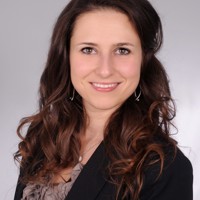
Corinna Lins (Germany) |Blog: here
Corinna Lins is working as a SharePoint consultant at msg services ag in Munich (Germany). She has many years of experience in the SharePoint area, especially in UI/UX topics. She has also expertise in document management, search capabilities and different possibilities of development. In her everyday life she is also active as a speaker and trainer

Mar Llambi (Spain) |Blog: here
I breathe, innovate, design and develop as a way of survival. If curiosity killed the cat, I think I have no more lives left. I’ve been developing with .NET and C# many years, then I assumed a technical consultant role working with Project and SharePoint Online. During this process I have discovered the perfect world of the Power Platform and it turned into my main professional focus. I’ve worked some years in Barcelona, then moved to Munich and finally to Madrid, always following the inner need to keep exploring and spreading the #LessCodeMorePower era

Habib Mankal (Canada) |Blog: here
I am a technology professional with over 15 years of experience in the Information Technology and Telecommunications sector. My wide-ranging skills include server deployment and management, team management, project planning and budgeting IT infrastructures, designing and architecting contact centre environments, and supporting users. I take pride in providing outstanding service and, through planning, innovation, and knowledge gained throughout my career, help customers meet and exceed their business objectives. My systems engineering expertise, advanced team and project management skills from proof of concept to go live generate positive, productive outcomes

Eric Marsi (US) |Blog: here
Eric is a Day 2 Cloud Engineer on the Cloud Operations team at T2M Works, LLC. Eric works directly with customers on-premises and cloud-based deployments along with T2M’s own hosted Skype for Business Server solution. Eric brings over 5 years of experience from the different IT industry areas and can communicate effectively with network engineers, systems engineers, end users, and business leaders. Eric has different personal hobbies such as skiing and electronics engineering and spends a lot of his free time working with products such as Microsoft Teams, Skype for Business, Exchange, Hyper-V, System Center, and more in his home lab! Eric strives to empower others to do more by providing guides and assistance to everyone

Malin Martnes (Norway) |Blog: here
Malin is the first MVP with a main focus of Talent (now D365 Human Resources). She started as a CRM user, and have worked with CRM since 2009. She started with ClickDimensions in 2014 when she became a consultant. In March 2018 she started working with D365 Talent (now HR) and provide content with her blog. She is also a major advocate for females in tech and run the Norwegian group Women in Dynamics

Kevin McDonnell (UK) |Blog: here
When a project builds, tests, deploys and notifies a client that their latest request is ready and they reply that it’s exactly what they envisioned if they couldn’t fully articulate it, that’s the perfect day for Kevin. After starting as a graduate in the infrastructure side of a UK Investment Bank, Kevin built on the ASP and VB spaghetti code that he taught himself at university to build out a well rounded approach to development. Taking roles on the SharePoint side has not stopped him wanting to develop properly and he retains solid understanding of Agile and DevOps processes alongside the technical side of cloud infrastructures. After a couple of years as a dev architect at Ballard Chalmers, he has returned to focus on the Office 365 world with CPS as a Solutions Architect with a broad base across the Microsoft stack. This includes co-hosting the fortnightly podcast GreyHatBeard and working on a video series with Apress on an introduction to Cosmos DB as well as desperately trying to inspire the Cub Pack he leads with IoT devices to get them coding

Rene Modery (France) |Blog: here
Rene is a Microsoft MVP since 2012, with a main focus on Office 365. Living in Singapore, he’s running the local SharePoint & Office 365 user group, and organises conferences and other events covering the Microsoft stack. In his day-to-day job, he is responsible for the APAC Office 365 initiatives and projects in a global MNC. He can be mainly found on Twitter (@modery) and LinkedIn

Lalit Mohan (India) |Blog: here
I’m responsible for supporting the technology-enabled automation of business processes to achieve digital transformation for increased service quality and cost reduction. I also evaluate existing business processes to identify and execute improvement initiatives through automation technology such as Microsoft SharePoint, Teams, PowerApps & Flow

Tom Morgan (UK) |Blog: here
Tom is a Microsoft Teams and Skype for Business developer and Microsoft MVP with over 10 years experience in the software development industry. For the last 7 years he has worked at Modality Systems, a specialist provider of Universal Communications services, as Product Innovation Architect. Tom is passionate about creating great software that people will find useful. He enjoys blogging and speaking about Skype for Business and Microsoft Teams development, Office365, Bot Framework, Cognitive Services and AI, and the future of the communications industry. He blogs at thoughtstuff.co.uk and tweets at @tomorgan

Justin Morris (Australia) |Blog: here
Justin’s entire career is dedicated to helping people adopt a Microsoft modern workplace. At Accenture he currently helps the largest companies in the world harness the Microsoft intelligent cloud. He was a 6-time Microsoft MVP and has presented at multiple Microsoft TechEd conferences as well as co-founding the London and Sydney UC user groups

Thet Naing (Singapore) |Blog: here
Working for a Singapore based company leading a team of 4 engineers focusing on Microsoft Teams deployment and migration

Hadrien-Nessim Socard (France) |LinkedIn: here
Revolution is now … low-code business apps solutions and Microsoft Teams side by side using Microsoft 365 Power Platform🚀🤖 As a Problem Solver I help organizations of any size to leverage the POWER inside the Microsoft 365 suite. I mix Power Platform and Teams to help business leading improve Productivity through Collaboration at scale with Governance I build custom & scalable Enterprise Solutions and deliver Master Class & Workshops on Microsoft 365 workloads. Power Addict with a specialization for Governance & Automation that helps me to enable Collaboration scenarios to increase Engagement & Productivity through a simple Framework. I like to share my knowledge in a way that is easy to understand from an adoption & customer experience perspective. My goal is to help people & guide organizations to boost Productivity & Collaboration in their Modern Workplace journey!
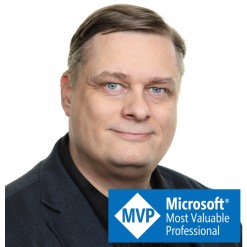
Vesa Nopanen (Finland) | Blog: here
Microsoft MVP for Office Apps & Services. Helping and coaching customers to find benefits and value when adopting new tools, methods, ways or working and practices into daily work-life equation. I am always eager to challenge current situation and dig out new possibilities and ways to think and work. In my work I am also an adviser for customers so they can discover best benefits, build roadmaps, gain best value & ROI out of chosen tools. My expertise area is Office 365, covering especially Microsoft Teams, SharePoint and tools that create a modern workplace solution and practices. Buzzwords and tags that describe what I do: #Office365, #MicrosoftTeams, #SharePoint, #ModernWork, #Adoption, #Teamwork #Flow #PowerAutomate #GraphAPI #Forms #OneNote

Joel Oleson (US) | Blog: here
First dedicated SharePoint Admin, Architect of First Version of SharePoint Online, Office Apps and Services MVP, Microsoft Regional Director, Wedding planner, Funeral director, Traveler and Storyteller

Jasper Oosterveld (Netherlands) | Blog: here
Jasper Oosterveld is a Microsoft MVP and Modern Workplace Consultant from InSpark within the Netherlands. On a daily basis, he works with customers to implement the Modern Workplace with Microsoft 365. Jasper focuses on safe & secure collaboration with Microsoft Teams. Jasper loves to share is expertise and love for Microsoft products with everyone who is willing to listen

Chirag Patel (UK) | Blog: here
Chirag is an Independent Consultant at Patel Consulting, Chartered IT Professional, TOGAF9 Certified Architect and Microsoft Certified Solution Expert (Productivity, Data Management and Analytics) based in London, UK with more than 20 years of industry experience. He works with a wide variety of clients in many sectors, designing and implementing business collaboration, data and information management solutions and services based on SharePoint and Office 365 technologies to create business value for both themselves and their customers, including UK Microsoft Gold Partners with deployment, upgrade and migration services delivery. Chirag is an active SharePoint community participant, frequent speaker at local and international events including SharePoint Saturdays (London, Cambridge, Brussels, Paris, Madrid, Barcelona, UK, EMEA, India) and Collab365. In his little spare time he enjoys cycling, cricket and every year participating in Charity bike rides and Duathlons. You can follow Chirag on twitter at @techChirag. and find him online at techChirag.com

David Patrick (US) | Blog: here
Dave has been developing database apps for over 30 years. An MCT since 2001, he has taught many classes from Intro to Visual Interdev to Advanced SharePoint Development. Dave is a 3 time Microsoft MVP running four user groups – the Maryland and Pennsylvania Microsoft Developers User Group (www.mapamdug.com) MAD SharePoint (www.madsharepoint.com) Mid-Atlantic Cybersec MeetUp (www.meetup.com/MACEME) and the Baltimore Cloud Meetup www.meetup.com/Baltimore-Cloud. Dave does SharePoint training and development for DSA, Inc., a DoD contractor that does great work for the Army over at Aberdeen Proving Ground. Dave has a bunch of certifications, including MCSD App Builder, MSCE for SharePoint, and MCSA SQL Server certification

Sarah Patrick (US) | Twitter: here
Sarah has presented at several TechGirlz workshops for the Boys and Girls Club of Harford County, as an advocate for women in STEM. Sarah graduated from the Science and Mathematics Academy in Aberdeen, MD in 2018, where she presented her senior capstone project “Engineering peer credibility via mastery of roles,” where she designed roles for an ad hoc team. She worked with an army professional from CERDEC. She is currently attending the University of Maryland – College Park to major in Information Science and represents her major as a Student Ambassador. Sarah completed an internship with the Project Management Institute, helping them with their Professional Development Event, and worked as at the SharePoint Intern at Smithsonian Institution’s Office of the Chief Information Officer. She is currently a part of the Junior Fellows Program at the Library of Congress this summer

Matti Paukkonen (Finland) | Blog: here
Modern Workplace Architect working with Microsoft 365 ecosystem and related cloud technologies. In my role I’m helping customers to gain more of their tools and effectively utilize technology supporting daily work-life. I’m a versatile professional always learning new, sharing knowledge and going forward. Hosting workshops, solving problems and designing solutions are near my heart. When adopting a new service or a technology, I need to get my hands dirty first and try it out. On the community side I’m co-organizing Teams Community Finland, which is Microsoft Teams focused community for all Teams fanatics, end-user, developers and consultants in Finland. I have been working on IT for over 15 years now. I have over 10 years of experience in Microsoft technologies and strong background of designing and developing solutions on SharePoint. Long list of other tools and technologies have become familiar on the way

John Peluso (US) | Blog: here
John is a Technology professional with almost 20 years of experience helping organizations understand how they can drive secure collaboration and business productivity through an effective use of technology. With a technical background in the Microsoft stack of collaboration products, and having held both technical and business management roles, John has a deep understanding of the priorities and concerns of both sides of the organization. In his current role as CTO of AvePoint Public Sector, John is responsible for both leading product vision and development as well as helping customers balance innovation and governance in their journey to the cloud

Michael Plettner (Germany) | Blog: here
During the last decade Michael was mainly focused on Microsoft Unified Communications projects within small, mid-size and global enterprise companies with up to 400.000 project affected users. More than 4 years ago Michael founded his own company to help customers within his technical expertise in Microsoft Unified Communication Projects as well as his expertise in User Adoption, Change- and Project-management. Michael is also one of the organizers of the Microsoft Teams User Group Germany, hosting an onsite event in 3 cities simultaneously every 2 months and is one of 3 owner of the Adoption and Change Forum in Munich

Toni Pohl (Austria) | Blog: here
Co-founder of atwork.at, a Microsoft Gold Certified Partner and Microsoft Cloud Solution Provider. My passion is web technologies, business processes, Microsoft 365, and Microsoft Azure. I am blogging, writing and speaking at conferences such as Microsoft Ignite, SharePoint Conference and many more. I am recognized as a Microsoft MVP for Azure and Office Development. Connect with me on LinkedIn or another channel

Tomasz Poszytek (Poland) | Blog: here
A believer in enabling organizations to work more effectively helping them to achieve it by leveraging their effectiveness through their business processes digitalization and optimization. Having a strong analytical background being a Business Analyst for years, he has lots of experience in Power Platform (Power Apps, Power Automate, Power Bi), but also in Nintex or Webcon. He really enjoys to continuously learn to stay up to date and to share his knowledge not only with his customers, but with technical communities as well. He’s building business processes and applications that are easy for users’ to stick to, so they can follow and understand them. In overall he transforms processes to be more reliable and effortless. Co-organizer of SharePoint Saturday Warsaw and active community member, blogger and international speaker
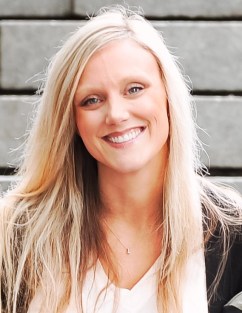
Laurie Pottmeyer (US) | Twitter: here
Laurie has spent 15 years at Microsoft managing user adoption and pre-release programs for Live Meeting, OCS, Lync, Skype for Business and Teams – helping to build better products and helping organizations mobilize people to use them. Laurie’s current role as Community Lead for Microsoft Teams is unique and demonstrates the commitment from Teams engineering to understand, listen, and build a high-quality product around the needs of users. She manages the virtual Microsoft Tech Community, creating a robust network of worldwide community events and user groups, and continues to mobilize the MVP Community to share their expertise around Microsoft Teams. Laurie’s always listening for success stories, looking to connect people, and learning through experience

Sandhya Rao (United States) | LinkedIn: here
Sandhya Rao is Principal Product Manager for Personal and Small Room Devices for Microsoft Teams, Microsoft’s premier collaborative communications & messaging platform for work. Specifically, Sandhya is the product lead for Microsoft Teams purpose-built devices such as personal phones & desktop devices, collaboration bars, and peripherals. She also worked on the launch of Remote Assist, an augmented reality Hololens experience on the Teams platform. Previously, as Global Head of Connected Home Software Solutions Product Management at Honeywell she oversaw product teams responsible for building and creating the next generation of IoT connected home software solutions. Prior to Honeywell, Sandhya held leadership positions at multiple software startups and spent 10 years at American Express in various leadership roles that focused on creating interactive and innovative digital and mobile experiences for businesses and consumers

Tony Redmond (Ireland) | Blog: here
Tony Redmond has been working with Microsoft server technology ever since Digital and Microsoft concluded the Alliance for Enterprise Computing in August 1995 and he found out that the OpenVMS-based email server that he was working on had just been superseded. He’s written ten books on Exchange to date, including his latest “Inside Out” book on Exchange 2013 (Mailbox and High Availability) that appeared in October 2013. His latest venture is the “Office 365 for IT Pros” ebook (https://office365itpros.com), which covers all aspects of Office 365. The ebook is updated monthly to take account of changes within the service and has been hailed as a unique approach to technical documentation. The eBook is now in its fifth edition (https://gum.co/O365IT/). In addition, he has written literally hundreds of articles about different aspects of Exchange and has spoken at conferences such as Ignite, TechEd, MEC, Exchange Connections, and HP’s Technology Forum. Tony blogs regularly about Exchange and Office 365 at petri.com

Yannick Reekmans (Belgium) | Blog: here
Yannick has 8 years of experience developing for SharePoint and Office 365, still working day to day with the code. He was also recently awarded the Microsoft MVP for Office Development title for his contributions in the broad community. Yannick loves solving problems using all tools available, and considers usability a key point when designing a solution

Alan Richards (UK) | Twitter: here
Alan has been working in IT for over 20 years with the majority of that focussed on technology in education. Alan has rolled out Office 365 to Schools, Colleges, University and Government departments amassing a wealth of experience

Peter Rising (United Kingdom) | Blog: here
Peter Rising has over 25 years’ experience in IT. He has worked for several IT solutions providers and private organizations in a variety of technical roles focusing on Microsoft technologies. Since 2014, Peter has specialized in the Microsoft Office 365 platform, initially carrying out mail migrations from on-premises platforms and tenant-to-tenant migrations. Since joining Softcat PLC in 2016, Peter has shifted his focus to Microsoft 365 Security and Compliance and is now a senior consultant in Softcat’s public cloud technical practice. He holds a number of Microsoft certifications, including MCSE: Productivity; MCSA: Office 365; Microsoft 365 Certified: Enterprise Administrator Expert; Microsoft 365: Security Administrator Associate, and Microsoft 365 Certified: Teams Administrator Associate

Marco Rocca (Italy) | Twitter: here
I’m a Microsoft SR Premier Field Engineer within the Modern Workplace domain and deals mainly (but not only …) with SharePoint, a product that has been with him for 10 years and has experienced the birth and growth of all the latest versions. Today, however, collaboration is not just SharePoint, but all Office 365 applications that are helping to revolutionize the way we work. Although “writing code” is still one of its passions, today it supports customers in the migration of products on the cloud to the cloud world. In the last year I have participated in several conferences as a speaker among which WPC Milan, Power Platform World Tour, SharePoint Saturday and European Collaboration Summit

Rick Van Rousselt (Belgium) | Blog: here
Rick is a managing partner @ Advantive and is an Office Apps and Services MVP. He has been working with SharePoint since 2007 and has now made the transition to Office 365. With a strong focus on development this job pushed him to become a versatile expert in both Office 365, Azure and all related technologies. His inquisitive disposition encourages him to continuously gain knowledge and share insights with everyone that shares the same interests

Thomas Sandsør (Norway) | Blog: here
Thomas Sandsør from Norway. Been working with Microsoft CRM (yes I still call it CRM) since 2007. I worked about 8 years as a consultant/architect, before I was asked to work for Microsoft building the partner channel for CRM. After 2 years at Microsoft I got the chance to start the CRM branch at Point Taken, where I lead a team of very exciting consultants. My working life has been dedicated to Microsoft CRM, and that is what I write about

Andreas Schlüter (Germany) | Blog: here
Consultant, Trainer & Berater with Focus on Microsoft 365 (Office365 [MCSA], Windows 10, EMS) & Azure, Andreas manages the onboarding & rollout of Microsoft 365 from a technical, conceptual and communicative perspective, migrating workloads from on premises to the cloud. With many years of experience in the administration, setup and customizing of Microsoft cloud services, he is passionate about best practices, possibilities & no-go´s as well as presenting mindset blowing magic moments with change, learning & adoption

Ryan Schouten (US) | Blog: here
Ryan Schouten has been developing on SharePoint since December of 2006 and has worked with every version of SharePoint since version 2(2003). Since that time, Ryan has developed a love and understanding of SharePoint that helps him to be comfortable in SharePoint no matter what area he is working in. This knowledge allows Ryan to discuss complex development and admin concepts in a manner that is easy to understand. Ryan loves getting out and connecting with the community. Ryan travels the country speaking about SharePoint and Office365. Ryan is a Microsoft Certified Trainer and a Microsoft MVP and has been working to help others be successful in their SharePoint endeavours
Marcin Siewnicki (Poland) | Blog: here
I am Office 365 consultant and architect. I create applications and solutions that improve and facilitate work using Power Platform, SharePoint, and Teams. My adventure in IT began in 2005. Since then I have been creating and implementing business applications based on SharePoint and Office 365 platforms. I am a big fan of task and process automation (Power Automate) and Modern Workplace platforms (Microsoft Teams). Privately a husband, father of 2 sons. Fan of science fiction and cyberpunk, futurist. I co-organize the SharePoint Saturday Warsaw conference, speaker at Microsoft social events

Nuno Árias Silva (Portugal) | Blog: here
Architect Manager at GFI Portugal – Modern Workplace Lead – Microsoft Solutions Architect – MVP Office Apps and Services, Windows Insider MVP and MCT at GFI (Microsoft Gold Partner) for Microsoft Office 365, Exchange, Private Cloud, Infrastructure, Active Directory, SQL and Auditing Microsoft Products, support at pre-sales and sales areas. Specialist in Office 365, with a focus on Exchange, Virtualization and System Center: With more than 20 years’ experience in Datacentre Architectures, Nuno has 40+ certifications (MCT, MCSE, MCITP, MCSA and MCTS among others). Experience in enterprise environments: He has worked several industries, including Aerospace, Transportation, Energy, Manufacturing, Financial Services, Government, Health Care, Telecoms and IT Services, Gas-Oil Company in different countries and continents. Assisted Microsoft in the development of workshops and special events and case studies, and as a speaker at several Microsoft events. Contributes with several articles and publications in various blogs and communities

Marijn Somers (Belgium) | Blog: here
Marijn Somers (MVP) has over 12 years experience in the SharePoint world, starting out with SP2007. Over the years the focus has grown to Office 365, with a focus on collaboration and document management. He is a business consultant at Balestra and Principal Content Provider for “Mijn 365 Coach” that offers Dutch employees video training. His main work tracks are around user adoption, training and coaching and governance. He is also not afraid to dig deeper in the technicalities with PowerShell, adaptive cards or custom formatting in lists and libraries. You can listen to him on the biweekly “Office 365 Distilled” podcast

Thomas Stensitzki (Germany) | Blog: here
Thomas Stensitzki is the owner of Granikos GmbH & Co. KG, Germany, and focuses as a principal consultant on Exchange Server, Office 365, and Microsoft Azure. He is an MVP for Office Apps and Services. He holds various Microsoft certifications, like Microsoft Certified Master for Exchange Server 2010 and Microsoft Certified Solutions Master Messaging. When not working as a consultant he teaches Microsoft technology courses as an MCT. He is an MCT Regional Lead for Germany

Amanda Sterner (Sweden) | Blog: here
My favourite feeling in my job is when I can see on a person that they’ve actually understood how a new way of working can benefit them. For the last couple of years I have been working with the modern workplace and more recently I have been focusing on Microsoft Teams and how it can make the daily work life easier. I want to help you start loving Microsoft Teams the same way I do!

Loryan Strant (Australia) | Blog: here
Loryan Strant is a twenty year veteran of web and network technologies. He has spent the last decade and a half building digital relationships for businesses and organisations. Loryan blogs and writes articles about the cloud and co-authored two books on Office 365. He is also known by his previous social persona of “The Cloud Mouth”. Loryan was also the founder of Paradyne (which was acquired late 2015), helping to deliver innovative solutions through the cloud and enabling businesses to reduce IT costs. He is passionate about enabling people and organisations using technology the right way, enabling them to become more productive. Loryan is a Microsoft Office 365 MVP (Most Valuable Professional) 8 years running, an award created by Microsoft to recognise the best and brightest from technological communities around the world

Megan Strant (Australia) | Blog: here
My passion is Microsoft Office 365. It’s been my focus for 8+ years helping organisations plan for, implement, adjust and adopt the technology. I have been in the project space for over 14 years with strengths in both Project Management and Change Management using Prince2 and Agile methods, along with the deeper change methodology. I spent time building and leading the Change Management Practice and delivering projects for 3 Microsoft partners, including establishing Paradyne as the first partner in Australia to have a Change Management offering as part of their implementations. Currently I am excited to be leading the Adoption and Change Management offering for Insync Technology, along with some independent consulting under the banner of Strant Consulting, with my husband Loryan Strant. Outside all of this work I enjoy speaking, and writing about all things Office 365 and also neurodiversity which is a personal passion and big part of my life. To kick off 2020 I received the Microsoft Most Valuable Professional (MVP) award for Office Apps and Services

Sharon Sumner (UK) | Blog: here
Leader of the PowerApps and Flow User Group in Cambridge UK. Devoted to community events and collaboration. Speaker for SharePoint Business Applications, Content Services and Power Platform tools (PowerApps, Flow, PowerBI, Teams, SharePoint). Charter partner with Microsoft’s SharePoint Business Applications programme. Microsoft Gold partner specialising in cloud content and collaboration

Liz Sundet (US) | Blog: here
Liz is a Microsoft Premier Field Engineer for SharePoint and former Office Apps and Services MVP. Liz loves a challenge, so everything from a business problem to troubleshooting an error in a system is just another learning opportunity. As a trainer and international speaker, she hopes to inspire others to learn something they can apply to their own work immediately. When she is not working in SharePoint or traveling, you may find her in a variety of activities as diverse as she is: playing music, riding motorcycles, training her dog and even a craft or two. You can follow her on twitter @percusn

Dux Raymond Sy (US) | Blog: here
Dux is the CMO of AvePoint. With over 20 years of business and technology experience, he’s been a driving force behind digital transformations for commercial, educational and public sector organizations worldwide. He’s a published author of “SharePoint for Project Management”. He’s also recognized by Microsoft as Regional Director (RD) and Most Valuable Professional (MVP). A sought after public speaker and mentor, he’s a tireless advocate of diversity, inclusion & technology for good who has written numerous whitepapers, articles, and delivered engaging interactive presentations to over 25,000 people at leading industry events around the world. When he’s not globetrotting, or invigorating audiences, Dux lives in Washington, DC with his amazing wife and two children. In his free time, he enjoys running along the Potomac River and sampling the most exotic foods available (grilled scorpion, anyone?)

Jeff Teper (US) | Twitter: here
I lead engineering teams for Microsoft 365, including Teams, OneDrive, and SharePoint, that empower more than one billion people around the world to collaborate at work, home, and school. After more than 25 years at Microsoft, I’m still inspired by our core mission — connecting people everywhere with tools and technologies to create, build, and achieve more together. I joined Microsoft as a developer evangelist because I believed in empowering others with the Microsoft platform. Today, I’m still inspired by those principles as we deliver what’s next for Microsoft Teams, SharePoint, and OneDrive. When I’m not working, you may find me preparing for my next marathon, binging Disney movies with my family, or listening to my all-time favourite band- those boys from Liverpool

Mike Tholfsen (US) | Twitter: here
Responsible for Microsoft’s inclusive classroom product strategy, focusing on empowering students of all abilities including reading, writing, math, communication and focus. Leading the Immersive Reader set of products, which help students with dyslexia, dysgraphia, ADHD, as well as non-native speakers and emerging readers. Recently announced Immersive Reader has 23,000,000 monthly active users across all apps and platforms. Leading the OneNote Education product strategy and roadmap for Class and Staff Notebooks, as well and Professional Learning Communities. Also work on Microsoft Teams for Education integration with OneNote

Matt Wade (US) | Blog: here
Matt is an engineer-turned-IT nerd and Microsoft MVP. His career began in the nuclear power design field and ended up in SharePoint adoption, pretty much by mistake. He’s best known for his SharePoint and Office 365 infographics—especially the Periodic Table of Office 365—and advocating AI and chatbots to automate business workloads

Sharon Weaver (US) | Blog: here
Sharon Weaver is a Microsoft Certified Trainer, Process Improvement, and Productivity Expert. Sharon’s background in Business Analysis, Project Management, and Agile combined with her Developmental Psychology degree and Six Sigma Black Belt blend perfectly with her love of helping and training people to make her a well-rounded consultant and coach. Solving both process and technical problems, Sharon has the unique ability to listen and uncover her client’s pain points and develop a plan to not only build the needed solutions, but to drive change, adoption, and education in a way not typically seen from technical consultants. Sharon speaks professionally at local, national, and global events and teaches subjects such as Office 365, Business Analysis, Six Sigma, Leadership, and other continuing education courses publicly as an adjunct instructor and privately for corporations. When she’s not working, Sharon is likely reading self-improvement books or on a cruise out of the country with no access to communication

Chris Webb (US) | Blog: here
Chris is an experienced and true ‘jack of all trades’ technology junkie. He has over 20 years experience working with all types of Microsoft Technology working for a global executive membership organization. While working on Office 365 migration and implementation he discovered the Microsoft Tech community, and how valuable it was for learning many of the ins and outs of Office 365. Over the past year Chris has been a leader in the communities contributions area’s such as SharePoint , OneDrive and Microsoft Teams. Chris speaks and contributes regularly for the Dallas / Fort Worth Office 365 user group held every 3rd Tuesday of each month. Other community contributions include his own tech blog and Twitter presence. Chris is currently working on expanding his interests onto an Office 365 focused Youtube channel, working on now contributing to the PowerApps and Flow communities and eventually speaking at other usergroups and conferences

Allie Wieczorek (US) | Twitter: here
I am currently a Product Marketing Manager at Microsoft, working specifically with the IT Pro audience and the Office Apps and Services MVP Program. I recently graduated from a dual degree program at University of Virginia’s Darden School of Business and Curry School of Education. I am a special education teacher turned marketer, focused on using the power of technology to bring people together and make communities more inclusive

Carmen Ysewijn (Belgium) | Blog: here
Carmen is an enthusiastic consultant helping customers in finding, developing and rolling out the best solution for their business issues. She is a Microsoft 365 consultant at Qubix (Belgium), focusing on the Power Platform and Microsoft Teams. As an advanced citizen developer, she assists companies in simplifying and digitizing their processes
 @Microsoft365Pro