

2022 went fast. This is the 4th year I have written this article but honestly? It feels like I wrote the last one yesterday. And here we are at the other side of the pandemic; in what still feels like turbulent times. In 2022 we’ve seen the Ukrainian-Russian conflict, it’s terrible impact on millions of lives as well as its subsequent impact on the global economy. We’ve seen the growing political tension between China and the West. Natural disasters like the flood in Pakistan or more evidence of climate change – record breaking heatwaves and widespread wildfires such as the ones in Portugal or Spain over the summer. The overturning of abortion rights in Texas. Musk and Twitter. Iran. Afghanistan. It’s easy to get caught up in the doom and gloom of it all. And occasionally we need to be reminded of the good things. In 2022 we are closer to fusion power than ever before. We have more people working in hybrid than ever before. As this nice article in Wired illustrates, there are numerous examples which don’t always seem to grab so many headlines: in the US renewables generated more energy than nuclear and coal for the first time. There has been progress on the treatment of Alzheimer’s. The successful test of the DART program to protect our planet against impact events. For people who worry about climate change, Scientific American reported that the global growth in renewables alone is estimated to have likely avoided 600 million tons in additional CO2 emissions, or slightly less than the 646 million tons of CO2 produced by Germany last year.
So what has all of this got to do with Teams?
2022 has been the first year where I have heard people say they feel Teams has become less relevant to them. Like the world at large it feels – to me at least – like a period of turbulence. Reasons I have heard include returning to the office and no need to use it or rely on it to the extent when they were working remotely, more in-vogue and exciting apps such as Microsoft Viva, more surfaces for apps such as office.com (soon to be microsoft365.com) or Outlook which no longer means a necessity to use it, the complexities of the client and the all or nothingness of the client – the lack of a slimline version for want of a better terminology. Then there is age. Teams is nearly six and has not addressed such fundamental things such as the ending of the wiki or specific apps in Private Channels; things which have been called out for by the tech community, at this point, years. Finally, over time there has been added complexity in licensing and branding options. From what was once a collaboration app in Microsoft 365, it is now a platform of over 1,500 apps, multi-modal voice options with their own add-ons. There is a free version. You can deconstruct it and utilise the components you want in Azure Communication Services. Within the client there is preview and developer rings. On top of the desktop client there is web, and mobile, and VDI, and Linux and MAC clients, and these all may have different functionalities and experiences. There is another ecosystem of devices, as well as an ecosystem of SCI functionalities threaded through Entra, Defender and Purview. This year we have just seen the release of Teams Premium which as an additional SKU and repackaged version 2.0 of the advanced communication licence will likely bring some criticism. We’ll see the ‘pay to win’ conversation which already occurs with Security and those who will argue it is at odds with the ‘do more with less’ sloganeering we saw at Ignite, especially for SMB. But interestingly, where are the numbers? We haven’t seen real usage numbers for much of 2022 have we. Last we officially heard at the start of the year MAU stood at ‘surpassing’ 270 Million. Nothing in the Q1 2023 Earnings Release back in October. Check the transcript. Not like Viva which was specifically called out at having reached 20 Million MAU, up from 10 Million last year.
But as said, it’s easy to get caught up in the doom and gloom of it all. And occasionally we need to be reminded of the good things. From the Q1 2023 earnings call we see that, in a typical day, the average commercial user spends more time in Teams chat than they do in e-mail, and the number of users who use four or more features within Teams increased over 20 percent year over year. Users interact with Teams 1,500 times per month on average. Monthly active enterprise users running third party and custom apps within Teams increased nearly 60 percent year over year and PSTN users have grown by double-digits for five quarters in a row. But beyond the stats, think of all the functionalities released in the past year. This year we’ve seen Press to Unmute, Music Mode, Front Row, TMR Expiration, Companion Mode for iOS, Pin/Hide Your Own Video, Pairing the Teams Channel and SharePoint Folder Name, Local Time in Profile Card, Pinning Chat Messages fix, Chat Density, Group Approvals, E2EE for mobile app, Customer Lockbox, Roaming Bandwidth Control, Music on Hold for VoIP Calls and Transfers, Export Teams Lists, Resize in Presenter Mode, Outlook Contacts whilst dialing, Admin call routing controls, Suggested replies, Chat Filters, Pin Messaging Extensions, Brightness and Soft Focus, Mandatory comments in Approvals, Multi language meeting invites, Co-organizer meeting role, Dynamic caller id for call queues, Chat embedded in Dynamics 365, Updates App, Polls App, Remove Call from History, Enhanced CAP (Now Shared Device) Licence, LinkedIn Integration, Bulk removal of policies, Teams Export API, Cameo, Annotations, Language Interpretation, Pre-assign to Breakout, Leave Meeting on all devices, block inbound federated voice calls, TAC Customisation, App URL redirect, Shared Content Pop Out, Contact Groups in Calls App, Video Clip, Upgraded usage analytics, Schedule send, Delete chats, Expanded reactions and Sign Language View. That’s probably about 30% of what has been actually released and bigger ticket items include Teams Mobile Convergence, Excel Live and Collaborative Apps. We are also fortunate to know of many exciting things to come: we know from Ignite that we should have a new Teams App (2.1) in 2023, we know that there will be a new Channel experience, and Mesh Avatars, and Microsoft Places. Maybe this is leading to things such as the building of Teams Rooms and control over those with Places, and the use of developer tools such as Unity. We’ll see.
Teams is now a mature app. If we look back at it’s history we had a period between 2017 and 2019 where it was fresh, and new, early in it’s lifecycle kind of like where Viva is at now with many possibilities and gaps. We then had the period 2020 to 2022 where it was necessary. Throughout the pandemic it was the right app for the right time and it’s usage exploded. Rocketing from 13m to 145m DAU and then converted out to MAU, it went up to over 250m where pressure was levied on Microsoft for the app to grow and have functionalities as orgs and their users required. That included a rise of 12m users in a single week in 2020, and periods where usage stretched the service, where throttling measures were introduced. Today, at over 270m Teams isn’t new, there will be growth but probably as a lower rate to the pandemic as those kind of numbers would have been disclosed. Therefore, where do we go? Personally, I think that with 2.1 Teams will look to reboot itself with innovations, and knocking out long persistent issues that will drive it north of 300 and in search of the next 100. But we, as users who are passionate about Teams who have been through those wild times, must also reset our own expectations in line with that.
So like the last three years, here are 12 things I would like to see land in 2023. All the links to Feedback items have been provided so please feel free to vote for them! – and if you have anything you want to see in Teams which hasn’t been asked for – go ahead and raise it there as well!
Number 1: Teams 2.1

Feedback: here
2023 is the year we need to see Teams 2.x for business users. It was announced back in 2021 and there was a lot of coverage on it including this article by Tony Redmond, one from my good friend Vesa Nopanen as well as official confirmation by Rish Tandon CVP of Microsoft Teams before his move to Meta. Now, Teams 2.x (currently 2.1) has been used for consumer on Windows 11 since then, and it has been shown by Microsoft to reduce the memory footprint, deliver features like support for multiple accounts and improve release predictability. But more than perf improvements – which is the short term value, Teams 2.x will also signify the transition to a new period of Teams, one that will be important for renewed vigour, sustained growth, as well as an opportunity to nail a number of service and UI/UX related issues. If we do see it in 2023, this will be the biggest Teams news of the year, and it will be interesting to see if the first release carries over all the functionality which is there today.
Number 2: Meeting Rooms in Mesh
Feedback: here
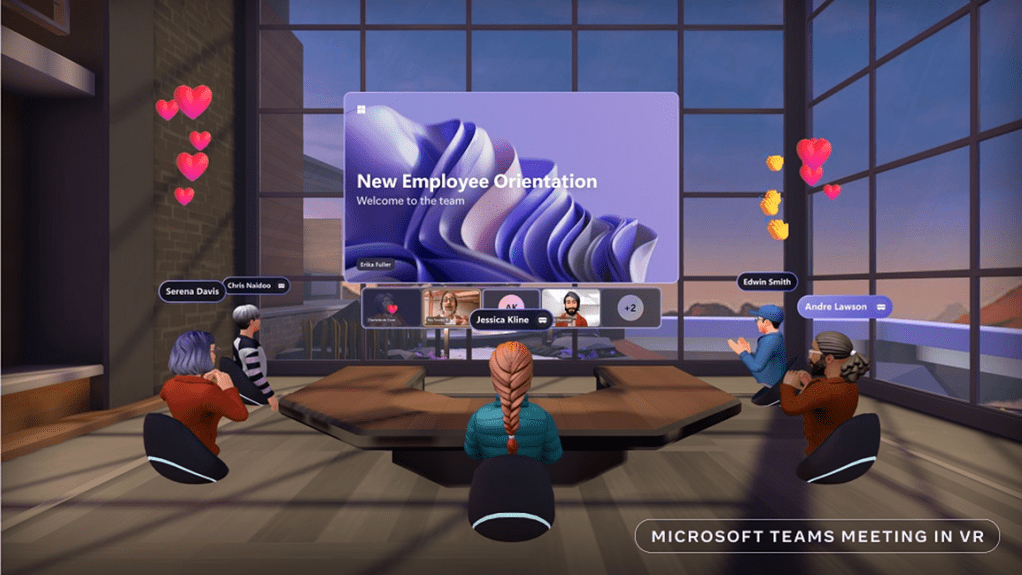
We already know that Mesh Avatars are in Private Preview and will drop in 2023. We know they are are app in Teams, that 3 can currently be created and that these can be used in Teams Meetings. However, Avatars will be limited to the construct of a Teams Meeting as we know it until we can use, and build virtual meeting rooms, which we have seen in concepts and demos already provided by Microsoft throughout 2022 including by Jeff Teper. Now, thinking about how Microsoft approach things we may see templated virtual meeting rooms out of the box, and these could be limited in capacity, such as 25 or 50 in the way AltSpaceVR also has that ceiling. But what is exciting is that Teams Meeting Rooms could be built in the future using tools such as Unity, which means that pro and managed services would develop around virtual as well as physical teams rooms. Imagine that we could build virtual offices and buildings, and integrate Power Apps. I doubt that the ability to build meeting rooms will drop in 2023 but if we had a small templated meeting room that would be awesome
Number 3: Microsoft Places
Feedback: N/A
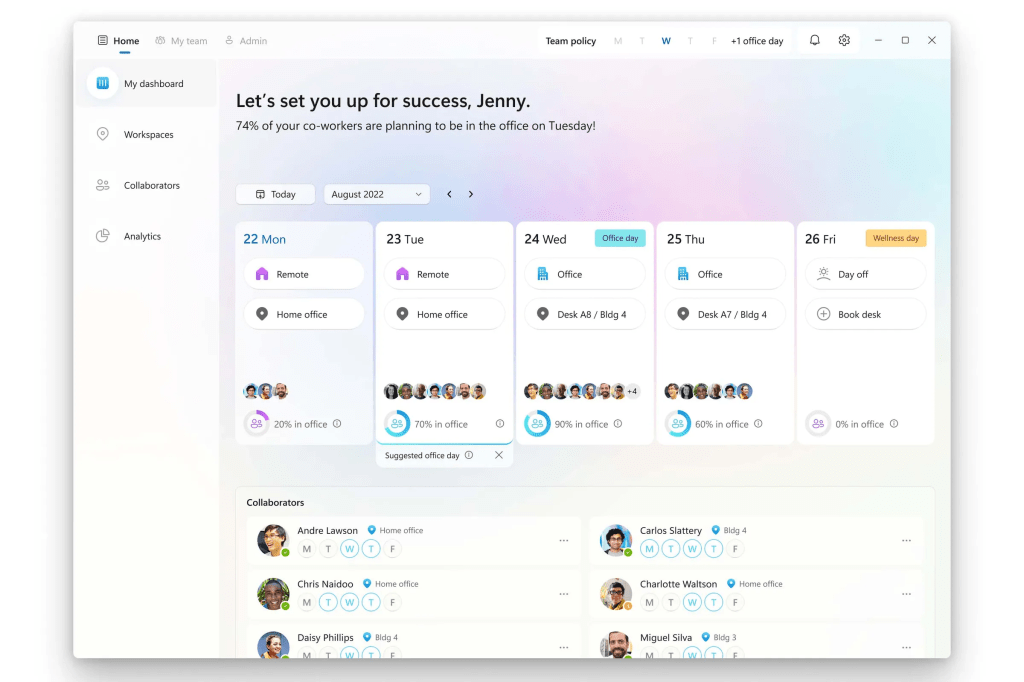
In the Q1 2023 earnings report, we had the quote we needed: ‘Just like Outlook calendar orchestrates when people can meet and collaborate, Places will do the same for where‘. In other words, Microsoft already sees Places as central to the collaboration experience – and why not? With places we’ll be able to see who is in the office, and who is remote. It’ll help us define how we will collaborate with the team and the format. But places will be more than just facilitating a hybrid workforce: it’ll be about managing spaces such as the office floor, teams rooms and, long term, virtual teams rooms. It’ll manage hotdesking which will be used alongside Shared Devices and AVD/Windows 365. No doubt, like Lists and Viva, we’ll see a Places app in Teams, and will likely be a welcome addition to the Microsoft 365 portfolio.
Number 4: PowerPoint and Word Live
Feedback: here
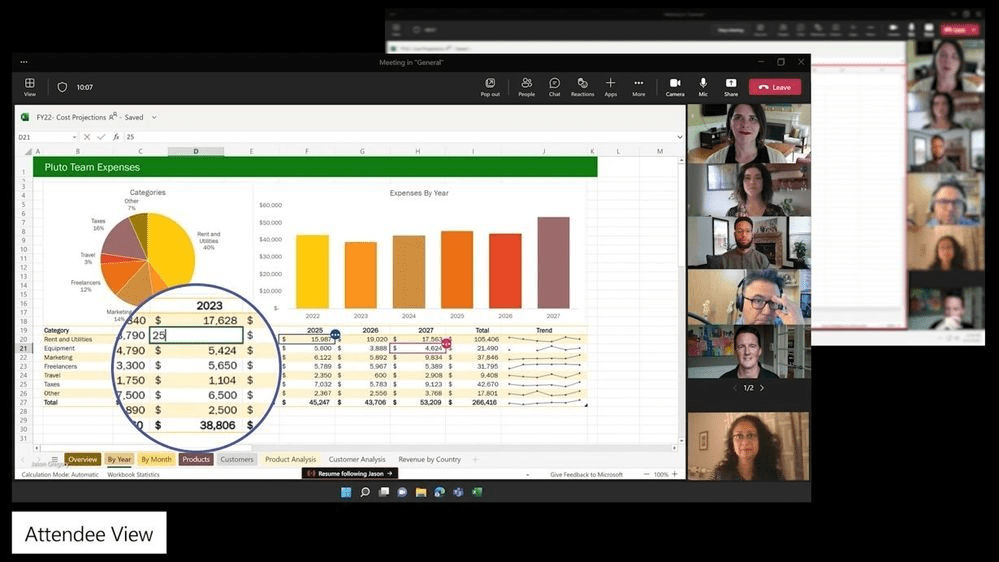
Excel live is rolling into Teams. PowerPoint Live has been there for some time. However, the next stage in the collaborative app experience for Office ought to be the ability to collaboratively work on a PowerPoint and Word document in the same way you can now do with Excel. In other words, attendees can coauthor and modify the content in the Teams meeting on the gallery.
Number 5: Teams Meeting Recording Fidelity – and 4k Resolution
Feedback: Here
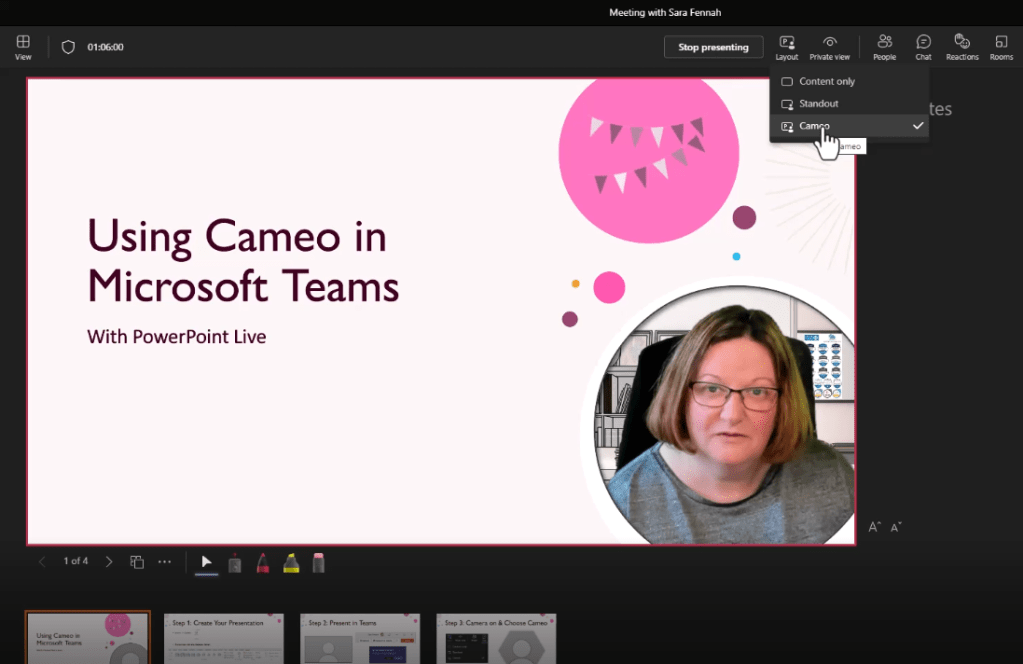
Teams Meeting Recordings are convenient and easy: except when it comes to a discussion on fidelity. Fidelity can be defined as ‘the degree of exactness with which something is copied or reproduced’ and TMR’s fall down on this point because they don’t capture Together Mode, Presenter View, Annotations, Subtitles or functionalities like Cameo (thanks to my good friend Sara whose screenshot was pilfered here). The inability to faithfully reproduce what was shown in the meeting will continue to frustrate users who want their content on demand. The limitation of not moving quality beyond 1080p (here) – also raised last year, is still a draw to consider competitor products such as Zoom
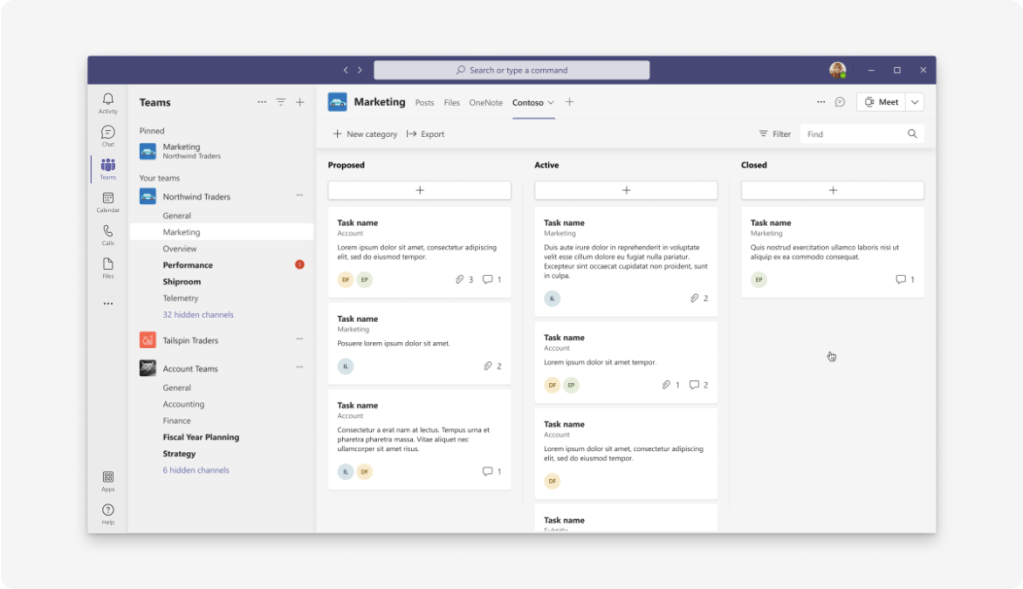
Number 6: Default Landing Tab/Remove Conversations Tab
Feedback: Here
Does every channel really need an associated conversation? Is the first place you always need to land is a Posts tab? I don’t think so. In fact, I am very much a proponent of just having channels without Posts or Files tabs and having what you need right there. It would be cool to have channels which can default to a SharePoint page, such a dedicated video channel, or a dedicated Power BI channel. This is because I think we all know that a.) Posts and Files tabs can clutter channels and b.) We wouldn’t have to worry about applying moderation policies. With files you can hide the tab using the shell. But I am sure that if we saw this it would make Teams more meaningful. That’s what we want: necessary and meaningful
Number 7: Native Wallboard/Call Queue Management

Feedback: Here
Back in the day, one of the big gaps in Lync and Skype for Business was that there wasn’t a native wall board included which always caused issues for organisations looking to manage call queues, or perform deeper analysis on their team members, usually for CSAT or KPI purposes. This was particularly acute for SMB’s which had things like support teams or customer services teams which performed high amounts of call work. My own organisation was the same. Now, for many years this gap has been filled by 3rd parties such as Anywhere 365, but if you are voted as a Leader for Unified Communications by Gartner, we should be seeing some more call centre enter at this point, such as Wall Board, Barge and Whisper. This should be native or 3rd party to fit all the modalities such as Calling Plans, Direct Routing or Operator Connect
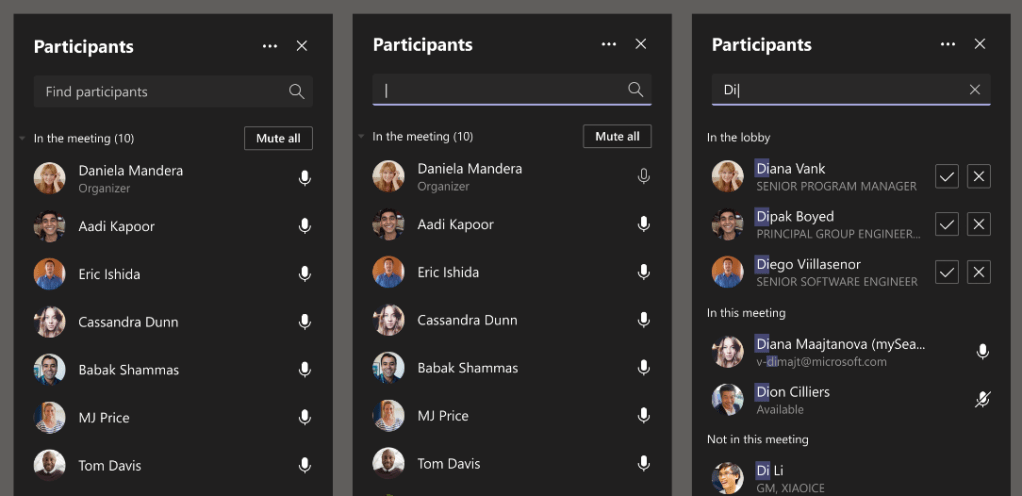
Number 8: Obscuring Meeting Member Details
Feedback: Here
There are scenarios when you don’t want to reveal who else is in the meeting, or the webinar, where attribution is not required or attendees details need to be protected for compliance reasons. There is, of course, the ability for the user to log into a Teams meeting anonymously, however this typically comes with difficulty for users. Having a meeting setting, or a sensitivity label which can prevent an attendee seeing any other details about any other attendee would be a useful capability for many: and that doesn’t include it necessarily being within the Teams Premium construct.
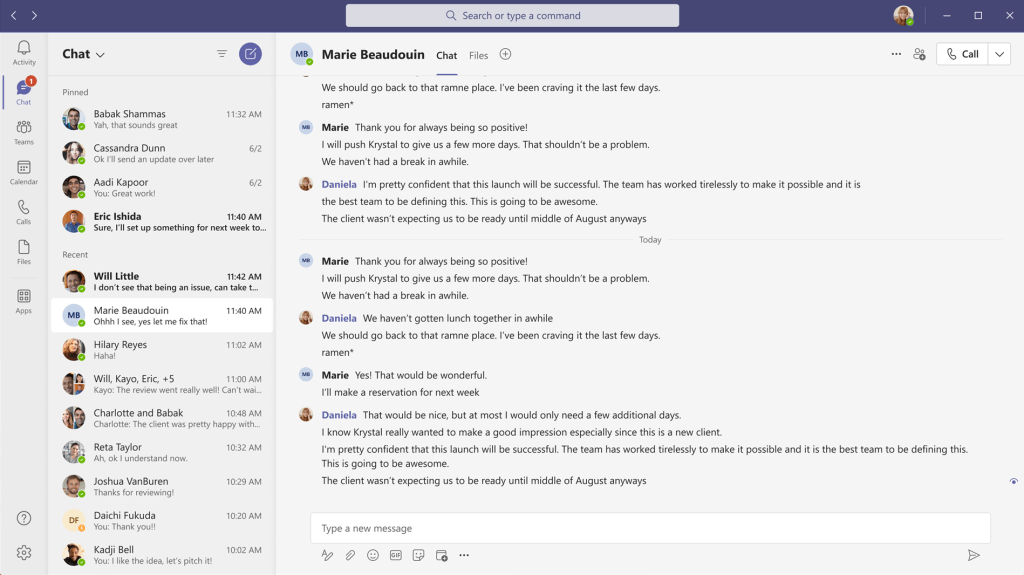
Number 9: Pinning More than 15 Conversations
Feedback: Here
This is a private bugbear of mine. I have lots of direct working relationships inside and outside my organisation. I have running conversations with these people. I also pin group chats for some working groups: but I am always at the 15 limit and regularly have to shift around which chats are pinned and which aren’t. I can self conjure up the counter arguments insofar that a higher limit means that it could become an unending game of maxing and pinning encouraging laziness, and I also get the point that recent chats could fall of the page leading to missing chats (I usually use 70% resolution so have space for at least 6-7 more). I just think the limit shouldn’t be so restrictive on this one.
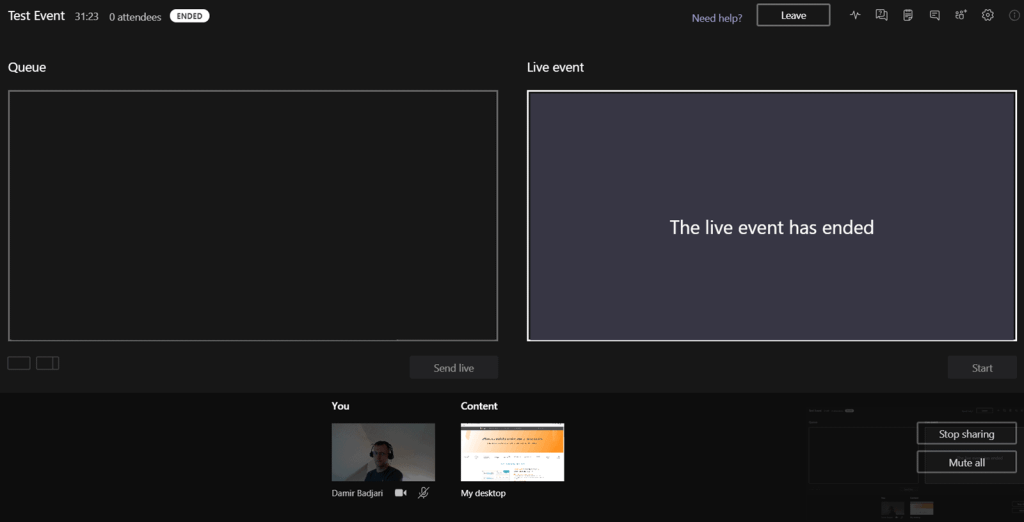
Number 10: Kill Live Events
Feedback: N/A
The recent development of Teams Meetings, with support of up to 20,000 users (1,000 active), the addition of Q&A, the addition of hard mute, the soon to be addition in Ring 4 of the green room, and the ability to pipe in virtual streams like OBS, this all posits that we should nearly at the point of saying goodbye to Live Events. For any who have taken a keen interest in meetings over the years, it was announced as far back as Ignite 2020 that meetings and Live Events were going to converge, and many don’t know that Live Events is actually a seperate platform to Meetings. For simplicity sake, let’s get shot of Live Events, with one meeting format that is skinnable in many different ways, such as with Meeting Templates. Maybe that is why we are seeing them introduced now into Teams Premium
Number 11: Teams App Compliance Management
Feedback: N/A
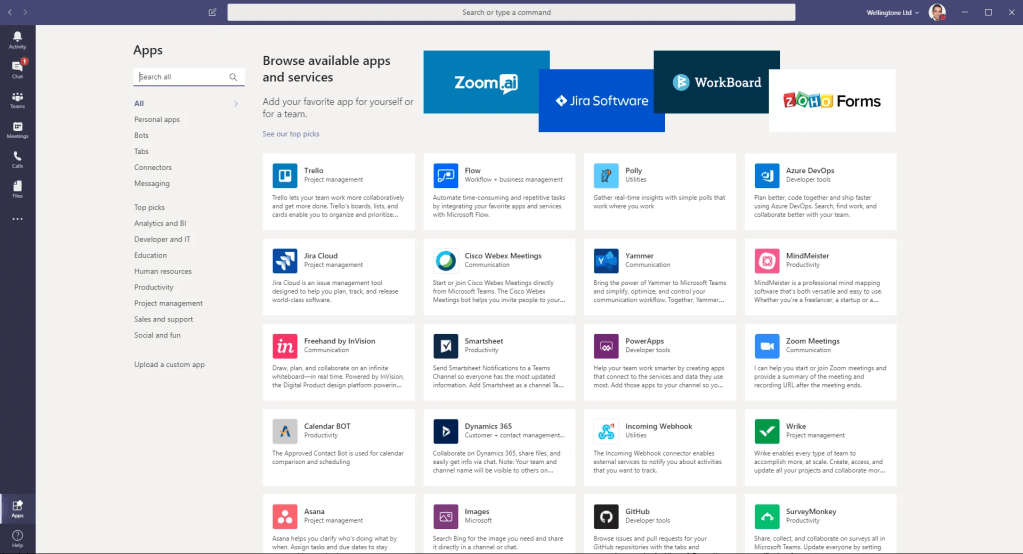
We all love that Teams is a Platform. Vesa Nopanen and I did talks on the circuit during the pandemic, especially regarding Power Platform integration, and now over 1500 apps are available in Teams today. But what is problematic about these apps is that it’s not very easy from the Teams Admin Centre perspective to see if these apps are compliant to your organisations needs, or meet compliance regulations that your org needs to abide to. Let’s take a good example, let’s say my org is based in the UK and due to a compliance regulation in my industry I am not allowed to use apps where data is stored in the US. Therefore, it would be good to have a filter in the Teams Admin Centre that automatically disables the apps which are non-compliant. Sure, we could just automatically go through an set tough app permissions policies, but it would be better to just light up one or two global rules that nix the non-compliant apps out right away. I think that would be cool.
Number 12: The old favorites – Kill the Wiki, Clear the Cache, Custom Presence
Feedback: here
Feedback: here
Feedback: here
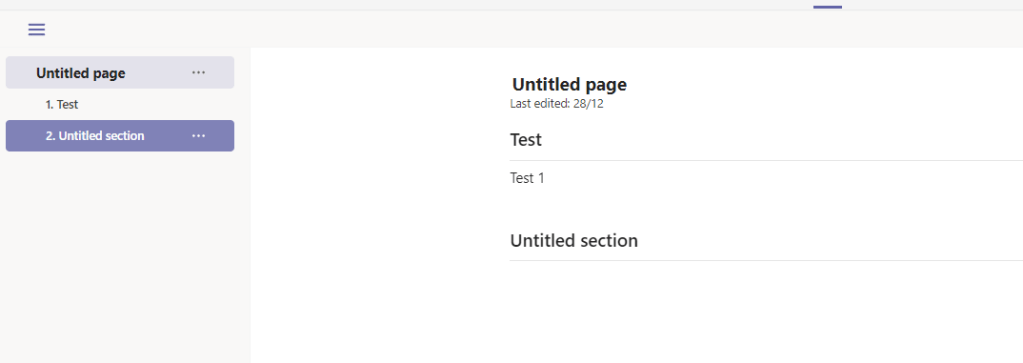
I think this is the third year running for the Wiki, second time for cache and third year also for harping on about presence. Without wanting to dupe last years blog, there is a part of me that could not not add them, since they are all still there and they are all things I believe strongly ought to be changed. If there is one of the three I would say is the winner here, it’s got to be the wiki. Microsoft has made progress on it given that it’s no longer a default tab when creating a team, but it typifies that some things really do need to be jettisoned because whilst we here about all the cool adds, and ‘hundreds of adds’ looks awesome from a marketing perspective, we don’t hear a lot about culling, killing things off because the UI/UX was bad, the feature was redundant, or the feature was just going nowhere with no investment because something else is better. Improvements take place by consolidating and removing too.
Honorable Mentions
I will also be very happy to see the following features in Teams in 2023. Much the same as last year.
 @Microsoft365Pro