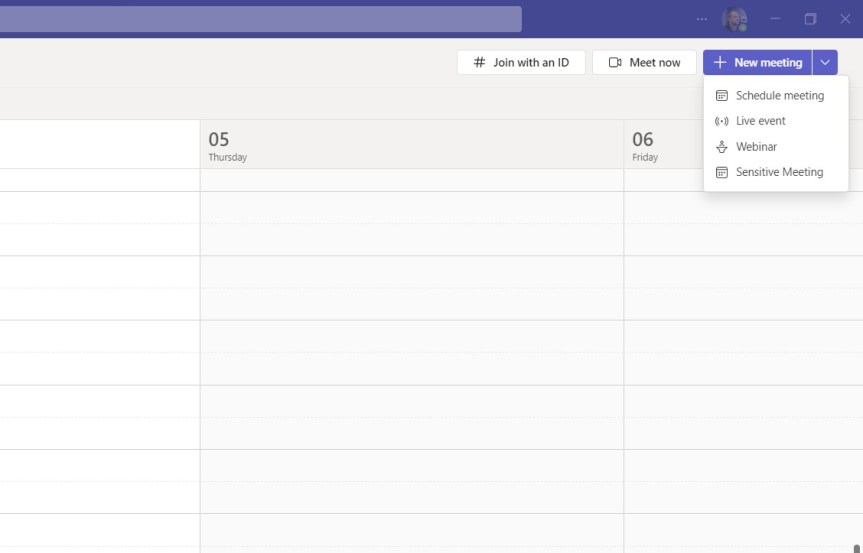
So the previous blogs were on Watermarking and End to End Encryption in Teams Premium: and these explored how we configure them and use them in meetings. Now we move on to another feature of Teams Premium to which they both feature which is Custom Meeting Templates. Meeting Templates are groups of preconfigured meeting settings which are templated and named for meeting organizers to use. For example: a 'Confidential Meeting' template could consist of Watermarking being on, End to End Encryption being on, Meeting Chat being off and so on and so forth. In the Teams Admin Centre, there are Default Meeting Templates such as Webinars or Virtual Appointments that any organisation can use - you don't need Teams Premium for these and more will turn up later such as Town Hall and Protected Meeting. However, a Teams Premium Licence gives us the ability to create our own, and set them in a policy for your users to use. Why would we want to create our own meeting templates rather than them being out the box? There could be several reasons - it could be for compliance, or if a part of the business wants a broader set of meeting types. Templates in themselves have the benefit of not having to create meetings, and then immediately follow up with having to amend the meeting options. I can speak of this from personal experience. So let's go build a Custom Meeting Template and publish it out to our users. But before we do, we must know that there can be a max of 50 custom templates, which I imagine is more down to custom templates for specific business units as opposed to combinations of settings, and that for the custom template may be visible in the calendar app it could be a 24 hour wait.

 @Microsoft365Pro