
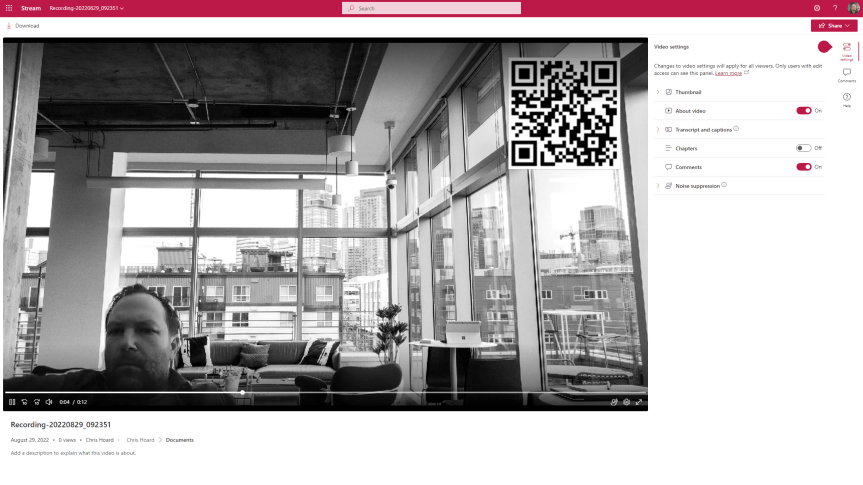
I had a big problem this weekend. After a few weeks of grinding, I was pretty much there or there abouts. Then on Friday I went to review the MS-900 Microsoft 365 Fundamentals course which I am going to teach again next Tuesday only to discover the whole thing had changed. So, let's just say the bank holiday went right out of the window. Bygones. But in doing the consolidation and rewrite of MS-900 I see that the ability to record video in Stream on SharePoint has now arrived in what I assume is targeted. There is always some sort of upside to any given situation, and this is a pretty big deal. Stream on SharePoint is getting to the business end of the transition. I see that message centre says that in October classic Stream will start to be phased out, such as no longer appearing in tenants which have never used it. The player is here. Lots of cool features we never had before like chapters are here. But recording is a big gap and a filling in of functionality we had in classic. It's one of those fundamentals like trim, or transcripts or the Stream app in Teams. So, 2022 continues to be a wild year for Stream. This is a brief look at some of the functionality which is available - but I am sure we will see much more development on this front.
Tag: MS Stream recording
Teams Real Simple with Pictures: Record that screen straight into your Team with Stream
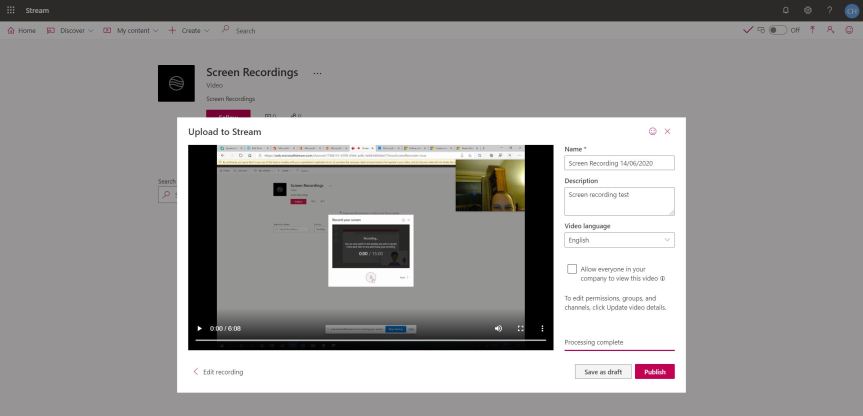
If I asked you to think of a scenario where you would use recording in the context of Teams, then I would wager that - today - you would probably say meetings followed by calls. Most people would - and that's as expected. Yet a month ago, the ability to record your screen was added to the Stream web app. Now, the ability to record video in Stream has been around for a few months in the mobile app but the big difference is that with the web app you can publish directly into stream channels after the video has been recorded. This functionality for mobile will absolutely come at some point - but today, it is important to know that because you can record and select a Stream channel whilst publishing, you can therefore publish directly into a Teams channel. Imagine - you need to show someone in the Team how to do something, or provide them with a canned demo, or provide the team with a video to analyse before a meeting. This is one of those key functionalities - like shared system audio - which kind of fly under the radar when they first emerge. Don't get me wrong here - its far from what it could be in the future being limited to 15 minutes, limited to Windows in terms of system audio and camera capture only possible when sharing the screen (as opposed to an app or browser tab). However, think of the future - when the 15 minutes limit is raised, when it's possible for macs, when camera capture is possible in all sharing options and when you have a set of editing tools. It's on a great trajectory
 @Microsoft365Pro