
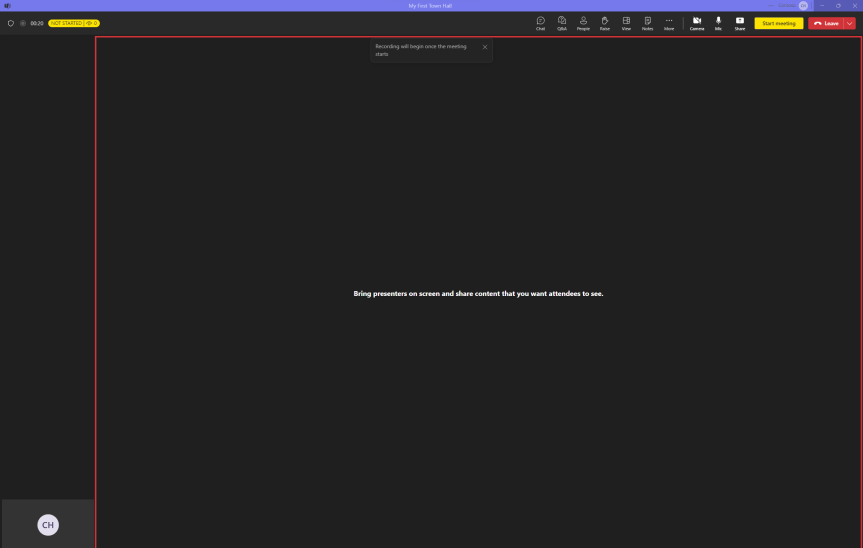
Gran Canaria was awesome. It had the weather. It had the rugged scenary. Good hotel. Good food. And we got plenty of time with our son in the pool. So we very much got everything that we could ask for. But as is the way of things this year it flew by way too fast; and so here we are one week back and ready to get the blog underway. So in that time what's happened with Teams? A lot. Teams 2.1 went GA. Microsoft is gearing up for Ignite and Immersive spaces for Mesh is now in public preview. I'll cover all of these things soon. But I wanted to focus first on the announcement that Live Events is now in sunset and will be retired in September 2024. What is replacing it? Town Halls. Defined by Microsoft as 'a new experience to host and deliver large-scale, internal events to create connections across an organization', this will be a unified experience with the standard Teams Meeting. Out of the box functionality will include 10,000 attendee capacity, the ability - like standard Teams Meetings - to run for 30 hours; and there can be 15 concurrent instances at once. We can see that it already has much of the functionality we have come to expect from Live Events: Q&A, on demand recording, co-organiser support, support for hard mute, live translation, live transcription - so it can effectively run like a Live Event today and has that same one-to-many focus. Saying this, parity isn't there yet as at the time of writing it's missing features such as as RTMP Out and external presenter. Indeed, some functionality now requires having Teams Premium: for example the ability to scale up to 20,000 attendees, the ability to run 50 concurrent instances and eCDN. Thinking about these things all up was Town Halls and the transition from Live Events a recent development? No because it was either Ignite 2020 or 2021 where it was said live that they were going to converge the experiences. And since Live Events was a completely different platform under the hood it made sense to get shot of it, if anything because it was probably reaching limitations. But the real question is - will they be used more than Live Events? I am going to play my get out of jail free card and leave that question to you since I just got back from annual leave...
Category: Microsoft Teams
Teams Real Simple with Pictures: Silencing @Everyone mentions and preventing replies to posts in general channel in Teams 2.1

Ok - 10 days to the holiday now. And I'm in the thick of things trying to get everything tied up: all the deliveries, all the day-to-day, all the testing, all the DevOps items, the logistics, dog, you name it. And to be honest? It would probably be easier - and saner - to put the blog down for a few weeks. But I love doing it, so if I can squeeze a blog in then I will. And this week I am going to pause from Teams and Entra, and pivot to a few end user functionalities which came about through just playing around in Teams 2.1. First, this is the ability to silence everyone mentions, and second its the ability to prevent replies to posts in the general channel where even I found out something new about Teams. Now why would I want to do these things? Well, they make Teams less noisy. In the case of the everyone mention it triggers notifications for everyone in a group chat (they are not in channel conversations) and in my experience some who become aware of them begin to use them as a means to draw people's attention to what they want. Oh we've seen that over the years through features such as priority messaging and channel mentions. Yes. We know it can save your time and effort - just as it can be disruptive to my time and effort especially when I am in the flow of the work. In the case of stopping replies to posts in the general channel we've had the ability to restrict replies to posts in standard channels via channel moderation for some time. We've also had the ability to restrict posting in the general channel. However, we've not had the ability to stop replies to a post in the general channel. Given that general is often the primary/landing channel for the team its ideal for things like team updates, announcements, and mod-led instructions. In other words, replies are often neither required nor needed and are - in many cases - an opportunity for noise. So this will work for the general channel, indeed it'll work for any channel including private and shared. It still won't stop the ability to post in private and shared, but now we can limit both posts and replies in general and standard, and replies in all channels. So I personally think both of these are good steps forward. Do more with less noise.
[Archived] Teams Real Simple with Pictures: Making Teams Just in Time with PIM for Groups
![[Archived] Teams Real Simple with Pictures: Making Teams Just in Time with PIM for Groups](https://microsoft365pro.co.uk/wp-content/uploads/2023/08/image-78.png?w=863&h=0&crop=1)
So I booked a holiday to Gran Canaria last week. The positives: time with the family, late summer sun, changing it up with the scenary and a great package and price. Negatives: it's on 20th September so large parts of my workload are now super time sensitive. It's going to be wild. For real. But here on the bank-holiday weekend in the UK I've got a little time to write: and today I have decided to do it on the idea of making Teams Just in Time (JIT) which, I guess, is a concept very applicable to my own situation. So why would we do this? Well, one of the issues we have in Teams is that we don't need access to all Teams all the time, and also we have access to Teams that sometimes we don't need to have access to all the time. In other words, there could be reasons why we need Just in Time access, and not need whats called standing access. For example, I need to access a Team for a day in order to access specific assets in that team, or apps built within that team. I am sure you can think of your own. Now, we could go down another route and use Entitlement Management, Access Packages and Access Reviews right? Yeah, we could. But let's say I only want to give access for a specific period of time, to do something specific and then the user is removed and has to apply again to be added to it, and that's all auditable at the same time. This is where PIM for groups will come into it's own, especially where Entra ID roles are group specific. A team which shows for a specific period of time to do what's needed and collaborate with others, and disapears again when the time limit is reached. I personally think this one is worth exploring as it could really change the way we think of Teams.
Teams Real Simple with Pictures: Bringing the Classic Theme to Teams 2.1, and applying explicit recording consent
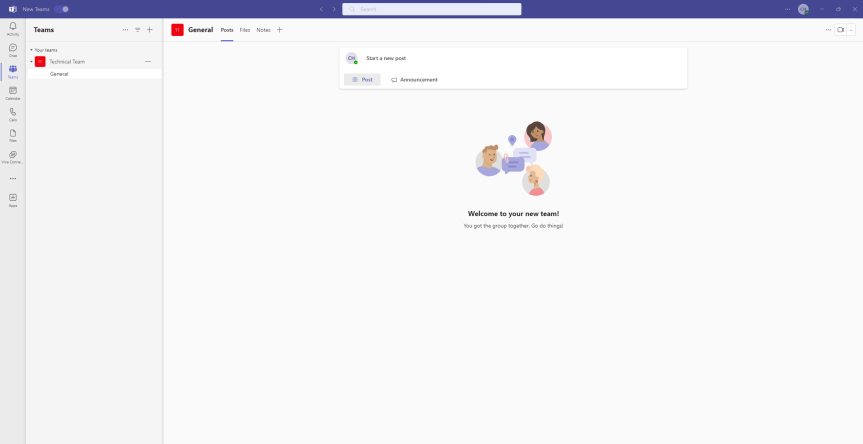
I was over in the Republic of Ireland this week. And not only did I get to visit Microsoft. I also got to see a good part of the northern counties of Meath and Cavan on the way to visiting a client. It's an absolutely stunning part of the world. And that's my first takeaway this week - go visit there if you ever have the opportunity to do so. But also, in all the meetings I had whilst I was away Teams still featured prominently. Almost seven years in and we are still talking about at length what it can do. We are still talking about its rapid development with either more good stuff going in, or more good stuff being refined. Teams 2.1 features prominently at this point. So too does Teams Premium and Microsoft 365 Copilot. But there's still a lot to talk about when it comes to the fundamentals of voice, and meeting rooms, and apps, and files and optimising networking. And so - like last week - I am going to ad-hoc cover two features which I haven't looked into up until today. The first is the ability for the user to set themes in the Teams 2.1. client, such as light or dark, or better still classic. Yes, we can now go back to the classic purple should we choose - and yes, before you ask in my experience these things do matter to some users in terms of consistency and visuals. Secondly we'll look at enforcing explicit recording consent where users have to consent to themselves being recorded. This is defined by Microsoft as 'When the policy is applied, the Teams meeting window will request explicit consent of all participants to be recorded. Before a user gives consent, the user’s audio, video, and screenshare/consent-share won’t be captured in the meeting recording'. Now, why would we use that? Well, imagine my job meant that I had to provide meeting recordings to an undisclosed third party for review of sensitive feedback attendees gave in those meetings. I can't just record, that could be illegal or infringe upon some compliance policy. So I explicitly need your consent here. And in effect, until you give your consent you will be effectively hard muted and passive until you do so, or leave. Makes sense. But I would ask - is this right at whole-policy scope? As opposed to being a meeting option applied via a policy? Let's have a look and see.
Teams Real Simple with Pictures: Admin-led review of Avatars, and disabling/hiding end-user product surveys in Teams 2.1
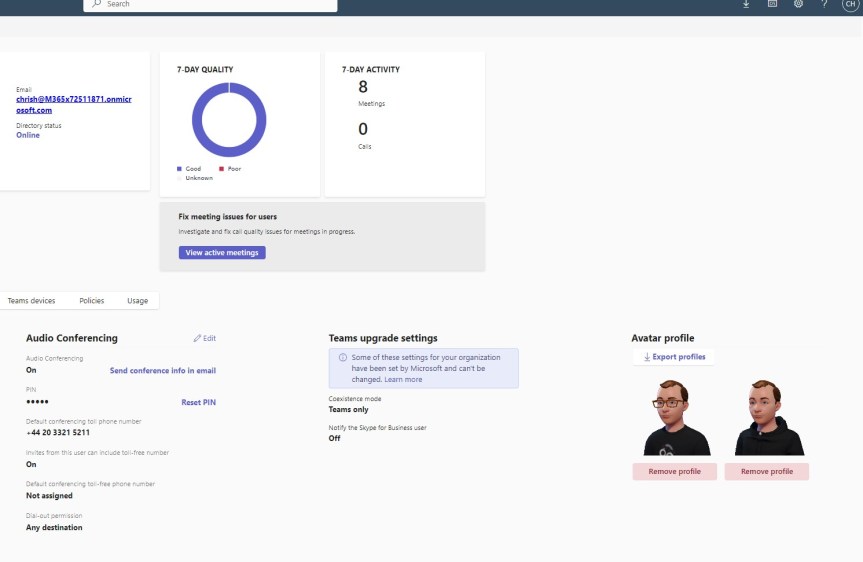
Following on from the blog last week covering the setup of Avatars, the next question naturally becomes - what ability does the org admin have, if any, to review those Avatars once they have been created? This may not seem like that big a deal at first. After all, you would think that people ought to choose something sensible and have the freedom to have a bit of fun right? Sounds good. At least on paper. But we've been here before. We've been here with the Snapchat add-in. And with the Teams custom backgrounds. And with OBS. And even to some extent with the use of emoji's. And when it comes down to it, it's not about personality or whether the admin is either a jolly old fellow or a killjoy. It's about protecting users and the organisation from content which could be perceived negatively by others, which damages or is noncompliant with the brand or puts the users in a sensitive situation. Sure, I may come across as overcautious, even hawkish and I get that. But during the pandemic I - for example, have personally seen someone outside my org use a background of an intensive care ward saying they felt like it was immersive. Moreso, I have also seen others in the wider community use backgrounds such as the Rhodesian flag, or - let's say - very questionable Manga content. So yeah, I think its important. Real important. So today we'll see how Avatars can at least be reviewed by the Teams administrator with a view to using those app permissions in future. And since this isn't a very long subject at present, we'll also throw in how to disable end-user product surveys in Teams 2.1. for good measure because, well, a partner asked me how to disable them this week. Again you would think that users would sensibly put in constructive feedback like you or I and give measured and fair feedback on the pros and cons of the product. Sounds good. At least on paper. When a user gives caps-lock, f-bomb laden monologues, or one liners loaded with sarcasm again this could be perceived negatively by others, which damages or is noncompliant with the brand or puts the users in a sensitive situation. So these are, in a sense, linked scenarios which we'll explore today
 @Microsoft365Pro