
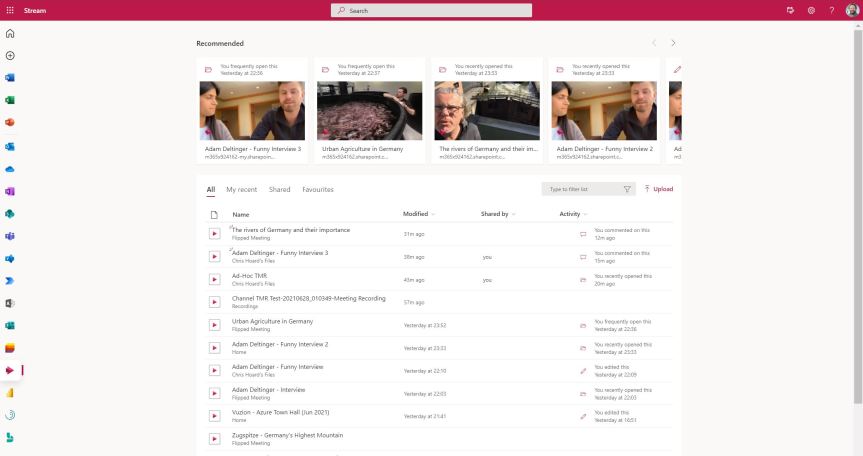
given that I pretty much liked everything about Stream: the web experience, the mobile experience. Both were easy to use and did what it said on the tin. It had started to have great features like trim and screen capture. It could be brought into Teams in a number of ways - and kudos has to go to the Stream Team for how hard they must of worked on it; creating a strong app which was really taking off and really focused bringing out the best in video. However, on the other hand whilst recognising all of this; pivoting made a lot of sense. There was a growing amount of noise and frustration from the tech community about not being able to share video externally, about not being able to apply common compliance functionality such as retention. Since Stream had it's own completely separate storage many things had to be developed separately. Whilst I know there was plans to do this - ones which were very near to completion since I was involved in roundtables previewing the functionality; in a world where apps like Microsoft Lists were being designed to work right across the stack leveraging existing storage on SharePoint and OneDrive and existing security and compliance functionality; Stream felt outside of that almost moving in the opposite direction. So 'bringing it into the Microsoft 365 stack', the idea that a video 'is a file just like any other file' won out. And what did that mean? Stream 2.0 would pivot to become the player across the Microsoft 365 stack. SharePoint and OneDrive would house video files. There would be a new personal web app, a new player and video 'portals' which could be created on SharePoint. Now, in the time between Ignite 2020 and now much has focused on things such as recordings, changing the default location to SharePoint and OneDrive and CDN support. We know that the new player is coming soon due to it hitting the message centre. However not much has come out officially about the web portal and when we can start using it. Tonight, out of sheer curiosity I had a go at amending an URL since this worked previously for Lists via OneDrive. The new Stream portal is already there. This wasn't in a TAP or preview ring. This was in a Ring 4 GA tenant. Let's see what we can do
Teams Real Simple with Pictures: Power BI reports from Lists – the new way, or old? And getting them both into Teams

I don't mind putting up my hands and admitting that even though we are only halfway through 2021 this year has been particularly full on. I've already hit a few of what I like to call 'crush periods' where the totality of work, community, exams, and everything else reaches a point where you think 'how am I going to surmount this? Of course, this may be something you have experienced yourself; that point which borders of getting out of hand and the term unsustainable applies. But you know what? It's been surprising too. These periods haven't been where I would have expected or anticipated them to be given that I have a lot of experience in conclusively dealing with volume and actively managing workload. They've typically emerged out of left field and can then disappear again just as quickly. Now, it's important to state for the record that I consider this to be very much a first world problem. Given what has happened to many during Covid I am extremely lucky and privileged irrespective of how it gets since I have the luxury of a job and one which is in demand; and if I am being totally honest with you I am also a big reason for my own time poverty since I like speaking on the circuit, and writing blogs like this, and teaching, and many other things besides. The point is, in relation to a busy life it's becoming really really important to use what is within my means to economize my time. If you have been following the blog over the past several months you may have noticed: a lot of that involves the Power Platform. In my job, I work with others trying to build Power Apps for things which significantly improve existing business processes. I am personally trying to automate my way out of as many things as possible which I do manually with Power Automate. I build dashboards and reports in order to make better and faster data driven decisions. With Power Virtual Agents, I am loading a bot with Q&A so others don't need to come and ask me about it again and again and again. So as a big advocate of Microsoft Lists, a subject which I've written and spoken about often in the past - and will do once again at the European Collaboration Summit in November - it's been really awesome that Power BI reports can be built on top of Lists. Let's have a look at this, and then let's see if we can get this into the Team
Teams Real Simple with Pictures: Approvals using Adobe Sign – from Scratch
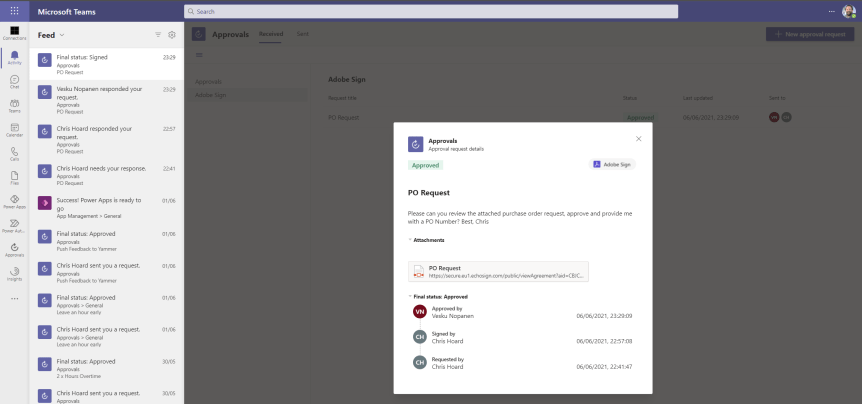
approvals using Adobe Sign. Adobe Sign, an eSignature application like Docusign or Hellosign is designed to let people sign documents online instead of using the traditional pen and paper. In other words, when a signer signs an online document wilfully and intentionally it’s considered an eSignature. It constitutes the same as a handwritten or “wet” signature and is a system of agreement which is legally binding as recognised by the US, the UK, the European Union and many other countries in many other parts of the world. The value of having an eSignature app for your organisation is easily describable and typically follows a standard set of narratives such as time as in the ability to do business faster, geography as in the ability to sign from anywhere on any device, the environment or the elimination of manual costs as well as the use of paper, and security and compliance since data is encrypted and the apps are designed to meet industry standards such as SOC and ISO27001 (ISMS). It is a great type of app for our hub for teamwork, but some will no doubt ask - and it's a legitimate question, why use a third party app at all since we have the approvals application? Two reasons here. Number one is there may be times when you need something approved and recorded with more formal attestation, and adding signatures to the approval process is necessary. Secondly we return to the prior point of signing being something intentional and thought out instead of a button click. Now in time the approvals app will support several eSignature applications. For example it's pretty well known that DocuSign has been demoed in sessions run by Microsoft. Yet Adobe Sign is the only one integrated into Teams today and at the time of writing its currently within Public Preview meaning a user needs to be set up for the public preview in the Teams Admin Centre. Like the previous blog on templates, my good friend Vesa Nopanen did a blog on this a while back so I am very much doing this for completeness and pretty much in the event I ever need to jump in and do eSign during our Art of Approvals session which we running on the speaking circuit. I am going to take a slightly different tack from Vesa and do this end to end, from scratch. I'll certainly be using it in real life
Teams Real Simple with Pictures: Approval Templates – in the app, in the chat, in the meeting. Org wide, team wide, targeted
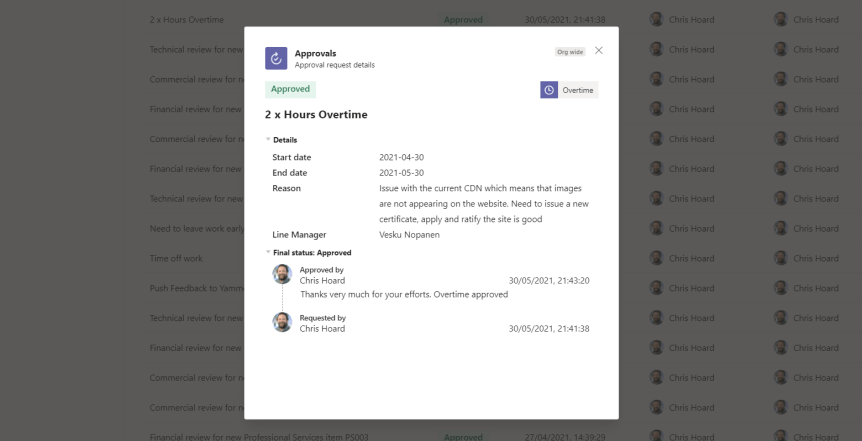
With Microsoft Build in the books you would think it high time to decompress, let off some steam and take some time out especially after the madness that was Teams Nation. Unfortunately, we've arrived at that time of the year. The summer circuit is underway; and yesterday I had the privilege of speaking alongside Vesa Nopanen at SharePoint Saturday Cologne: one of my favourite events which is run by my community friends Raphael Kollner and Jennifer Eimertenbrink. Cologne - Köln - is the fourth largest city in Germany, the largest on the Rhine and famous for, amongst other things, the Kölner Dom and Kölsch beer. Having been to Düsseldorf earlier in my career on business but never having made it out of the city or the Bolkerstraße Cologne is definitely one of the places I am sure I will visit to speak when things open back up. But yesterday was all about virtual, and the session Vesku and I did was on Approvals in Microsoft Teams. Now, earlier in the year I did a few blogs on the Approvals app: a few were on Approval flows using Power Automate and Microsoft 365 apps such as one using Forms, Lists and Yammer. Another focussed on Parallel Approvals. Since our session featured it yesterday as part of a roadmap update on what's coming for the app, I thought I would just knock one out about Approval Templates which I think significantly adds to what it is rapidly becoming one of those really strong apps for Teams now it's broken out of Power Automate. Vesku wrote one earlier this month but I thought I would also do one - for completeness and the opportunity to get hands on and get into the nuts and bolts. Based on Microsoft Forms, I don't really need to articulate and evangelise the business value of templates too much simply because templates are templates: they are designed to save time, effort, execution is quicker, repeatable. They help inexperienced users and ensure consistency across an organisation that uses them
Teams Real Simple with Pictures: Getting Hands on with Profile+
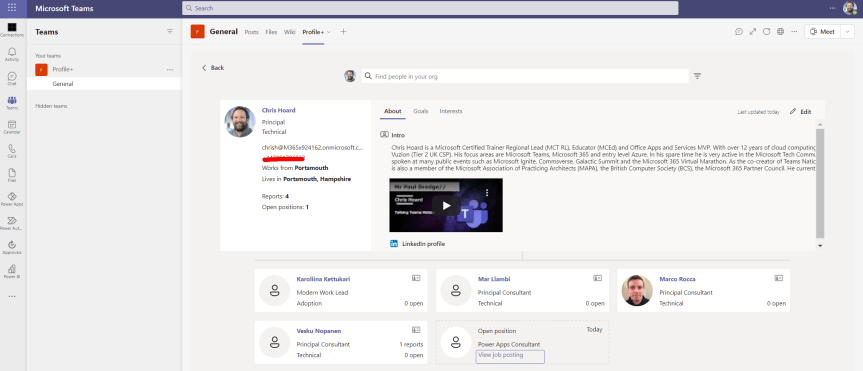
So Build is done. It's in the books. I just finished up my last session moderating which was one of those sessions at the back end of the conference. You know the ones. Less attendees, but every one of those attendees die-hards still asking awesome questions to get every last ounce of value out of the event. I remember the first time I was out in Vegas at Inspire. I was still there at the Mandalay doing sessions on the Friday morning when others were still in bed conferenced out or were checking in at the airport to go home. And you have to hand it to the speakers who still show so much passion at the end probably having just done the last few days on about 4 hours sleep a night. So signing out of Build, I wanted to complete a trio of blogs on the new Power Apps for Microsoft Teams which were announced at the conference. The first blog was on Perspectives. The second was on Boards. This one is on Profile+
 @Microsoft365Pro