

Messaging policies are used to control which chat and channel messaging features are available to users in Microsoft Teams. For example, a business may not feel at ease with the Team using GIF's or Stickers in what they class as corporate communications (I.e. in Sales or Finance), whereas it may not want the Team to edit or delete posts for compliance reasons. A great thing about Teams is that it isn't just a one size fits all policy in terms of Messaging - sure, the organisation starts out with a global org wide policy, and this overarching policy can be amended to make changes to all users if required - but custom messaging policies can be implemented for specific users/teams too. Regardless of the debate as to whether aspects of messaging policies such as GIF's ought to be used, this flexibility gives organisations much needed choice and flexibility to how they want messaging in Teams to be used and by whom.
Category: Microsoft Teams
Twelve must-see Teams community speaker sessions at Microsoft Ignite 2019
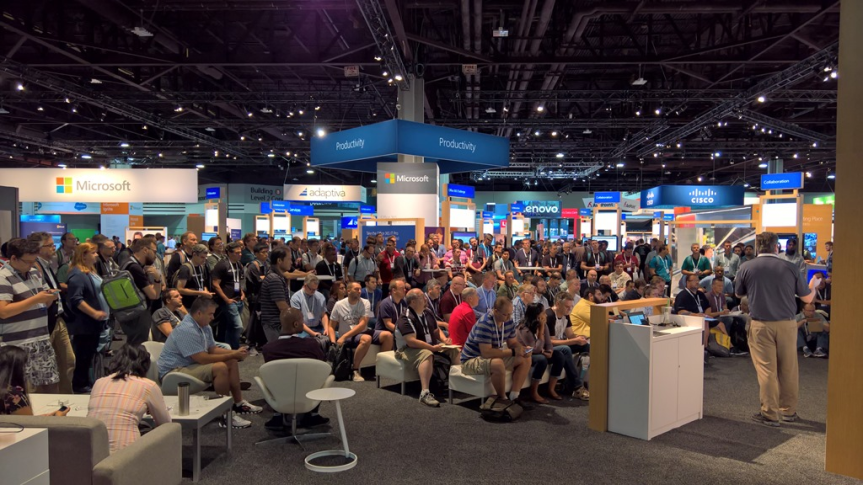
Microsoft Ignite is almost here! The big event! I have the unbelievable privilege of speaking this year after MCT's were permitted to apply - but I will also find some time to attend sessions, kick back and learn as much as I can about Microsoft Teams. Like most of us, I love learning. I love sessions. I love others perspectives and seeing their passion play out on stage. A lot of the Microsoft Teams sessions will be done by Microsoft - but there are also many done by exemplary and deeply passionate community speakers. I personally know or have seen a number of them and I can assure you they bring their A game every time. So I have picked out fifteen must-see sessions and chances are you will meet me there in the front row - or very close to it as I imagine demand is going to be through the roof for them!
Teams Real Simple with Pictures: Moderating the Team’s Channels

Some channel conversations necessitate a lot of communication between team members. Others may just generate a significant amount of noise which has no real benefit for the Teams' productivity or which regularly goes off on a tangent from the work. Instead of an open style forum where everyone can post and reply, we may simply want a channel where its owners, or a set number of users such as SME's can post focused messages such as instructions, important content or updates for the team to consume. We may simply want a proportion of the team to observe others conversations. We may simply want it for announcements, or to lock down the channel for bots or connectors such as Twitter and Yammer. Whatever the use case, the moderation of Teams channels is about choice as much as it is about good governance as we now have the ability to have very focused channel communications - a very good thing for us all.
Teams Real Simple with Pictures: Applying Data Loss Prevention (DLP) to Chat, Channel Messages and Files

Data Loss Prevention (DLP) is a strategy for ensuring that team members do not send sensitive or critical information outside of the corporate network or to other team members. This could include financial information, personally identifiable information (PII) such as credit card numbers or information pertaining to Intellectual Property (IP) such as the design for a new application. It could even be extended to use cases such as barring profanity to be used in communications. Whilst Teams is a powerful application for users to be able to communicate and collaborate with guests and with other users in other Teams tenants, organisations also need to protect themselves against data leakage and the infringement of compliance regulations such as GDPR. Applying a DLP Policy to Teams is an essential step in any Teams deployment
Teams Real Simple with Pictures: How are the Team accessing Teams? And from where?
Why would we want to know how the Team accesses Teams and from where? Firstly, it can tell us more about the Team - do they prefer to use their apps online as opposed to the desktop? If they use Teams like this maybe they use Office like this? It may determine the device which is ideal for them in the future. It could help us with licencing too. If they don't use desktop apps then maybe they would be better suited to an F1 licence rather than something like an E3. That's good for our business and its the whole point about Microsoft 365 - it facilitates how users want to work. Secondly, it may be important in terms of security: for example, who is accessing Teams outside of work hours and where? We could be considering a conditional access policy and want to see the typical locations that users are accessing it from before applying it.

