

Inspire. Number Five. Two in-person and three now virtual. But the million dollar question is - will we ever see the likes of the big one out in Vegas again? I'd never say never. Yet on paper it's probably safe to say that the days of singing it up at the Q and being out on the tiles in sin city doing business in the Hard Rock, Mortons, The Venetian and Nine Fine Irishman have come to an end. And whilst it's easy to point at things like superspreading and the transmission of the virus, its sustainability and the virtualized experience of lockdown which is driving the experience. In the first instance, Microsoft has a commitment to carbon negativity - that's a much more difficult objective given a significant proportion of it's 40,000 attendees flying halfway across the world and staying for a week or two. It's hard to argue given the challenges we face collectively. But digital events? The data Microsoft received and analyzed showed that, basically, more tuned in. They tuned in to the extent of 100% more. Now I know just from being in the community and being on the circuit that in-person events are having a revival. Healthcare systems are mitigating the impacts of Covid, the barriers to travel are coming down and the desire for immersion and getting out amongst the people is high. But the blueprint for how future conferences will play out is likely what we have already seen at Build. It'll be hybrid. Travel will be contained regionally and what is referred to as the digital core will be served up and broadcast online. It makes sense. On paper. How do we get the breadth whilst being sustainable, whilst being responsible in terms of the virus, whilst also keeping in mind rises in the cost of living. It's like an economic equation. But the thing is - humans are neither simple nor predictable so it'll be interesting to see how regionalism pans out the next few years.
Teams Real Simple with Pictures: Disabling Third Party Together Mode Scenes
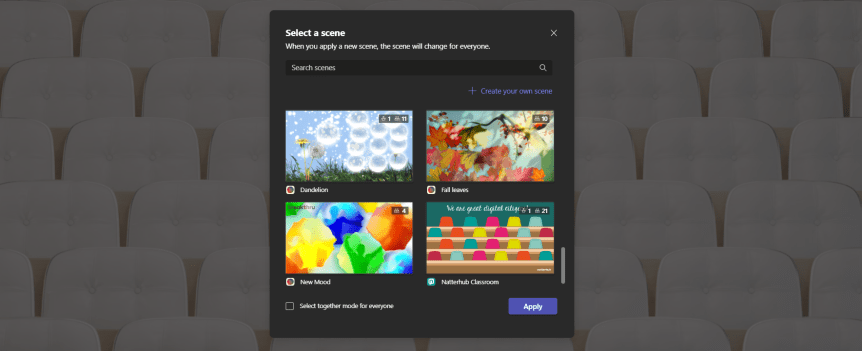
It was a while back where I wrote about Freehand by Invision and the ability to disable it and not show within Teams Meetings. Here I am a year later. Same subject. Same reasons. I was doing some testing tonight and I have seen that a.) Microsoft have now packaged their Together Mode Scenes into an app called Microsoft Scenes and b.) There are Together Mode Scenes which are now being added by Third Parties within your Teams Meeting. So, for the record - and as I said about InVision I haven't got anything personal against these companies. As the expression goes I don't know them from Adam. However, putting third party content into Microsoft Meetings is a headache for admins. Why? Because by their own compliance rules the org may only permit using Microsoft Applications. In addition, users may go on to install the app for a third party. The real headache comes if users end up disclosing data to a third party or putting data in a third party data centre in a country where it is not permitted to do so. Now, it all sounds a bit melodramatic right? Right up until we consider the principle of zero trust and we assume that will happen and it will get there unless we turn it off. Don't be surprised after using that Together Mode Scene that you and your colleagues start getting marketed to for that paid subscription
Teams Real Simple with Pictures: Bringing Power Pages into Microsoft Teams
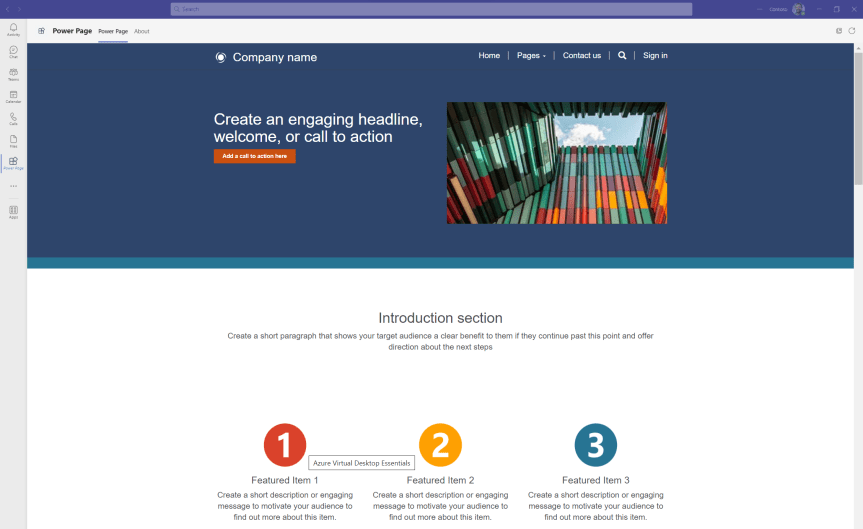
It's been an uber busy week. A lot of delivery including a two day hands on SCI Fundamentals which was awesome - and getting together with Raphael and Jennifer Köllner to speak at GSCC on E2EE encryption which was also awesome. There's been lots of programmatic changes. There's been building multiple Power BI dashboards. Spinning up Flows. Lists. Video. You name it. But I also got some time to go to the circus and despite my life being - too all extents - a circus, it was a few hours of some well needed respite to sit back with the family, load up on the nachos, candy floss, coke - and whatever else was bad for the cardiovascular system and take in the spectacle. Now, there may very well have been multiple changes in Microsoft Teams this week. I haven't monitored the roadmap, nor cast an eye over the demo tenants as I usually do. But I have been meaning for a few weeks to get around to looking at Power Pages since the announcement at Build. Power Pages - previously Power Apps Portals - are now a product in themselves having split out from Power Apps. Up until this blog I haven't touched Power Pages, so this is going to be an exploratory just to see if I can deploy one via a 90 day trial and then see if I can surface them in Teams. Over the past few weeks I've been talking about Stream Portals so this seems to fit in flush. Moreso, I think their will be a lot of discussion moving forward generally regarding portals in the broadest sense. Viva Connections. Stream Portals. Power Pages. I can foresee a session at some community on Portals: what to use when and some plucky MVP getting up to compare
Teams Real Simple with Pictures: Let’s Embed Stream videos in Teams – and get Embed Codes from both SharePoint and OneDrive

The feedback about the Stream-Teams blogs has been real positive the last few weeks. And that's all good. Feels like I'm almost back in the flow of the blog writing when I was pre-covid. So let's hold fast to the tack this week and talk about embedding Stream videos. Video embedding involves getting a snippet of code or script, known as an “embed code” - typically from the video and then adding that snippet of code to a site, such as a SharePoint Site. Embedding helps us to surface videos where we want them to be consumed. Now, generating embed codes for videos via the new Stream on SharePoint is not completely straightforward today. It has been confirmed - in writing - as being in development so a button will be there in the future on videos to easily generate the embed code. Yet how can we do it today if we really needed to do that? And not only videos that will be housed within SharePoint, but for videos that will be housed within OneDrive too. This blog builds on the excellent work of Mark Mroz, one of the leads in the Stream Team who wrote some excellent JSON in order to obtain and surface it for videos housed in SharePoint.
Teams Real Simple with Pictures: Let’s build a Playlist Portal in Teams using Stream and Lists – and bringing Lists to a Personal App
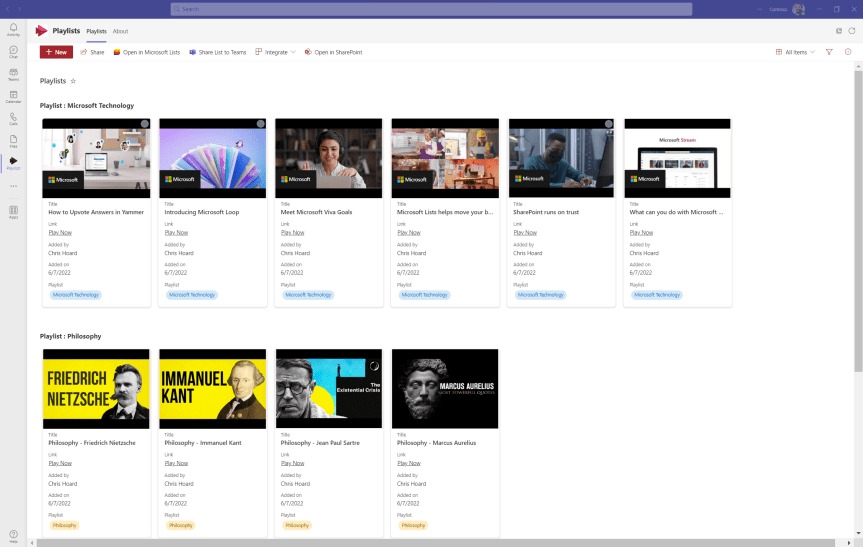
What is cool about Microsoft 365 is the synergy between applications. Standalone they are strong apps in and of themselves - but as a former architect there is a real enjoyment about making them work together to produce something which is greater than the sum of it's parts. Now, the last few evenings I have been focusing on Microsoft Stream - long overdue given I used to write about it quite a bit back in the day. I talked about redirecting to the new Stream Web App experience, I talked about the fundamentals of building a video portal and surfacing that in Teams. A little bit before that I wrote on the new chapter functionality and how this will make videos more easily searchable. Now, I am going to take a different tack and bring another app into the fold which is Microsoft Lists. Like Stream, Lists is another app in 365 which I love, and which I use often. Now what this can be used for is to make a Playlist. A Playlist by definition is 'a list of pieces of music chosen by someone to listen to on their computer, phone, etc.' So a playlist could easily apply to video. Let's see if we can make one up
 @Microsoft365Pro