
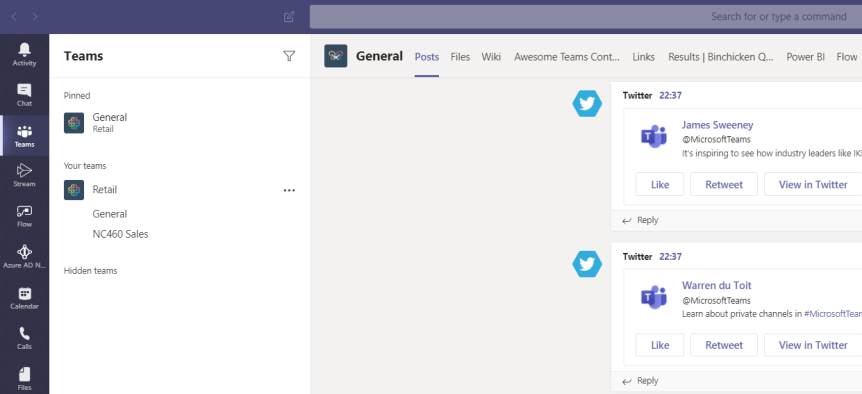
Members of the team will use particular channels more than others. Their activity and interests will likely focus upon a handful, and there are others that they will very seldom use or engage with. This is because, like Teams, users won't use channels equally. There can be many reasons for this - role, the channel subject, engagement in other channels and what the team member feels is splitting focus. With the growth of Teams and channels within organisations and the issue of sprawl, it is important for the member of the Team to be able to quickly and easily access the channels they need which are important to them. It may also be important in terms of visually seeing when a new post has hit that channel. A great way of accomplishing both these things is the ability to pin the needed channels as required
Author: microsoft365pro
Teams Real Simple with Pictures: Teams Files and adding Metadata Part 1: Choice Columns

Metadata is something that sounds more complex than it is. Put simply, it is data which provides information about other data. Imagine a standard Microsoft word document. Examples of metadata for that word document could include Author, Department, Date created, Hours to create, length, type, file size. It could be a document for a specific customer or vendor. The point of metadata is for structure, organisation and identification of files within the Team. It helps members of the team search for it and discover resources: particularly handy if the Team contains a lot of files. With the new file experience in Teams, metadata can now be surfaced and used within Teams, however it is important to note that it is still created within the document library in the underlying SharePoint site. It is created in two principle ways: through choice columns and through managed metadata. This article will look at adding metadata through choice columns
Teams Real Simple with Pictures: Easily moving Team and Personal Files using Move

Over the last few months, I have had several asks regarding how to easily move files across Teams. I decided to write this particular blog because one admin asked me if moving them 'took a unnecessary amount of time by design'. Upon investigation I discovered that the poor admin was unfortunately downloading the files, syncing the underlying sharepoint document library of the new team to their local machine and then manually moving them from the downloads folder to the synced library. Of course, this works in principle - but it takes a ton of time and effort which in the busy world we occupy we want to ideally avoid. From being an Office 365 migration specialist earlier in my career, we also want to avoid moving anything manually at all costs. So the move function within Teams and Personal files is key to when we want to move files across Teams, or Personal Files in OneDrive to Teams, or Files in Teams to OneDrive. There are many business reasons to move files: reorganization, consolidation, new ownership and management. This is one of those small but useful and pragmatic functionalities and one of the many reasons I love Teams
Microsoft Power Platform Fundamentals (PL-900) Exam Prep Guide

Analyse, Act and Automate. Buzzwords these may be - but the importance of the Power Platform is real. About a year ago, I was sitting in a meeting in Dublin discussing Microsoft 365 with a partner whose business was built upon Power Apps. As much as I was impressed with the app on the IPad they'd recently developed after their receptionist left, it was the dawning on how they viewed Microsoft 365 through the prism of applications. It's very easy to narrate a story on Microsoft 365 around Security, Teamwork or the modernization of devices (three narratives Microsoft typically use today). But I had never considered doing that based upon apps. Never even entered my head.
12 features I would like to see land in Microsoft Teams in 2020

2019 was, by all accounts, another triumphant year for Microsoft Teams. It won at Enterprise Connect for the second time in a row. It overtook it's principle competitor Slack in terms of Daily Active Users (DAU). It delivered a ton of new features including Private Channels which users had been waiting for for some time.
 @Microsoft365Pro