
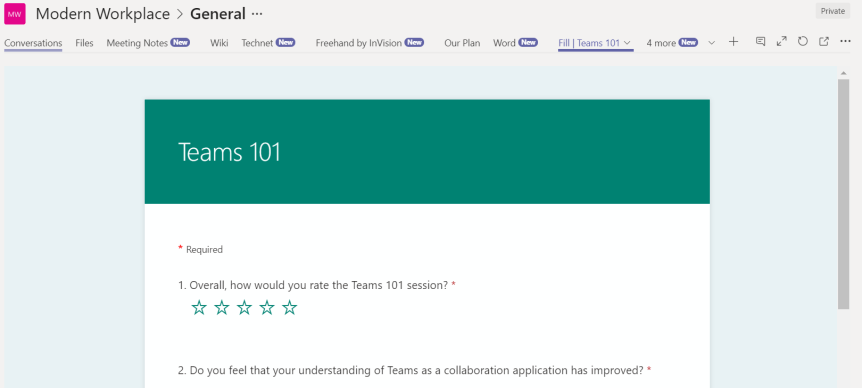
From time to time it's important to get feedback to the Team. Within the Team itself this can be done in several ways. Two examples are Polly - the app which allows the pollster to snap poll members of the team, as well as Yammer Q&A's via a Yammer Tab. However, today we'll focus on feedback from outside the Team and getting feedback to the Team. An effective way to do this is with Microsoft Forms. Microsoft Forms is a simple, lightweight app that lets you easily create surveys, quizzes, and polls. It's a very popular app - very pragmatic and meaningful, yet its also a young app. It means that it still has a long way to go and a lot of development needs to occur for it to have parity with competitors such as SurveyMonkey.
Author: microsoft365pro
Teams Real Simple with Pictures – Managing Entry and Exit Announcements in Conference Calls

We've probably all had it happen to us at some point. The booking for the conference went smoothly. We are on time. The headset is working. Coffee in hand. Good. Good. Then we enter the meeting and start introductions when a synthetic voice plays a few sections later announcing that we have joined the meeting - right over the top of us speaking. A few seconds typically pass after that announcement in awkward silence. In calls with a larger number of speakers jitter is the last thing on ones mind in the opening and closing salvos as the conversation is shot through with these announcements. Good thing there is an easy remedy to this should we choose. It really is surprising how many admins don't realize they have the ability to manage entry and exit announcements and can rectify it within the space of less than 10 minutes.
Teams Real Simple with Pictures – Four ways to create a set of links for the Team
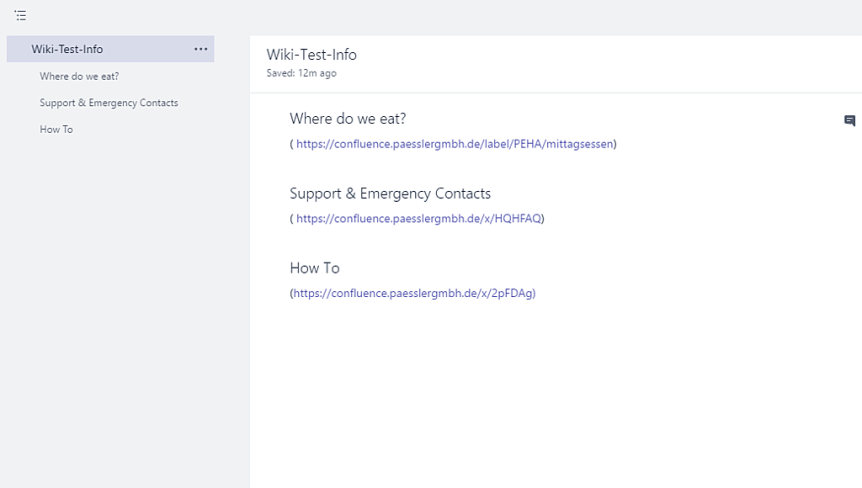
A set of common links (I.e. https://teams.microsoft.com/start) can be important for a team. Whether to access training, vendor sites, or even files within a channel it democratizes access to information, makes information more readily available and brings it to the users instead of them having to search for it. Yet with Teams there are different ways to create sets of links and each way has it's own pro's and con's. At the time of writing there is no single accepted way which has been recognized by the Tech Community as the best - so its a case of choosing which one is right for the Team. This will show you four potential methods to create a set of links.
[Archived] Teams Real Simple with Pictures – Deploying Connectors to deliver Twitter and Yammer content to the Team
![[Archived] Teams Real Simple with Pictures – Deploying Connectors to deliver Twitter and Yammer content to the Team](https://microsoft365pro.co.uk/wp-content/uploads/2019/07/teamscon17.png?w=863&h=0&crop=1)
With Teams, we have a number of things we can do to keep our Team up to date. This includes group chats, conversations in channels, meetings, notifications, mentions, and adding content to the Wiki. Another way is by leveraging what are called connectors to deliver content from apps such as Twitter and Yammer into the conversation tab of the Team channel. Twitter, for example, is used by millions for posting and interacting with messages. Yammer is an enterprise social networking service for broadcasting one to many communications within the business. Both are places users and organisations post news and status updates first. Now, the benefit of setting up connectors to Twitter and Yammer is that members of the Team no longer have to scour them and jump around between all these different Twitter pages and Yammer groups to get the updates they need - we can simply bring them all into a feed! A great time saver.
Teams Real Simple with Pictures – Controlling who can edit documents in a Channel

Document collaboration and co-authoring (when we work at the same time) is one of the core functionalities of Teams. We have the ability to do this seamlessly whether it is our Word Documents, or Excel Spreadsheets, or PowerPoint presentations, knowing that they are stored in a single place and are accessible from anywhere on any device. However, there may be times where there is a single owner for the Teams documents or we simply need to create documents for viewing purposes only, limiting other members of our team from making changes. Controlling documents in channels and who can edit them is very straightforward, and many issues resulting from unauthorized changes can be easily prevented
 @Microsoft365Pro