
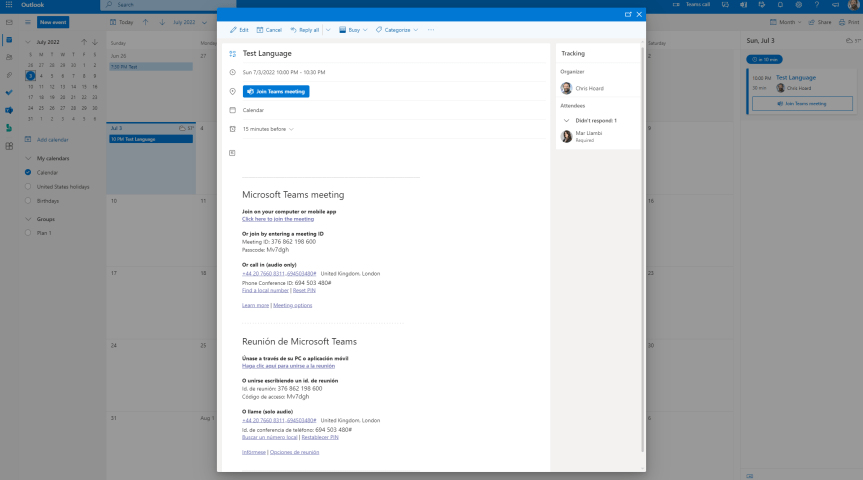
English. 'The English language is so elastic that you can find another word to say the same thing'. So said Mahatma Gandhi. Yet did you know that for almost 300 years in the early history of England the official language of England was actually French? Or that English is in fact a West Germanic language? Spoken today by almost 1 billion people it is the most widely understood language of the EU even though we are no longer a part of the union. Oh the irony. Nevertheless it is often said - typically by the British themselves that we are lazy when it comes to learning other languages. Whilst that may be true and whilst I am not a philologist what is a fact is that many organisations are multilingual, who have staff located all over the world. Many organisations also conduct business, communicate and collaborate with each other using Microsoft Teams all over the world. So in order to better facilitate the meeting join experience - as in not simply forcing everyone to use the default language of their tenant, Microsoft have introduced Multi-language Teams meeting invites. This allows administrators invite control to display the join information in meeting invitations in up to two languages across all email platforms. At the time of writing this hasn't surfaced in the TAC - so let's take a look with good old PowerShell in my Ring 4 tenant.
Mentions: microsoft365pro
Teams Real Simple with Pictures: Disabling Third Party Together Mode Scenes
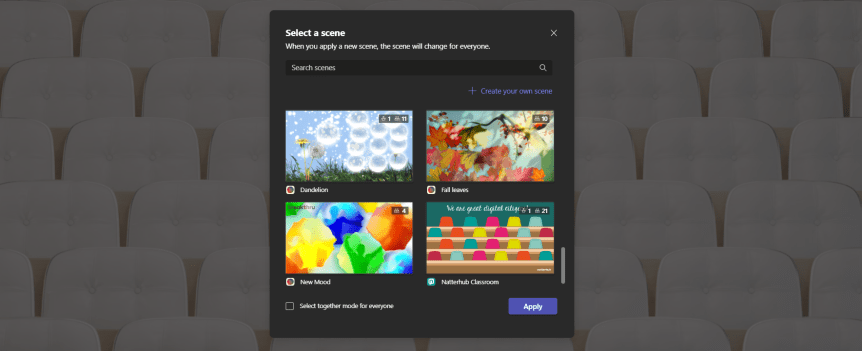
It was a while back where I wrote about Freehand by Invision and the ability to disable it and not show within Teams Meetings. Here I am a year later. Same subject. Same reasons. I was doing some testing tonight and I have seen that a.) Microsoft have now packaged their Together Mode Scenes into an app called Microsoft Scenes and b.) There are Together Mode Scenes which are now being added by Third Parties within your Teams Meeting. So, for the record - and as I said about InVision I haven't got anything personal against these companies. As the expression goes I don't know them from Adam. However, putting third party content into Microsoft Meetings is a headache for admins. Why? Because by their own compliance rules the org may only permit using Microsoft Applications. In addition, users may go on to install the app for a third party. The real headache comes if users end up disclosing data to a third party or putting data in a third party data centre in a country where it is not permitted to do so. Now, it all sounds a bit melodramatic right? Right up until we consider the principle of zero trust and we assume that will happen and it will get there unless we turn it off. Don't be surprised after using that Together Mode Scene that you and your colleagues start getting marketed to for that paid subscription
Teams Real Simple with Pictures: Enforce comments for Approval Requests
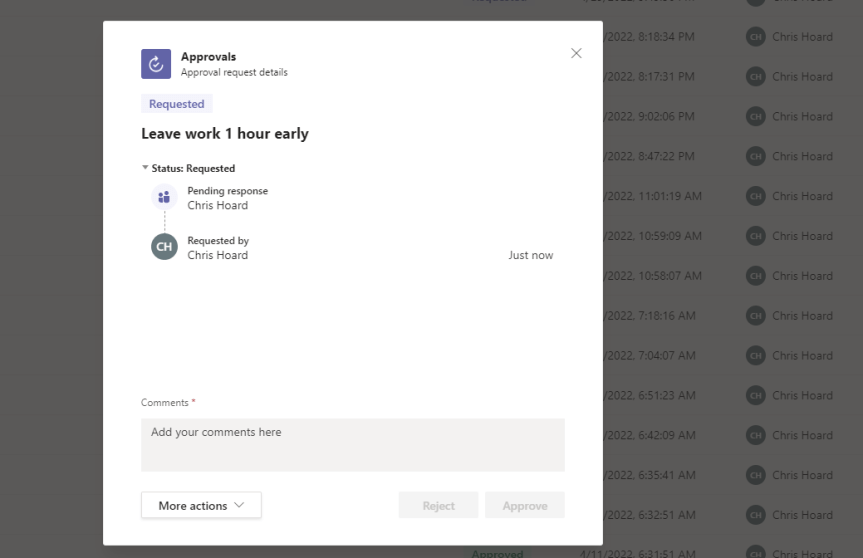
Most recently - mainly the last six months or so since Covid - I feel that I like I have kinda pinballed around in the Teams ecosystem having no real sense of focus. Life is busy. Work is busy. I have been up to my eyeballs in Azure Plan, the New Commerce Experience (NCE), CloudBlue Connect, Catalogues, Packaging, JTA's, writing new courses. Teams Nation. The latest project - or should I say the latest shipped in an ever spinning batch of projects - has been expanding operations and edu out into the MENA region. All fun. All for the greater good! Yet I'll be the first to admit that I've taken a bit of a hit on the community end. I haven't talked so much this year. I haven't blogged or done social as consistently. I've sloped off a few things like the Microsoft Tech Community. I'm well aware of it - and as a marathon compared to a sprint it'll no doubt self adjust and correct given time. But also I find I am in one of those periods when I am genuinely in a quandary about what to focus on given there is just so much exciting stuff out there at the moment. I am really interested in learning more on KQL and doing more in Azure. I am doing loads and want to do more with Power Automate. Same with Compliance. Same with Azure AD and Identity. With Teams? I've always been one for the little things. Sure, I may get around to the fanfare and hoopla that is Shared Channels, but whilst I could say that twenty MVP's have already done this, it's the little vital things that delight me. And so after discussing a range of, I guess, niche subjects the last few weeks, like hiding file sync, and disabling shortcut to OneDrive, and the ability to trigger flows with keywords, and audio conferencing, and app setup for messaging extensions, I am going to talk about enforcing comments in the approvals app. Yes, I wanted this. I wanted this bad. Because generally speaking I have never really liked blind approvals. I like context. I like to give context. This will be a short one because really it's an awareness piece as much as being a technical blog.
Teams Real Simple with Pictures: Disabling Add Shortcut to OneDrive

You know, I have this good mate online. His name is Phil Worrell, and the thing about Phil is he is quite possibly the greatest ever community member who has yet to win a ring. He's like the Charles Barkley of the Microsoft Community. He should be an MVP. I think so. They should give it to him on merit because it would be the right thing to do. Because he's great technically but also I know for sure he's supported many MVP's over the years. He's supported me well before I was one over social. Now I first met Phil back at SharePoint Saturday London in 2019 before the pandemic when things were still in person. That was the one where I sat in Karoliina Kettukari's session and asked questions - and she didn't know who I was even though I knew one day she'd speak at my conference. I had a full on conversation with Daniel Laskewitz and Rick Van Rousselt and Dan had absolutely no clue who I was (Rick did he wanted to go drinking :D). And Chirag, my good friend Chirag! I didn't know him then, nor Edyta nor Marijn, nor Liz Sundet or Hans Brender. If only I went there now, right? But Phil? Phil literally shouted 'Hey Chris' across the hall and we had a catch up - presumably on Teams but it could have been very much along the lines of 'what the hell you doing back in the UK Phil, you live in Switzerland'. Phil is a community guy through and through. He's one of the good ones. He'll champion your cause and then some. He's like John Wynne. So this one is for Phil. I promised it for him today on Twitter in a moment of weakness 😀
Teams Real Simple with Pictures: The Microsoft 365 Admin App is here. In Teams.
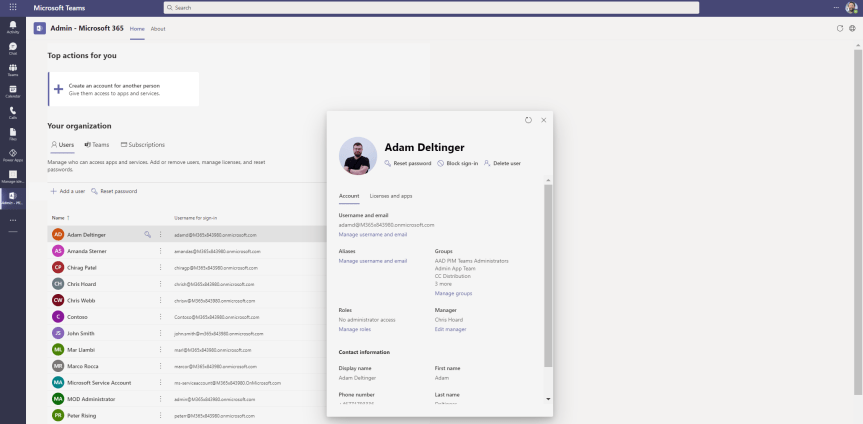
In a couple of days time I'll be presenting on Microsoft Loop at the Modern Workplace Conference in Paris (MWCP). It's my second time lucky. I am very proud to be returning to such a prestigious event given it was the one that got me interested in the circuit in the first place. Vesku and I will be teaming up again once more. Last year we talked about Teams as a Platform. This year I guess you could say we are also talking about Teams as a Platform exploring Loop Components, their intricacies, and other aspects we've investigated like compliance and flows. It's all very exciting given that they are only just rolling out into Ring 4 (GA) from preview. Now, earlier today whilst doing the prep work something caught my eye. You know the score. In the ever changing landscape of cloud apps things pop up out of nowhere. But this I had to do a double take on. The Microsoft 365 Admin App - yes, the admin app as in the awesome one you get on your phone via the apple store to manage aspects of your tenant and review service health - its now surfaced into Teams. Now before I start getting too carried away I am sure as a v1.0 it isn't going to have parity with the current admin app, or anywhere near the web version. So even before looking at it I am going to set my expectations low. But imagine. Imagine how handy considering how much we work in Teams if you could just spin up a user or a Team by launching it off the app rail. Also, on first thoughts, it's probably not an app we are going to want to make accessible for the majority of our users in Teams so we'll probably need to whip out some app permissions policies considering these things get launched with a default of on.
 @Microsoft365Pro